Google Earth

500M+
Installs
Google LLC
Developer
-
Travel & Local
Category
-
Everyone
Content Rating
-
apps-help@google.com
Developer Email
-
http://www.google.com/policies/privacy
Privacy Policy
Screenshots
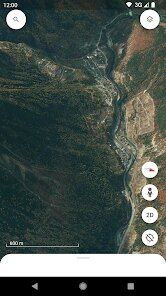
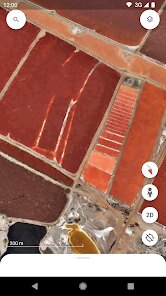
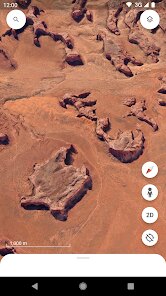
editor reviews
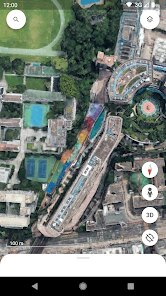
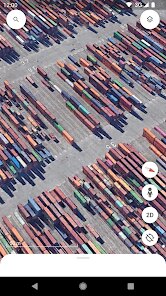
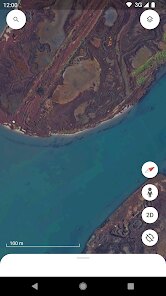
Google Earth is a virtual globe and mapping application that lets you explore almost any place on the planet from your phone. It is a geospatial and educational tool, primarily used for viewing satellite imagery, 3D terrain, and exploring cities, landmarks, and natural wonders. Most people download it from the Google Play Store or the App Store when they want a broader, more immersive view of the world than a standard map provides. After launching it for the first time, the immediate reaction is usually a mix of awe and slight confusion; the interface is stunning, but it takes a minute to realize you are not looking at a simple navigation map, but a full 3D model of the Earth. The app is free to download and install, and while it does not require a registration, there are occasional in-app purchases for things like extra data layers or special features, though the core experience is entirely free. It has been installed billions of times, and its popularity rests on the sheer scale of data it offers right out of the gate.
Hands-on, the app feels like a game and a research tool mixed together. There is no lengthy onboarding; you are just dropped onto the globe. The first thing most people do is pinch to zoom in from space to their own street, and the smooth transition is genuinely impressive. To get around, you type a location into the search bar, or you can use the "I'm feeling lucky" style dice icon on the main screen to be teleported somewhere random, which is a fun way to waste an hour. Navigating is intuitive, but the real depth lies in the "Voyager" section, which offers guided tours and stories about different places. For normal daily use, however, it is less about step-by-step navigation and more about poking around. A practical tip is to use the "Measure" tool to check distances between two random points, which is surprisingly handy for planning trips. The main actions are clearly laid out, but the sheer density of information can sometimes make the screen feel cluttered, and the search function sometimes struggles with colloquial place names.
After using it for a while, I have a clear sense of who this is for. Anyone with a genuine curiosity about geography, travel planning, or just wanting to visually revisit a past vacation spot will love it. However, if you only need turn-by-turn directions, you are better off with Google Maps and will likely delete this app quickly. What makes it different from a simple map app is its focus on exploration rather than logistics. It feels more like a documentary you can control than a utility. I keep it installed because it is a great icebreaker at parties and a fascinating way to show kids the world, but I can see how someone without that curiosity might find it a bit gimmicky. It is not a daily driver, but one of those apps that is great to have on hand for those specific, curious moments.
features
- 🌍 The standout feature is the 3D terrain and immersive street view integration. Unlike standard map apps, you can tilt the globe to see mountain ranges in relief or drop into street level to see the actual buildings. The level of detail in places like the Grand Canyon or the Alps is breathtaking and puts it far ahead of apps like Citymapper or Apple Maps.
- 🗺️ The "Voyager" section is a real gem. It provides curated, interactive storytelling from organizations like BBC Earth and NASA. Instead of just looking at a location, you get a narrative explaining its significance. This is something Google Maps attempts with its "Explore" tab, but Voyager is far more educational and engaging.
- 🛰️ The time-lapse feature is a powerful visual tool. Watching the urban sprawl of Las Vegas or the shrinking of the Aral Sea over 30 years within seconds is a history lesson in itself. No other free app offers this seamless temporal view of the planet, making it a unique tool for spotting environmental changes.
pros
- 👍 It is entirely free and has no limits on how much you explore. There are no paywalls for high-resolution imagery like some specialized GIS apps, and it does not mess with you by bombarding the screen with intrusive ads.
- 👍 The accuracy of the satellite data is exceptional. Compared to Bing Maps or even Google Maps, the color grading and sharpness of the imagery in Google Earth is simply superior, making distant places feel real and vivid.
- 👍 The performance is lightyears ahead of older versions. It runs surprisingly smooth on a mid-range phone, even when loading 3D cities. Apps like ArcGIS Earth are far clunkier and less user-friendly in comparison.
cons
- 👎 It is quite heavy on storage and battery. The app takes up over 1 GB of space after initial use, and a 10-minute browsing session will noticeably drain your battery, something that lighter mapping tools like MapQuest do not struggle with.
- 👎 The 3D rendering of some poorly mapped regions is a mess. In less developed areas, the textures become blurry, and the building shapes are often just stretched cubes, which can be jarring and breaks the immersion.
- 👎 The interface can be overwhelming for new users. There is no clear tutorial, so a lot of functionality like 3D measuring or historical imagery is hidden behind icons that take a long time to discover. Google Maps does a much better job at guiding you through its tools.
Recommended Apps
![]()
Sam's Club: Shopping & Savings
Sam's Club4.8

![]()
Air Horn - Siren Sounds Prank
BN Infotech4.5![]()
Girly Wallpapers
Wallpaper World Designs4.7![]()
Wise: International Transfers
Wise Payments Ltd.4.7![]()
Boom Chip Blast: 2-Player
Black Pyramid 3D Games Studio0![]()
Love Collage & Picture Frames
eToolkit Inc4.5![]()
Remini - AI Photo Enhancer
Bending Spoons4.3![]()
Bikii Cloud Game
Bikii Game Dev3.5![]()
Meitu- Photo Editor & AI Art
Meitu (China) Limited4.5![]()
Santa's Naughty List App
Steven J Q McAnena3.6![]()
Simple Calendar - easy planner
Komorebi Inc.4.7![]()
Walgreens
Walgreen Co.4.7![]()
GPS Maps Voice Navigation
Green Lines4.8![]()
Zootopia 2 Stickers & Emojis
Disney0![]()
Pandora - Music & Podcasts
Pandora4.1