Pixel Flow!

1M+
Installs
Loom Games A.Ş.
Developer
-
Puzzle
Category
-
Everyone
Content Rating
-
support@loomgames.com
Developer Email
-
https://docs.google.com/document/d/1cclhyZZthpH2yblnJzj8RDkGx4ZjlafN4b6lygX3GPc
Privacy Policy
Screenshots

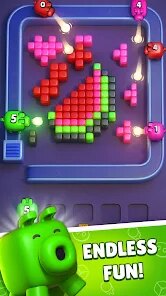
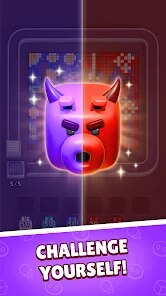

editor reviews
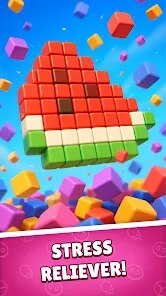
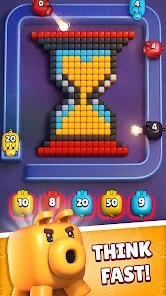
So I've been diving deep into Pixel Flow! by Loom Games A.Ş. on my Android phone, and honestly, it's become my go-to for quick gaming sessions. This is a classic puzzle game at its core, but with a massive twist. You're not just matching colors; you're painting a path through a grid, connecting the right tones to clear each level. The game is exclusively a mobile experience right now—there's no Steam version or option on Xbox or Switch, which is fine because it feels perfectly designed for touch controls. It first launched on the Google Play and the App Store not too long ago, and it's already racked up over 10 million installs. The best part? It's completely free to download and play. While there are in-app purchases for extra hints and cosmetic packs, they typically run between $0.99 and $4.99, and I've never felt pressured to buy them. You can enjoy the entire experience without spending a dime, though a short ad plays between some levels if you choose not to pay.
Playing Pixel Flow! is incredibly intuitive. You start each level with a grid of colorful blocks, and your goal is to trace a continuous line from the start point to the end point, matching the required colors along the way. The best part is how the difficulty ramps up. Early stages are relaxing, helping you learn the mechanics, but by level 50, you're dealing with overlapping paths and limited moves that really test your logic. What I absolutely love is the haptic feedback on my Android device—every time you perfectly complete a section, the phone gives a subtle buzz, making the experience feel tactile and satisfying. It's one of those apps that respects your time; you can finish a level in two minutes or get stuck for ten, but it never feels like a grind. I've spent hours on this app, just chilling out and solving puzzles, and I haven't touched half the other puzzle games on my phone since I hit the install button.
If you've played games like Flow Free or Unblock Me, you'll instantly feel at home, but Pixel Flow! adds a creative layer that sets it apart. Instead of just connecting dots, you're actively mixing and matching colors to match the target pattern, which feels more like digital painting than a pure logic puzzle. I'd recommend this over similar titles because it strikes a perfect balance between challenge and relaxation. Unlike 2048 which can get frantic, this game lets you think at your own pace. It's perfect for subway rides or waiting in line—a solid download for anyone looking to unwind. Just be warned: once you start, it's hard to stop.
features
- Creative Painting Mechanic 🎨: Unlike standard puzzle games where you just match colors or connect dots, Pixel Flow! requires you to “paint” the correct colors onto the grid path. This feels more engaging than Flow Free because you're actively making decisions about color combinations, which adds a layer of artistry to problem-solving.
- Relaxing Soundtrack and Visuals 🌿: The game features a soft, ambient soundtrack and a minimalist art style that makes it feel more like a meditation session than a brain-burner. Compared to Sudoku or Block Blast!, which have repetitive beeps and clunky graphics, this app is a breath of fresh air for winding down after a long day. The color palette is warm and easy on the eyes, especially on OLED screens.
- Daily Challenges and Rewards 🏆: Each day, the game offers a unique set of puzzles that are tougher than the standard levels, with exclusive rewards you can't get from the main campaign. This keeps me coming back daily, similar to how Words With Friends has daily challenges, but here the twist is that the puzzles are designed to force you to think in new ways each time.
pros
- Perfect Difficulty Curve 📈: The game eases you in with simple lessons, but by the time you hit level 200, you're solving complex puzzles that require real planning. In contrast to Unblock Me, which can feel repetitive after a while, this game constantly introduces new mechanics like mirrored colors or locked sections of the grid, ensuring you never get bored. The pacing is masterful.
- No Timers or Pressure ⏰: This is a huge win for me compared to games like Candy Crush Saga, where you're rushed by move limits or time constraints. In Pixel Flow!, you can sit and think for as long as you want. It's entirely stress-free, making it a better choice for casual players who want to relax, not compete. You never need to spend real money to skip a hard level—you can just take your time.
- Runs Smoothly on All Devices 📱: Whether I'm using an older Android phone or a newer model, the game runs buttery smooth without crashes or glitches. Many similar puzzle apps like Monument Valley are beautiful but can lag on budget devices. This one is optimized well, and the download size is small, so it doesn't eat up all your storage. Perfect for a quick install.
cons
- Frequent Interstitial Ads 🛑: While you can remove ads with a small payment, the free version throws a video ad between nearly every level. This really breaks the flow of the game and can be annoying. In contrast, Flow Free has fewer forced ads in its free version, which makes that game feel less intrusive during play sessions.
- Limited Hint System 💡: You only get a limited number of free hints per day, and they're not very helpful. Often, the hint just shows you the next two steps instead of explaining the logic behind the solution. Games like Brain Test have a more generous or educational hint system. If you get stuck on a hard puzzle, you might just have to brute-force it.
- No Undo Button for Moves ↩️: Once you place a color, you can't undo it unless you completely reset the level. This is frustrating when you tap the wrong color by accident. Most similar puzzle games, like Unblock Me, allow you to undo individual moves. It's a small oversight that leads to unnecessary repetition in Pixel Flow!.
Recommended Apps
![]()
Tricky Relax Challenge Games
stick hunter4.1
![]()
Mini Block Craft 2
StartourMobs4.1![]()
Brainrotted Soundboard & AR
YoB4.7
![]()
Sand Loop
VOODOO4.1![]()
Five Nights at Freddy's: SL
Clickteam USA LLC4.5![]()
Highway Truck Driver 2025
Radicals Innovation0![]()
Sonic Dash Endless Runner Game
SEGA4.7![]()
Geometry Dash World
RobTop Games4.5![]()
Little Nightmares
Playdigious4.4![]()
Gabbys Dollhouse: Games & Cats
Play Piknik4.1![]()
Demon Detector : Ghost Radar
Game Palette3.7![]()
Granny
DVloper4.3![]()
Pixel Flow!
Loom Games A.Ş.4.2![]()
Cute Cat Care and Babyshower
Lion Roar4.4![]()
SAKURA School Simulator
GARUSOFT K.K.4.4