Coloring & Learn

100M+
Installs
Orange Studios Games
Developer
-
Action
Category
-
Everyone
Content Rating
-
orangegstudios@gmail.com
Developer Email
-
https://orangestudiosgames.com/privacy_policy.html
Privacy Policy
Screenshots
editor reviews
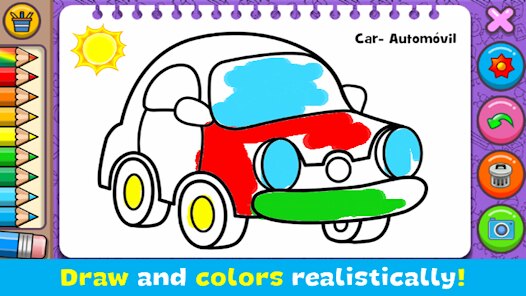
If you've got a kid who loves to scribble on everything, or you're just looking for a chill way to unwind on your Android phone without the pressure of a high-octane shooter, Coloring & Learn by Orange Studios Games is exactly what it sounds like—a digital coloring book stuffed with extra activities. This is a pure mobile app, no PC or Steam version, and no Xbox or Switch port; it's designed specifically for touchscreens. The game first launched on the Google Play Store and Apple App Store back in 2017, and since then, it's racked up over 100 million installs, which is insane for a kids' educational app. It's completely free to download and play, but like most free games on Google Play, there are in-app purchases. You can grab a few small item packs for around $1.99 to $4.99, but honestly, you don't need them to enjoy the full experience—there are no paywalls that lock away core features. There are also optional video ads that pop up when you unlock new coloring sheets or switch between modes, but they're skippable after a few seconds and aren't too intrusive. If your kid hates ads, you can buy the ad-free version through the in-app purchase for about $5.99, which is pretty standard for this genre.
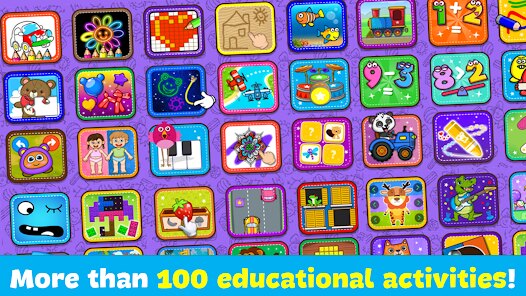
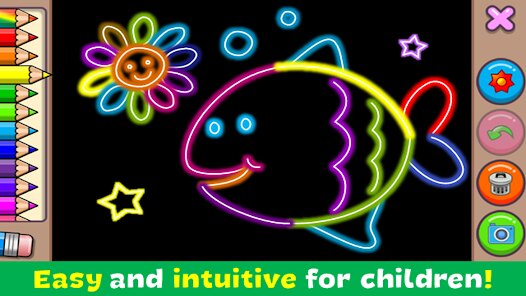
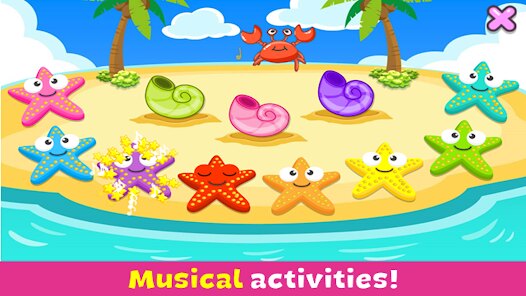
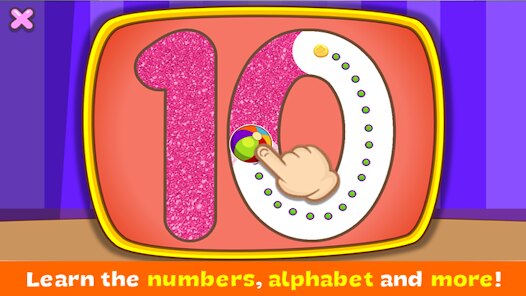
Playing Coloring & Learn is super straightforward. You open the app, and you're hit with a colorful menu full of different modes: coloring pages, drawing with glitter or neon effects, connect-the-dots puzzles, memory games, and even a simple piano mode. The best part for me? The "magic brush" option. It automatically fills in sections with matching colors from a real-life reference image, so even a toddler can make a dinosaur look dope without going outside the lines. My favorite part, though, is the drawing mode where you can just freehand anything with a ton of brush sizes and effects. There's something relaxing about using the neon brush against a dark background—it feels like a cheap therapy session. The game also teaches colors, shapes, and numbers in a subtle way, which is cool if you're trying to sneak some learning into screen time. You don't need any skill or strategy; it's all about tapping, swiping, and enjoying the process.
Compared to other coloring apps on Google Play like Pigment or Coloring Book for Adults, Coloring & Learn feels more like a toy than a tool. Pigment is great if you're an adult looking for intricate mandalas and realistic shading tools, but it's overkill for a 4-year-old—and it costs money upfront. Then there's Bimi Boo's coloring games, which are also educational, but they're way more limited in scope. Coloring & Learn gives you more bang for your buck because you're not just coloring; you're doing puzzles, playing memory cards, and even tapping out songs on a virtual piano. It's not trying to be a professional art studio—it's a fun, messy sandbox for little fingers. If you download this app for your kid (or for yourself on a lazy Sunday), you're getting a complete package that doesn't bombard you with aggressive ads or beg you to spend money every five seconds. It's just solid, clean entertainment that actually feels like a game, not a cash grab. The install count doesn't lie—millions of parents agree.
features
- Multi-Activity Modes 🎨 – Unlike most coloring apps that just have pages to fill, Coloring & Learn includes memory games, connect-the-dots, a piano, and even a "glow" drawing mode with neon effects. This variety keeps kids from getting bored after five minutes, which is a big deal on Android where similar apps like Kids Doodle only offer one or two features.
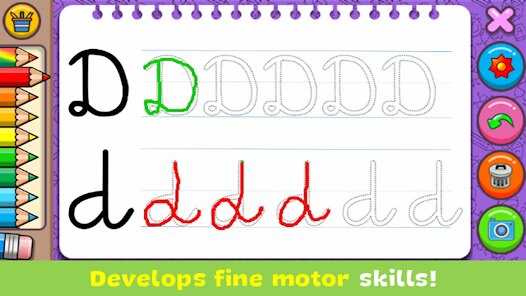
- Magical Brush Tool ✨ – This feature automatically paints sections with the correct color from a reference image, which is great for younger children who haven't mastered fine motor skills yet. It's a smarter way to teach color recognition compared to apps like Colorfit, which just leave kids to guess.
- No Internet Required 📶 – Once downloaded, the entire app runs offline including all its drawing tools and puzzles. This is perfect for long car rides or flights, and it's a huge advantage over online-heavy apps like Pigment that need a constant connection to load new pages or premium content.
pros
- Absolutely Ad-Free for Kids 👶 – You can lock the menu with a simple "parent gate" (a basic math question or holding a button), which prevents accidental taps on ads or purchases. Other apps like Bimi Boo haven't nailed this as well—my toddler once bought a $10 pack by mashing the screen. Here, it feels safer.
- Huge Content Library 🖍️ – With over 200 coloring pages spread across categories like animals, vehicles, and dinosaurs, plus dozens of puzzles and sound instruments, there's enough content to last weeks. Compare that to Coloring Book for Kids on Google Play, which gives you maybe 20 pages before asking for a purchase to unlock more.
- Simple, Intuitive Interface 🧒 – The icons are big, the colors are bright, and there are no confusing menus. A 2-year-old can figure it out after a minute of tapping. Games like Hopster try to do similar things but stuff the screen with too many options, overwhelming small kids.
cons
- Limited Save Options 💾 – You can't easily export your drawings to your phone's gallery or share them via social media directly. You have to take a screenshot manually, which is a hassle. Apps like Pigment let you save high-res images or share to Instagram in one tap. For a game with 100 million installs, this feels like an oversight.
- Repetitive Soundtrack 🎵 – The background music loop is short and gets annoying fast. While you can turn it off in the settings, there's no option to use your own music from Spotify or YouTube in the background without muting the whole app. Similar educational games like Toca Boca manage this better by offering multiple theme songs or calming white noise.
- Slightly Outdated Art Style 🖼️ – Some of the pre-made coloring pages look a bit blocky and low-resolution, especially on modern tablets with high-DPI screens. Compared to newer Android apps like Coloring Game by LisanTech, which uses vector-based smooth art, Coloring & Learn feels like it hasn't been visually updated since its 2017 launch. It works fine, but it's not crisp.
Recommended Apps
![]()
Tricky Relax Challenge Games
stick hunter4.1
![]()
Mini Block Craft 2
StartourMobs4.1![]()
Brainrotted Soundboard & AR
YoB4.7
![]()
Sand Loop
VOODOO4.1![]()
Five Nights at Freddy's: SL
Clickteam USA LLC4.5![]()
Highway Truck Driver 2025
Radicals Innovation0![]()
Sonic Dash Endless Runner Game
SEGA4.7![]()
Geometry Dash World
RobTop Games4.5![]()
Little Nightmares
Playdigious4.4![]()
Gabbys Dollhouse: Games & Cats
Play Piknik4.1![]()
Demon Detector : Ghost Radar
Game Palette3.7![]()
Granny
DVloper4.3![]()
Pixel Flow!
Loom Games A.Ş.4.2![]()
Cute Cat Care and Babyshower
Lion Roar4.4![]()
SAKURA School Simulator
GARUSOFT K.K.4.4