DIY Coloring: Pixel Art Number

500K+
Installs
DIY Paper Doll Dress Up Games
Developer
-
Puzzle
Category
-
Everyone
Content Rating
-
quangvu@nexargames.com
Developer Email
-
https://nexargames.com/privacy-policy
Privacy Policy
Screenshots

editor reviews
So, I've been sinking some serious time into DIY Coloring: Pixel Art Number on my Android phone lately, and honestly, it's one of those chill, low-commitment mobile games that just hits different when you need a break from sweaty PvP shooters. It's a coloring-by-number pixel art game, pure mobile through and through—no PC version on Steam or ports to Xbox or Switch, which is fine because it's clearly designed for touchscreens. You can download it from the Google Play Store and the App Store, and it's been sitting at over 10 million installs last I checked, so it's got a solid community. The best part? It's completely free to download and play, with in-app purchases for things like extra palettes or ad removal, usually ranging from $1.99 to $4.99 a pop. There's also occasional in-app ads, but they're not intrusive unless you're really trying to grind through levels without paying.
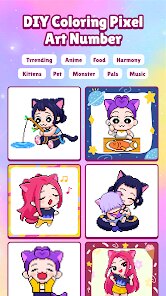
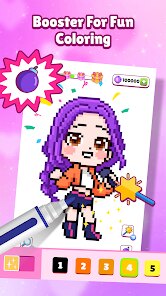
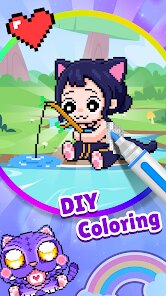
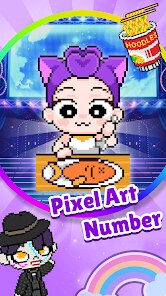
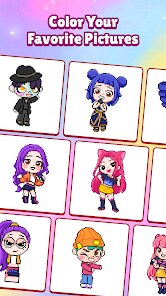
Gameplay is super straightforward: you pick a pixel art template—everything from cute animals to landscapes or anime characters—and then tap on numbered squares to fill them in with the corresponding colors from a palette. The app auto-zooms and guides your finger, so it's perfect for casual sessions on the bus or before bed. The best part of this game for me has to be the sheer variety of templates. I'm a big fan of pixel art from old-school RPGs, and this app gives me that nostalgic vibe without needing to boot up an emulator. Plus, there's no time pressure or fail states; you can mess up a color, undo it easily, or just leave a piece half-done for days. Honestly, my favorite moment was finishing a massive dragon pixel art after three weeks of on-and-off coloring—felt oddly rewarding, like completing a jigsaw puzzle.
Compared to similar games like Happy Color or Pixel Art Coloring Book, DIY Coloring: Pixel Art Number stands out because it feels less corporate and more focused on community content. Happy Color has a ton of ads and forces you into a daily streak system, while this app lets me breathe. The pixel art here is grittier and more detailed, not just smooth shapes, which I appreciate as someone who grew up on 8-bit games. If you've tried something like Color by Number on Google Play and felt it was too generic, give this one a shot. It's not flashy, but it's honest, and that's rare in the mobile app space these days.
features
- Huge Template Library 🖼️: The app offers over 2,000 pixel art images, including exclusive community uploads, way more than what you get in something like Pixel Art Coloring Book, which only has around 500 and charges for premium packs.
- No Rush Mechanics ⏰: Unlike Happy Color, which nags you with daily challenges and timers, this game lets you zoom in, switch palettes, and save progress without any pressure—perfect for a relaxing Android app experience.
- Ad-Friendly Free Play 📱: You can watch a short ad to unlock a bonus palette or double your color options, but unlike other free games, you're never forced to sit through a 30-second clip just to continue your current piece. It's a fair trade-off for a free download.
pros
- Stress-Free Creativity 🎨: Biggest strength for me. I can install this game and zone out for 10 minutes or an hour without worrying about losing progress or failing a task. Contrast that with something like Color by Number, which has a lives system—this game just lets me play.
- Great for Pixel Art Fans 🕹️: If you love retro gaming aesthetics, the designs here have a chunky, authentic pixel look that reminds me of old Game Boy titles. Happy Color's images feel more like digital painting, which isn't my vibe at all.
- Customization Options ✨: You can adjust the grid size and even create your own color palettes, which I haven't seen in many similar apps on Google Play. It gives you control over the final look, making each piece feel personal.
cons
- Slow Progression Without Paying 💸: To unlock the really cool templates—like detailed cityscapes or popular characters—you either need to grind through basic ones or shell out for the premium pack. Happy Color gives more free premium content upfront, even with its ads.
- Occasional UI Glitches 🐛: The app sometimes freezes when switching between large templates, especially on older Android phones. I've had to force-close and restart a few times, which isn't a problem I have with Pixel Art Coloring Book, which runs smoother.
- Limited Social Features 🤷: Unlike some mobile coloring games, there's no way to share your creations directly with friends or see what others are coloring. It feels a bit solitary compared to apps like Color by Number, which has a gallery feature for community posts.
Recommended Apps
![]()
AFK Arena
LilithGames4.6

![]()
Papa's Cupcakeria To Go!
Flipline Studios4.3![]()
Hair Salon: Beauty Salon Game
Bravestars Games4.5![]()
Merge Race Girl
PixelSeed0![]()
Makeover Queen: Pull the pin
GameeStudio3.3![]()
Escape Tsunami: Find Brainrots
InterLight Corp.0![]()
Brawl Stars
Supercell4.3![]()
Avatar Maker Dress up for kids
Pazu Games2.9![]()
Need for Speed™ No Limits
ELECTRONIC ARTS4.4![]()
Art of War: Legions
Fastone Games HK4.3![]()
Paper Delivery Boy
Supercent, Inc.4.4![]()
Plants Vs Brainrots
Veron Media, LLC4.4![]()
Car Race
iKame Games - Zego Studio4.6![]()
Capybara Go!
Habby4.8![]()
Plonky
Gametornado4.4