

Telegram

1,000,000,000+
Installs
Telegram FZ-LLC
Developer
-
Social
Category
-
Rated for 12+
Content Rating
-
https://telegram.org/privacy
Privacy Policy
Screenshots
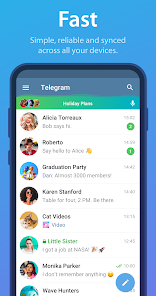
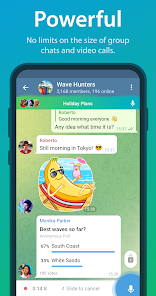
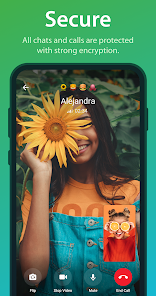
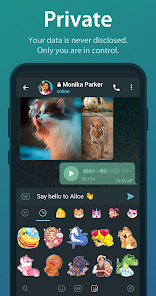
editor reviews
Telegram is a messaging app that feels a bit like a cross between a regular chat tool and a public broadcasting platform. It sits somewhere between WhatsApp and Twitter, letting you send private messages, have group chats, and even run channels where you can broadcast to an unlimited number of subscribers. People download it for all sorts of reasons - some want a more privacy-focused chat app, others want to set up large groups for communities or work, and plenty just follow the crowd because their friends are already there. After installing it from Google Play or the App Store (both free, no forced registration even), the first impression is clean and modern. You get a splash screen, a quick setup with just your phone number, and then you're dropped into a pretty familiar-looking interface. It doesn't feel overwhelming, but it also doesn't shout "look how different I am" right away.
Once you start actually using Telegram, the experience feels smoother than you'd expect. The interface is straightforward to navigate, with three main tabs for Chats, Calls, and Settings. Onboarding is quick: you add contacts, join a group or two, and start sending messages that can include files up to 2GB, which is one of those "wow" moments if you've ever been annoyed by WhatsApp's 100MB limit. The app also supports voice chats, video calls, and channels, which are easy to set up by tapping the new message icon and choosing the option. Common usage steps include switching between groups, pinning important chats, and using the built-in search that actually finds things fast. Sometimes the sheer number of notifications from active groups gets a bit noisy, but muting them solves that. A practical tip: you can schedule messages by holding down the send button, which is handy for time zones or polite reminders. There's a slight learning curve around bots and stickers, but most people figure it out quickly enough.
After spending a few weeks with Telegram, I find myself keeping it installed mostly because of the flexibility. People who love organizing communities, sharing large files without compression, or just want a messenger that doesn't lock you into an ecosystem will enjoy it. On the other hand, if you only need a simple way to text a handful of contacts, Telegram might feel like overkill - WhatsApp or Signal would serve you just as well. What makes it different from similar apps is the balance between privacy and reach: you can have secret chats with end-to-end encryption, but the default chats are cloud-based and accessible from any device, which is handy for multi-device users. A typical user might uninstall it if their friends don't join, because it's useless if nobody is there to talk to. Still, for niche communities, file sharing, or just avoiding Facebook's umbrella, Telegram has carved out a real space for itself.
features
- 📁 File sharing without boundaries - While WhatsApp limits file transfers to 100MB, Telegram lets you send files up to 2GB, and they aren't compressed. This makes a real difference when you're sharing high-quality videos, large PDFs, or entire project folders with colleagues or friends.
- 👥 Unlimited group members and channels - Groups on Telegram can have up to 200,000 members, while channels let you broadcast messages to an unlimited audience. Compare that to WhatsApp Groups, which cap at 1,024 participants, and it's clear Telegram is built for large-scale communities or announcements.
- 🤖 Built-in bot ecosystem - Telegram supports bots that can do everything from polling to gaming, payment processing, and automated moderation. Unlike other messengers, this isn't an afterthought but a core feature that feels integrated into the UI, making the app feel more like a platform than just another chat app.
- ☁️ Cloud-native design - Your chat history syncs seamlessly across devices, including desktops and tablets, without needing your phone to stay connected. WhatsApp Web requires the phone to be online, but Telegram doesn't, which is a huge convenience for daily use.
pros
- 🔒 Privacy flexibility - Telegram offers secret chats with end-to-end encryption, self-destructing messages, and username-based interaction that lets you avoid sharing your phone number. Signal focuses strictly on E2EE for everything, but Telegram gives you the option to trade some privacy for convenience when you want cloud sync.
- 🚀 Speed and reliability - Messages send and sync noticeably faster than on WhatsApp, especially in large groups. Even with spotty internet, Telegram's backend handles delivery well, and the app rarely feels sluggish.
- ✨ Customization options - You can change themes, create custom stickers without size limits, and even build your own set of emoji. This is something both WhatsApp and iMessage restrict heavily, so Telegram stands out for anyone who likes personalizing their chats.
cons
- 🔎 Privacy compromises - Secret chats aren't the default, and regular chats lack end-to-end encryption, meaning Telegram's servers can see your messages. Signal encrypts everything by default, so privacy-minded users get a stronger guarantee elsewhere.
- 📶 Group chaos potential - While unlimited members are great, large groups can turn into spam-filled messes without careful moderation. WhatsApp has better built-in controls for managing smaller groups, making Telegram feel chaotic if you're not proactive.
- 😶 Missing polished integration - Telegram lacks the tight OS-level integration that WhatsApp has on Android, like contact detection or system share sheet quirks. This can make basic tasks feel a bit disconnected compared to the simplicity of WhatsApp on the same device.
- 🔋 Battery and data usage - The app is known to consume more battery and data, especially in groups with heavy media sharing or active channels, compared to leaner apps like Messenger Lite or Signal.
Recommended Apps
![]()
BetterMe: Health Coaching
BetterMe Limited4.3
![]()
Walli - HD, 4K Wallpapers
Tap AI4.4![]()
Future Self - Old Age Filter
Vidler Koiter1.6
![]()
AI Photo Editor, Collage-Fotor
AI Art Photo Editor | Everimaging Ltd.4.3![]()
AI Face Swap: MagicFace &Photo
Braly JSC0![]()
QR Code Reader: QR Scanner
WECHOICE MOBILE4.3![]()
Lip Fall Challenge: Fun Filter
Braly JSC0![]()
Funny Reverse Audio - Singing
PlayStudioInc0![]()
Birthday Secrets
shasunder4.4![]()
Live Wallpapers HD 4K
Wallpaper app4.4![]()
Find Your Phone By Clap
Trusted App Global4.5![]()
Wizz - Expand Your World
Wizz3.8![]()
NCAA March Madness Live
NCAA Digital4.7![]()
Hulu: Stream TV shows & movies
Disney4.5![]()
Lethal Love: a Yandere game
AniByte!4.4















Disclaimer
1.Apklifts does not represent any developer, nor is it the developer of any App or game.
2.Apklifts provide custom reviews of Apps written by our own reviewers, and detailed information of these Apps, such as developer contacts, ratings and screenshots.
3. All trademarks, registered trademarks, product names and company names or logos appearing on the site are the property of their respective owners.
4.Apklifts abides by the federal Digital Millennium Copyright Act (DMCA) by responding to notices of alleged infringement that complies with the DMCA and other applicable laws.
5.If you are the owner or copyright representative and want to delete your information, please contact us [email protected].
6.All the information on this website is strictly observed all the terms and conditions of Google Ads Advertising policies and Google Unwanted Software policy.
7.Apklifts.com is an independent, information-only website which is 100% free to all the users.














