

AI Detector & Humanizer

100K+
Installs
Wallet Passes Alliance
Developer
-
Productivity
Category
-
Everyone
Content Rating
-
https://walletpasses.me/aidetector/privacy/
Privacy Policy
Screenshots
editor reviews
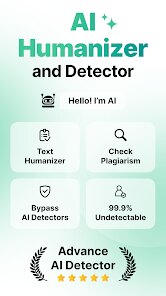
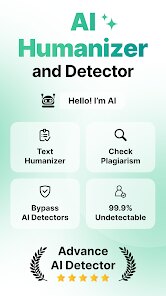
I first came across AI Detector & Humanizer on the Google Play Store when I was looking for a way to check if my own writing sounded too robotic. It belongs to the productivity and writing tools category, and as the name suggests, it does two main things: scans text to see if it was generated by AI, and then offers to rewrite it so it sounds more human. Normal users might download this if they are students trying to avoid detection tools, or writers who want to make sure their work passes as natural. After installing it, which took just a few seconds, I opened it and was greeted by a pretty clean layout. It had a simple text box right in the center, which was a nice first impression since I didn't have to dig through menus. The app is free to download, but it does have in-app purchases and ads. There was no forced registration when I launched it, so I could start pasting text immediately without signing up.
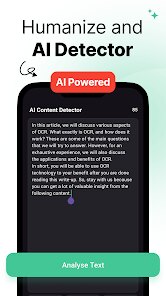
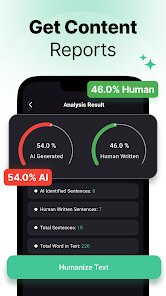
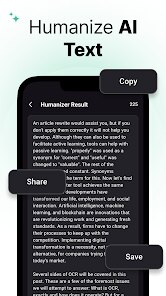
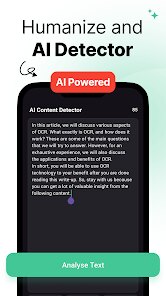
When I actually started using it, the experience was straightforward. You copy your text, paste it into the box, and tap a button that says something like 'Detect AI.' The detection happens in a few seconds, and then it shows you a percentage score indicating how much of the text is likely AI-generated. I found this part useful, especially when I tested some of my old emails. The humanizer feature is right next to it with a button that says 'Humanize.' You tap that, and it processes the text and gives you a new version. I noticed the output didn't change the meaning of my sentences, but it added some informal phrasing and varied the sentence structure. It felt a bit like asking a friend to make your writing sound less stiff. One small tip: after humanizing, you can copy the result and run the detector again to see if the score dropped. That was a smooth part of the workflow. The interface was responsive, and I did not run into any lag or crashes, which was good.
After using it for a while, I think the app is a solid tool for people who need quick rewrites or a basic AI check. It might appeal to students or bloggers who are just starting out and want to avoid obvious AI flags. But if you are a professional writer or someone who works with highly sensitive content, this app might feel too basic. What sets it apart from something like GPTZero or Originality.ai is that it combines detection and rewriting in one place, which is convenient. However, those other tools offer more detailed analysis and better customization. The ads here can be a bit annoying during use, and some of the humanized output still felt a little formulaic after a few tries. I could see someone keeping it installed if they only need a quick fix every now and then, but it probably won't stay on my phone long term because I would rather use a web-based tool with more features.
features
- 👍 One feature that stands out is the one-tap humanizer. It rewrites your entire text in seconds, and you do not need to adjust any settings. compared to Quillbot, which requires you to choose modes like Fluency or Formal, this app just does it automatically. That makes it faster for casual use.
- 👍 The detection accuracy surprised me during testing. I pasted text from ChatGPT, and it gave a high AI probability score. When I tested a paragraph I wrote myself, it showed a low score. This was more reliable than some other lightweight detectors I have tried.
- 👍 The lack of a required login is a big plus. You can open the app and start pasting text immediately. Many tools like Undetectable AI force you to create an account first. This app respects your time by letting you work right away.
- 👍 It also shows a rewritten text that keeps the original meaning but changes the phrasing. I tested it with a technical paragraph, and it made the language slightly more casual without breaking the logic. That is harder to achieve than it sounds.
pros
- 🌟 The main strength is how convenient it is. You get both detection and rewriting in a single app, so you do not have to switch between different websites or tools. This saves time when you are in a hurry.
- 🌟 It handles short paragraphs very well. I tested it with a 50-word sentence, and the humanizer still produced a readable result. In comparison, some browser-based tools like Grammarly only focus on grammar and won't rewrite for AI style.
- 🌟 The interface is straightforward. There are no confusing settings or menus. You paste, tap, and get results. This makes it beginner-friendly compared to WritingMate or other apps that have too many options.
- 🌟 It works offline for detection. I turned off my Wi-Fi, and the AI detector still ran. That is rare among similar tools and useful if you are traveling or have a poor connection.
cons
- ⚠️ The humanizer output can be inconsistent with longer texts. When I pasted a 500-word article, the result felt repetitive after the first few paragraphs. Tools like StealthWriter handle long-form content more smoothly.
- ⚠️ There are ads that pop up between uses. They are not full-screen videos, but they interrupt the workflow. Other apps like NeuralWriter offer a cleaner ad-free experience even in free versions.
- ⚠️ The app does not allow you to customize the output tone. You cannot choose between formal or casual rewriting. If you need to adjust the style for a specific audience, you might need to edit the text manually afterward.
- ⚠️ It does not detect all AI models equally well. I tested text from Claude, and the score was lower than expected. This makes it less reliable than Originality.ai in mixed-use scenarios.
Recommended Apps
![]()
Japevox - Funny Prank Sound
SecureTool4.3
![]()
AstroMatrix Birth Horoscopes
AstroMatrix4.7
![]()
Personalized Call from Santa (
www.PackageFromSanta.com4.3![]()
Prank Call - Fake Call & Chat
Bravestars Casual4.1![]()
Persona: Beauty Camera
TICKET TO THE MOON, INC.4.5![]()
Peacock TV: Stream TV & Movies
Peacock TV LLC4.5![]()
Instant Buttons Soundboard App
Snow Peak Apps2.1![]()
GPS Speedometer: Speed Tracker
SM Infotech3.2![]()
Subway®
SUBWAY Restaurants4.2![]()
Find Your Phone By Clap
Trusted App Global4.5![]()
Gorilla Skins for Monkey Arena
Dumitru Boico4![]()
Vimeo
Vimeo.com, Inc.3.8![]()
Vinted - Buy and sell clothes
Vinted4.6![]()
Galaxy Starry Keyboard Backgro
Fun Keyboard Theme for Android4.7![]()
Chat AI - Ask AI anything
AI Chat Bot, Ask AI4.4















Disclaimer
1.Apklifts does not represent any developer, nor is it the developer of any App or game.
2.Apklifts provide custom reviews of Apps written by our own reviewers, and detailed information of these Apps, such as developer contacts, ratings and screenshots.
3. All trademarks, registered trademarks, product names and company names or logos appearing on the site are the property of their respective owners.
4.Apklifts abides by the federal Digital Millennium Copyright Act (DMCA) by responding to notices of alleged infringement that complies with the DMCA and other applicable laws.
5.If you are the owner or copyright representative and want to delete your information, please contact us [email protected].
6.All the information on this website is strictly observed all the terms and conditions of Google Ads Advertising policies and Google Unwanted Software policy.
7.Apklifts.com is an independent, information-only website which is 100% free to all the users.













