

AI Fusion - AI Merge Character

500K+
Installs
Braly JSC
Developer
-
Generative AI
Category
-
Everyone
Content Rating
-
https://bralyvn.com/privacy-policy.php
Privacy Policy
Screenshots
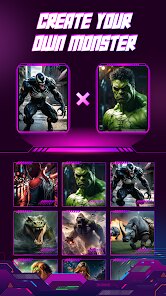
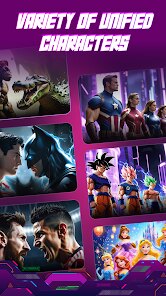
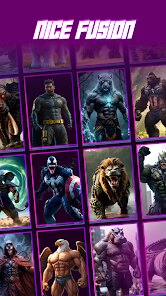
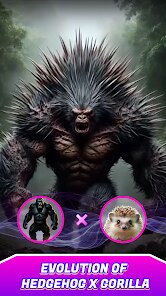
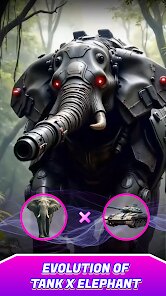

editor reviews
AI Fusion - AI Merge Character is a mobile app that falls into the category of AI-powered image and character creation tools. Essentially, it lets you take two existing pictures of people, characters, or even just facial features and merge them together into a single, new face using artificial intelligence. I stumbled across it on the Google Play Store while looking for something fun to mess around with, and the premise sounded straightforward: upload two photos and let the AI do the blending. It's free to download, which is always a plus, and the install count seems decent enough to indicate it's not completely obscure. Right after launching the app, the first impression is a bit mixed—the interface is clean but feels a bit basic, almost like a tool that prioritizes function over flashy design. There's no forced registration to start, which I appreciated, but you do run into in-app purchase prompts after a few tries, and a few ads pop up here and there, which nudges you toward the premium version if you want an uninterrupted experience.
Once you actually start using it, the process is surprisingly simple. The main screen has a clear “Start” button, and then it walks you through selecting your first image from your gallery, then the second one. You can adjust a slider to control how much influence each parent image has on the final result, which is a nice touch for fine-tuning. The AI processing takes about ten to fifteen seconds on my mid-range phone, and the output is generally pretty good—faces look realistic with natural blending of skin tones, bone structure, and hair. One small tip I picked up: if you use photos with similar lighting and angles, the results look way more convincing. The app also includes a few editing tools afterward, like cropping or applying filters, but they're fairly limited. I did hit a confusing moment when I tried merging a photo of a person with a cartoon character—the AI clearly wasn't designed for that, and the output was just a weird mess. That said, for human-to-human merges, the daily workflow is smooth and intuitive.
After playing with it for a while, I have a pretty clear sense of who would enjoy this app and who probably wouldn't bother. If you're into creating fun avatar ideas, mock-ups of what a hypothetical child of two celebrities might look like, or just want a quick party trick to show friends, AI Fusion nails that casual entertainment niche. But if you're looking for professional-grade face morphing or high-resolution outputs for serious design work, this isn't it—the resolution can drop noticeably, and the free version limits you to a few merges per day before asking you to pay. Compared to something like FaceApp or even the morphing feature in some photo editors, AI Fusion is more specialized but also more limited in scope. I could see myself keeping it installed just for occasional laughs, but I can also see how someone might uninstall it after a week because the novelty wears off, and the free tier feels restrictive. It's a decent tool for what it promises, but not a daily driver for most people.
features
- 🤖 The core feature is the AI-driven face merge, where you select two photos and the app creates a realistic blended face by mapping facial landmarks, adjusting skin texture, and blending feature shapes. Unlike apps like FaceApp that focus on filters or aging effects, this one is purely about combining two real faces into one believable output, which feels more specific and less gimmicky.
- ⚙️ A standout aspect is the “influence slider” that lets you control how much each parent image contributes to the final result. You can slide from 0% to 100% for each photo, which gives you the freedom to make one face dominate or create a 50/50 blend. This is more flexible than many similar tools, which often just output a fixed average and leave you with no control.
- 📸 The app includes a built-in gallery of previous merges and a quick save-to-device function, which keeps your workflow tidy. Compared to web-based merger tools that require downloads and uploads, having everything in one mobile interface with camera roll integration feels natural and fast, especially when you want to share results immediately on social media.
pros
- 👍 The free version lets you test the core feature without any money upfront, which is rare for AI tools that often lock even basic merging behind a paywall. Apps like Remini or Picsart force you to pay after a few tries, but here you get a handful of free merges daily.
- 👍 Processing speed is genuinely fast—around 10 seconds on my device—so you're not waiting around. Other AI merger apps sometimes take 30 seconds or more, which kills the fun when you're just experimenting.
- 👍 The output looks natural with proper skin texture blending, unlike some competitors that produce smooth, plasticky faces. The AI here preserves individual details like freckles and wrinkles, which makes the final image feel more authentic.
cons
- 👎 The free tier limits you to only a few merges per day, and after that, you're prompted to buy the premium version. Competitors like FaceApp give you more free uses before pushing ads or subscriptions, so this feels stingier.
- 👎 The app struggles badly with non-human images like cartoon characters or animals, often producing distorted, unusable outputs. Other tools like Picsart handle this better because they offer more general photo editing alongside AI features.
- 👎 The image resolution in the final output is noticeably lower than the original photos, which means you can't really use the merged face for anything high-quality like printing. Apps that focus on photo enhancement typically maintain higher resolution in their results.
Recommended Apps
![]()
BetterMe: Health Coaching
BetterMe Limited4.3
![]()
Walli - HD, 4K Wallpapers
Tap AI4.4![]()
Future Self - Old Age Filter
Vidler Koiter1.6
![]()
AI Photo Editor, Collage-Fotor
AI Art Photo Editor | Everimaging Ltd.4.3![]()
AI Face Swap: MagicFace &Photo
Braly JSC0![]()
QR Code Reader: QR Scanner
WECHOICE MOBILE4.3![]()
Lip Fall Challenge: Fun Filter
Braly JSC0![]()
Funny Reverse Audio - Singing
PlayStudioInc0![]()
Birthday Secrets
shasunder4.4![]()
Live Wallpapers HD 4K
Wallpaper app4.4![]()
Find Your Phone By Clap
Trusted App Global4.5![]()
Wizz - Expand Your World
Wizz3.8![]()
NCAA March Madness Live
NCAA Digital4.7![]()
Hulu: Stream TV shows & movies
Disney4.5![]()
Lethal Love: a Yandere game
AniByte!4.4















Disclaimer
1.Apklifts does not represent any developer, nor is it the developer of any App or game.
2.Apklifts provide custom reviews of Apps written by our own reviewers, and detailed information of these Apps, such as developer contacts, ratings and screenshots.
3. All trademarks, registered trademarks, product names and company names or logos appearing on the site are the property of their respective owners.
4.Apklifts abides by the federal Digital Millennium Copyright Act (DMCA) by responding to notices of alleged infringement that complies with the DMCA and other applicable laws.
5.If you are the owner or copyright representative and want to delete your information, please contact us [email protected].
6.All the information on this website is strictly observed all the terms and conditions of Google Ads Advertising policies and Google Unwanted Software policy.
7.Apklifts.com is an independent, information-only website which is 100% free to all the users.














