
Microsoft Edge: Browse with AI

50,000,000+
Installs
Microsoft Corporation
Developer
-
Social
Category
-
Rated for 3+
Content Rating
-
https://go.microsoft.com/fwlink/?LinkId=521839
Privacy Policy
Screenshots
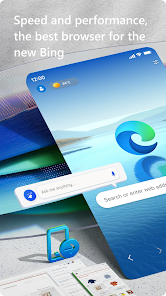
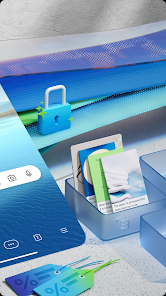
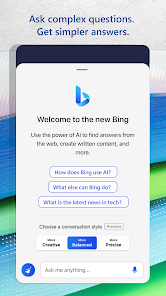
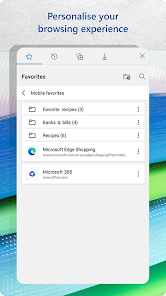
editor reviews
I started using Microsoft Edge mostly because it came pre-installed on my Windows laptop, honestly. It's a web browser, obviously, but Microsoft has been pushing it hard as the go-to choice for anyone who uses Windows, Office, or just wants a fast, Chromium-based browser with some extra AI tricks built in. The main pitch is that it's not just a browser anymore—it's a full-on productivity hub. You download it for free from the Google Play Store or the App Store, and since it's Microsoft's own app, it's pretty much guaranteed to be stable and secure. When I first launched it on my phone, the interface looked clean and familiar, kind of like Chrome but with a slightly different color scheme and the infamous Bing button right there in the search bar. It felt immediately usable, no awkward onboarding, just a smooth, professional first impression that made me want to give it a real try.
After actually using it for a few days, I found the experience pretty solid. The interface is straightforward—a simple start page with a search bar, quick links, and a news feed that you can customize to show topics you actually care about. The main actions are exactly what you'd expect: typing a URL, opening a new tab, bookmarking pages, and switching between open tabs. What stood out to me, though, is how fast it handles pages. Even on a slower connection, Edge loaded pages quickly without that annoying lag. There's a built-in ad blocker that works well, and the Collections feature is super handy for saving and organizing content from different websites. One small tip I picked up: you can use the voice search instead of typing, which is great when you're too lazy to type out a long query. The only confusing moment was when I accidentally opened a PDF in the built-in reader—it works fine, but it took me a second to figure out how to go back to my previous page. Overall, the hands-on feel is smooth, reliable, and surprisingly intuitive for anyone coming from another Chromium browser.
After sticking with it for a while, I have to say it's a solid browser but not a revolutionary one. If you're already deep in the Microsoft ecosystem—using Windows, Office, or Outlook—this browser is a no-brainer because it syncs everything seamlessly. The AI features like the Copilot sidebar are neat for quick research or summarizing articles, but they don't feel essential for daily browsing. Compared to Chrome or Firefox, Edge is faster and uses less memory, which is a big plus if your device struggles with multiple tabs. But if you're someone who prefers a simpler, no-frills browser, you might find some of the extra features annoying rather than helpful. I kept it installed because it's lightweight and works well with my work accounts, but I doubt I'd pick it over Chrome if I were just a casual user. It's a solid choice, just not a standout unless you lean into the Microsoft ecosystem.
features
- ⚡ AI-Powered Copilot Integration: Unlike typical browsers that just show web pages, Edge has a built-in AI sidebar. You can ask it to summarize a long article, rewrite a paragraph, or find related topics. Chrome doesn't have this built-in—you'd need an extension. Edge's Copilot feels natural to use, like having an assistant that quietly waits until you need it.
- 📂 Collections Tool: This is one of my favorite features. You can save text, images, and links from any page into a single collection, sort them into groups, and even export them to Word or Excel. Chrome has bookmarks, but they are basic. Edge's Collections make research or shopping planning so much easier because you can keep everything in one visual panel.
- 🛡️ Built-in Tracking Prevention and Ad Blocker: Edge comes with multiple levels of tracking protection right out of the box, and it includes a decent ad blocker. You don't have to install extra extensions or tweak tons of settings. Firefox has good privacy features too, but Edge's ad blocker works smoother without breaking pages.
pros
- 📊 Better Memory Management: Compared to Chrome, Edge uses noticeably less RAM. On my laptop with 8GB of memory, I can keep 10 tabs open without feeling the slow-down. This makes a big difference when you're working on a budget device or multitasking heavily.
- 🔄 Seamless Cross-Device Sync: Edge syncs passwords, bookmarks, open tabs, and even your browsing history across Windows, Android, and iOS. Unlike Firefox, which sometimes takes a moment to sync, Edge updates almost instantly. This is a huge time-saver if you switch between your phone and PC throughout the day.
- 🧩 No Extra Bloatware: Unlike some browsers that come with toolbars or nagware, Edge stays clean. It doesn't push unnecessary bundles or ask you to install extra apps. This is a clear edge over some free browsers that bundle software you never asked for.
cons
- ⚠️ Bing and Microsoft Push: Edge really tries to push Bing as the default search engine and Microsoft services at every turn. If you prefer Google as your search engine or use Google Drive, this constant nudge gets irritating. Chrome doesn't do that—it just lets you use whatever search engine you want without pestering you.
- 🗑️ Unnecessary Features for Casual Users: There's a built-in news feed, a shopping price comparison tool, and a game hub. These feel distracting for someone who only wants to browse websites. Firefox stays simpler and more focused on the core browsing experience without all the extras.
- 🔒 Privacy Concerns: Despite its privacy features, Edge still sends some data to Microsoft by default. Users who are serious about privacy might prefer Brave or Firefox, which offer more control over tracking and data collection. Edge's default settings feel less private than they could be.
Recommended Apps
![]()
BetterMe: Health Coaching
BetterMe Limited4.3
![]()
Walli - HD, 4K Wallpapers
Tap AI4.4![]()
Future Self - Old Age Filter
Vidler Koiter1.6
![]()
AI Photo Editor, Collage-Fotor
AI Art Photo Editor | Everimaging Ltd.4.3![]()
AI Face Swap: MagicFace &Photo
Braly JSC0![]()
QR Code Reader: QR Scanner
WECHOICE MOBILE4.3![]()
Lip Fall Challenge: Fun Filter
Braly JSC0![]()
Funny Reverse Audio - Singing
PlayStudioInc0![]()
Birthday Secrets
shasunder4.4![]()
Live Wallpapers HD 4K
Wallpaper app4.4![]()
Find Your Phone By Clap
Trusted App Global4.5![]()
Wizz - Expand Your World
Wizz3.8![]()
NCAA March Madness Live
NCAA Digital4.7![]()
Hulu: Stream TV shows & movies
Disney4.5![]()
Lethal Love: a Yandere game
AniByte!4.4















Disclaimer
1.Apklifts does not represent any developer, nor is it the developer of any App or game.
2.Apklifts provide custom reviews of Apps written by our own reviewers, and detailed information of these Apps, such as developer contacts, ratings and screenshots.
3. All trademarks, registered trademarks, product names and company names or logos appearing on the site are the property of their respective owners.
4.Apklifts abides by the federal Digital Millennium Copyright Act (DMCA) by responding to notices of alleged infringement that complies with the DMCA and other applicable laws.
5.If you are the owner or copyright representative and want to delete your information, please contact us [email protected].
6.All the information on this website is strictly observed all the terms and conditions of Google Ads Advertising policies and Google Unwanted Software policy.
7.Apklifts.com is an independent, information-only website which is 100% free to all the users.














