

Google Chrome: Fast & Secure

10,000,000,000+
Installs
Google LLC
Developer
-
Social
Category
-
Rated for 3+
Content Rating
-
http://www.google.com/chrome/intl/en/privacy.html
Privacy Policy
Screenshots
editor reviews
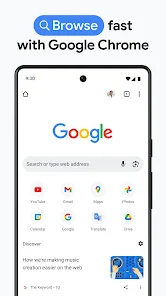
Google Chrome is a full-fledged web browser developed by Google, designed for fast, secure, and simple web navigation. You can use it to browse any website, manage bookmarks, save passwords, and sync your data across your computer, tablet, or phone. If you are on Android, it usually comes pre-installed, but I downloaded it fresh from the Google Play Store to see what all the fuss is about — and it has well over 10 billion installs, so it is definitely a standard choice. The first thing I noticed after launching it was how clean everything looked. No clutter, no confusing icons, just a search bar in the middle and the Google logo. It felt familiar and professional from the get-go.
After signing in with my Google account, the browser synced all my bookmarks and passwords from my laptop, which saved a ton of time. The interface is very straightforward: you tap the address bar to search or type a URL, and tabs are all managed by swiping horizontally. One thing I really appreciated was the data saver mode. When I was out and about with limited mobile data, Chrome automatically compressed pages, making them load faster without eating up my plan. The only slightly annoying part was the random prompts to try new Google features, like Lens or the Feed, but those are easy to ignore once you get used to them. I also found it very smooth for watching videos — no lag when switching between websites.
After a few weeks of daily use, I think Chrome is ideal for anyone deeply connected to Google's ecosystem — like Gmail, Drive, or Maps users. It makes all those services feel seamless. However, if you are really concerned about privacy or battery life, you might prefer something like Firefox or Samsung Internet, which are lighter on resources and less focused on collecting data. What stands out to me is that Chrome is ridiculously reliable; it rarely crashes, and updates come automatically. I would probably keep it only because I need my passwords and tabs to sync everywhere, but if I did not use Google services that heavily, I would not miss it.
features
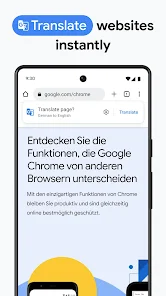
- A huge feature is Chrome's built-in translation tool. If you land on a page in, say, French or Japanese, it automatically asks if you want it translated to your language. This is way more seamless than in Firefox, where you need to install an extension or mess around with settings first. Chrome just does it in one tap.
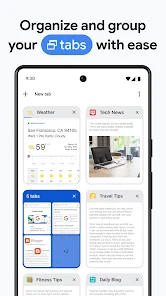
- Another standout is how well it handles heavy use. I once had over 30 tabs open on an old phone with just 4GB of RAM, and Chrome still ran without freezing. Safari on iOS, by comparison, starts getting sluggish or reloads tabs when memory runs low. Chrome's memory management is genuinely better here.
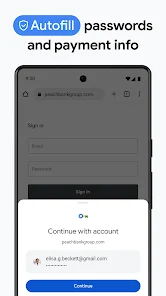
- You also get full sync with Google services. If you log into Chrome on a friend's laptop, your bookmarks, history, and even saved credit cards appear instantly. Opera and Samsung Internet offer some sync, but nowhere near as deep or quick as Google's integration.
pros
- Chrome is incredibly fast at loading pages. On Wi-Fi, pages pop open almost instantly. Even on slower connections, you feel like the browser is trying its best, whereas Safari sometimes takes noticeable extra seconds.
- Security feels solid. Chrome warns you about dangerous websites or downloads before you click them, and it scans for suspicious links automatically. Firefox has similar features, but Chrome's protection feels more active and stricter.
- The browser is super stable. I cannot remember the last time Chrome crashed on me, even on an older device. Samsung Internet, on the other hand, has given me a few random freezes during heavy use, so Chrome feels more polished.
cons
- Chrome eats up a lot of battery compared to smaller browsers. On a long commute, my phone noticeably drains faster when I am using Chrome versus Samsung Internet, which feels lighter on power consumption.
- It collects too much data by default. You need to dig into the settings to disable things like ad blocking features being controlled by Google or automatic page prediction, which other browsers like Firefox make easier to turn off.
- Sometimes the interface feels bloated. The address bar now shows news articles, your recent searches, and other clutter, which makes the experience less clean than Brave or DuckDuckGo, where the focus remains purely on the address bar.
Recommended Apps
![]()
BetterMe: Health Coaching
BetterMe Limited4.3
![]()
Walli - HD, 4K Wallpapers
Tap AI4.4![]()
Future Self - Old Age Filter
Vidler Koiter1.6
![]()
AI Photo Editor, Collage-Fotor
AI Art Photo Editor | Everimaging Ltd.4.3![]()
AI Face Swap: MagicFace &Photo
Braly JSC0![]()
QR Code Reader: QR Scanner
WECHOICE MOBILE4.3![]()
Lip Fall Challenge: Fun Filter
Braly JSC0![]()
Funny Reverse Audio - Singing
PlayStudioInc0![]()
Birthday Secrets
shasunder4.4![]()
Live Wallpapers HD 4K
Wallpaper app4.4![]()
Find Your Phone By Clap
Trusted App Global4.5![]()
Wizz - Expand Your World
Wizz3.8![]()
NCAA March Madness Live
NCAA Digital4.7![]()
Hulu: Stream TV shows & movies
Disney4.5![]()
Lethal Love: a Yandere game
AniByte!4.4















Disclaimer
1.Apklifts does not represent any developer, nor is it the developer of any App or game.
2.Apklifts provide custom reviews of Apps written by our own reviewers, and detailed information of these Apps, such as developer contacts, ratings and screenshots.
3. All trademarks, registered trademarks, product names and company names or logos appearing on the site are the property of their respective owners.
4.Apklifts abides by the federal Digital Millennium Copyright Act (DMCA) by responding to notices of alleged infringement that complies with the DMCA and other applicable laws.
5.If you are the owner or copyright representative and want to delete your information, please contact us [email protected].
6.All the information on this website is strictly observed all the terms and conditions of Google Ads Advertising policies and Google Unwanted Software policy.
7.Apklifts.com is an independent, information-only website which is 100% free to all the users.














