
AR Drawing: Sketch & Paint

10M+
Installs
AR Drawing
Developer
-
Art & Design
Category
-
Everyone
Content Rating
-
https://ar-drawing.com/privacy/
Privacy Policy
Screenshots



editor reviews
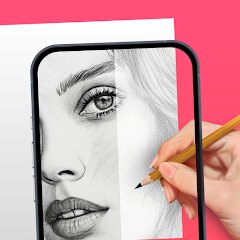
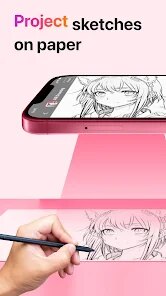
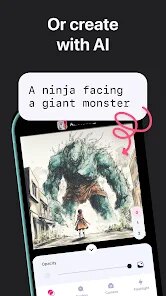
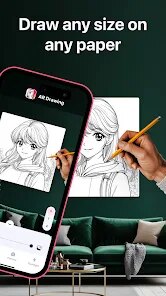
AR Drawing: Sketch & Paint is a mobile utility app that turns your phone into a tracing lightbox. It uses the camera to overlay an image onto paper, so you can trace outlines and create more accurate sketches, even if you're just a beginner. You mainly use it to import a photo or choose from the built-in gallery, then adjust the transparency and brightness before tracing onto a real sheet of paper. At around 10 million downloads on Google Play and available for free on both Google Play and the App Store, it's one of those apps people grab when they want to feel like they can actually draw something halfway decent. The first time you open it, you get a simple tutorial screen explaining the tracing setup. The interface looks clean at first, but once you start poking around, the crowded menus and small icons make it feel slightly less polished than you'd expect.
After I installed it and placed my phone on a stand above a piece of paper, the actual tracing process went surprisingly well. You pick an image, lock the phone in place, and the app keeps a faint, adjustable outline on the screen. It works best in a dim room because the camera sees through the paper to the screen underneath. I found that using a thicker drawing pad made things harder since the camera couldn't pick up the screen as clearly. The main actions are simple: select a photo, modify contrast, and lock it. But during longer sessions, a few small moments stand out. The app froze once when I tried switching images mid-trace. Also, the exposure slider reset after I exited to the main menu, which forced me to readjust every time. The app handles basic line tracing fine, but it won't teach you shading, perspective, or any actual drawing technique.
After using this for a few days, I feel like it's best for new sketchers who want a confidence boost or for hobbyists copying pictures for personal projects. People who already know how to draw well won't get much out of it. It really just projects a template. Compared to similar projection tools, this one doesn't have extra training modules like Drawing Desk or the social community of Sketchbook. The interface feels a bit outdated, and the free version pushes ads pretty often. The real difference comes from the low entry cost—it's completely free for the basic version, and the paid one removes those ads and unlocks premium image categories. For me, I kept it installed because sometimes it's handy for tracing complex faces or architecture when I want to learn proportions slowly. But if you're serious about improving actual drawing skills, you'll probably end up deleting it within a month.
features
- 🖼️ Image tracing with adjustable transparency and contrast – The main draw is the real-time projection mode. You position the camera over paper, and the app keeps the reference image visible while you trace. In comparison, apps like SketchAR also offer tracing, but AR Drawing gives you more control over how faded or sharp the overlay appears.
- 🖼️ Built-in image gallery with pre-made designs – You don't need to hunt for tracing templates online. The app ships with hundreds of images sorted by category like animals and anime. SketchAR only offers a few free designs and pushes you toward paid packs more aggressively.
- 🖼️ Light tool for quick start – The whole app is about light use. No heavy file loading, no account creation needed. You can download, open, and start tracing in under 30 seconds. That's easier than using projector apps or dedicated drawing tablets for the same job.
pros
- 👍 Free base version – Most comparable apps like SketchAR hide good templates behind a paid wall. AR Drawing gives you functional tracing without spending a cent upfront.
- 👍 Works on camera without extra gear – Other apps assume you have a phone stand or tripod. AR Drawing works fine even with a stack of books under your phone. That flexibility reduces the bar to entry.
- 👍 Simple, no-nonsense workspace – There are no drawing tools or brushes to overwhelm you. It does exactly one thing. For someone who just wants to trace, that's a strength compared to feature-heavy tools like Adobe Fresco.
cons
- 👎 Ads during drawing – The free version shows an ad banner at the bottom even while tracing. SketchAR shows ads only after you finish a drawing, which is less disruptive. This gets annoying quickly when you're concentrating on a line.
- 👎 Camera alignment is finicky – The app expects perfect positioning. If your phone shifts even slightly, the image no longer matches the paper. Other apps like Trace Anything offer a grid lock that compensates for small movements, which AR Drawing does not have.
- 👎 No progress saving or drawing export – You can't compare your current sketch to the original inside the app, and there's no way to export the composite view. For someone wanting to track improvement, this feels like a missing basic feature.
Recommended Apps
![]()
BetterMe: Health Coaching
BetterMe Limited4.3
![]()
Walli - HD, 4K Wallpapers
Tap AI4.4![]()
Future Self - Old Age Filter
Vidler Koiter1.6
![]()
AI Photo Editor, Collage-Fotor
AI Art Photo Editor | Everimaging Ltd.4.3![]()
AI Face Swap: MagicFace &Photo
Braly JSC0![]()
QR Code Reader: QR Scanner
WECHOICE MOBILE4.3![]()
Lip Fall Challenge: Fun Filter
Braly JSC0![]()
Funny Reverse Audio - Singing
PlayStudioInc0![]()
Birthday Secrets
shasunder4.4![]()
Live Wallpapers HD 4K
Wallpaper app4.4![]()
Find Your Phone By Clap
Trusted App Global4.5![]()
Wizz - Expand Your World
Wizz3.8![]()
NCAA March Madness Live
NCAA Digital4.7![]()
Hulu: Stream TV shows & movies
Disney4.5![]()
Lethal Love: a Yandere game
AniByte!4.4















Disclaimer
1.Apklifts does not represent any developer, nor is it the developer of any App or game.
2.Apklifts provide custom reviews of Apps written by our own reviewers, and detailed information of these Apps, such as developer contacts, ratings and screenshots.
3. All trademarks, registered trademarks, product names and company names or logos appearing on the site are the property of their respective owners.
4.Apklifts abides by the federal Digital Millennium Copyright Act (DMCA) by responding to notices of alleged infringement that complies with the DMCA and other applicable laws.
5.If you are the owner or copyright representative and want to delete your information, please contact us [email protected].
6.All the information on this website is strictly observed all the terms and conditions of Google Ads Advertising policies and Google Unwanted Software policy.
7.Apklifts.com is an independent, information-only website which is 100% free to all the users.














