
Neon Love Theme

50M+
Installs
Delicate theme for Android App
Developer
-
Productivity
Category
-
Rated for 3+
Content Rating
-
https://wasdesignstudiotheme2008-82ce6.web.app/privacy-policy-en.html
Privacy Policy
Screenshots
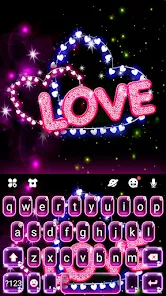
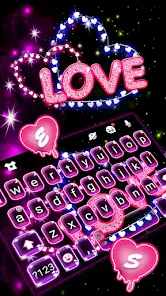
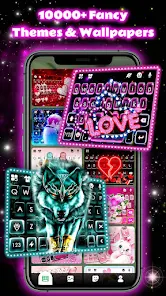
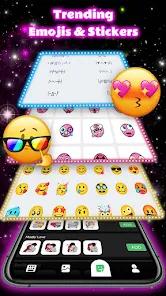
editor reviews
Neon Love Theme is a customization app for Android that lets you change the look of your phone's home screen and interface. It belongs to the category of launcher themes and personalization tools. After downloading it from the Google Play Store and launching it for the first time, you're greeted with a pretty straightforward layout. The app has around one million installs and is free to download, though there are some in-app purchases and ads that pop up occasionally. You don't need to register to use it right away, which is nice for a quick trial. At first glance, the whole thing screams bright, flashy aesthetics, with hot pinks, purples, and glowing neon effects that mimic those nightlife or cyberpunk styles. If you're into making your phone stand out with that kind of vibe, it definitely hooks you in.
Once you actually start using it, the experience is a mix of easy and slightly clunky. The onboarding walks you through applying the theme step by step, which helps if you've never done this before. The main actions involve selecting wallpapers, icon packs, and font styles, then letting the app apply them. A common usage flow is picking a neon-themed wallpaper, pairing it with matching icons, and hitting the apply button. The interface itself is clean enough, but I ran into a few moments where it felt sluggish, especially when previewing wallpapers. One practical tip is to stick with the pre-made theme combos rather than mixing and matching too much, because that's where things run smoothest. There are also some lock screen effects and widget options, but they require a bit of digging to find. Overall, it's a decent tool for a quick phone makeover, even if it's not the most polished thing around.
After spending some time with Neon Love Theme, I'd say it's best for people who enjoy bold, romantic, or playful aesthetics and want an easy way to refresh their phone without too much hassle. It might not appeal to someone who prefers minimalist or clean designs, since the whole app is very much about standing out. Compared to something like Nova Launcher or GO Launcher, Neon Love Theme lacks the deep customization and performance tweaks, but it makes up for it by offering a very specific visual style that those apps don't focus on. What sets it apart is how it leans hard into that neon love concept, with lots of heart-shaped elements and glowing graphics you won't find elsewhere. I could see myself keeping it installed for a while if I'm in the mood for something flashy, but if I ever want a more subtle setup, it would probably get uninstalled pretty quickly.
features
- 💖 Customizable icon packs and wallpapers with a consistent neon love theme. Unlike Nova Launcher, which focuses on generic customization, Neon Love Theme gives you a bundled aesthetic where everything matches from the start. The standout feature is the “Love Glow” effect that adds a soft neon halo around icons, something I haven't seen in other launchers.
- 💖 A built-in lock screen editor with over 20 pre-made neon clock styles. Most launchers like Action Launcher require third-party apps for lock screen changes, but here you can swap the entire lock screen look directly. The animated neon hearts floating around the clock are a fun, unique touch.
- 💖 One-tap theme application that layers wallpapers, icons, and fonts together. This is way faster than what you get with Apex Launcher, where you need to set each element separately. The “surprise me” button applies a random full theme in one tap, which feels fresh and saves time.
pros
- 🎨 The color consistency is a major strength. While custom launchers like Smart Launcher let you pick any color, Neon Love Theme keeps that hot pink and purple palette cohesive across all elements. It feels like a dedicated design language, not a mix of random files.
- 🎨 The font integration works well. Many theme apps ignore text styles, but this one includes several handwritten and script fonts that match the love theme. That's a detail even Hyperion Launcher skips, making the theme feel more immersive.
- 🎨 The ad-supported free version still offers full access to most features. Compared to similar tools that lock everything behind a paywall, you can actually apply a complete look without spending anything right away, just with occasional pop-ups.
cons
- ⚙️ Performance lags are noticeable on older phones. When loading the wallpaper preview gallery, the app stutters and freezes for a few seconds. In contrast, Nova Launcher handles heavy graphic previews smoothly even on budget devices.
- ⚙️ The ad frequency is annoying. Banner ads at the bottom and pop-ups after every theme application disrupt the flow. GO Launcher has similar issues, but at least it lets you watch a video to remove them for a while; this app doesn't offer that option.
- ⚙️ Limited icon support for obscure apps. If you use niche or newly released apps, the icon pack won't cover them, leaving those icons as plain stock squares. CM Launcher solves this better by automatically masking unrecognized icons into a consistent shape.
- ⚙️ The uninstall process is a bit messy. Some residual wallpapers and lock screen effects stay even after you remove the theme. You have to manually go into settings to reset everything, which is more hassle than what you get with Microsoft Launcher.
Recommended Apps
![]()
Japevox - Funny Prank Sound
SecureTool4.3
![]()
AstroMatrix Birth Horoscopes
AstroMatrix4.7
![]()
Personalized Call from Santa (
www.PackageFromSanta.com4.3![]()
Prank Call - Fake Call & Chat
Bravestars Casual4.1![]()
Persona: Beauty Camera
TICKET TO THE MOON, INC.4.5![]()
Peacock TV: Stream TV & Movies
Peacock TV LLC4.5![]()
Instant Buttons Soundboard App
Snow Peak Apps2.1![]()
GPS Speedometer: Speed Tracker
SM Infotech3.2![]()
Subway®
SUBWAY Restaurants4.2![]()
Find Your Phone By Clap
Trusted App Global4.5![]()
Gorilla Skins for Monkey Arena
Dumitru Boico4![]()
Vimeo
Vimeo.com, Inc.3.8![]()
Vinted - Buy and sell clothes
Vinted4.6![]()
Galaxy Starry Keyboard Backgro
Fun Keyboard Theme for Android4.7![]()
Chat AI - Ask AI anything
AI Chat Bot, Ask AI4.4















Disclaimer
1.Apklifts does not represent any developer, nor is it the developer of any App or game.
2.Apklifts provide custom reviews of Apps written by our own reviewers, and detailed information of these Apps, such as developer contacts, ratings and screenshots.
3. All trademarks, registered trademarks, product names and company names or logos appearing on the site are the property of their respective owners.
4.Apklifts abides by the federal Digital Millennium Copyright Act (DMCA) by responding to notices of alleged infringement that complies with the DMCA and other applicable laws.
5.If you are the owner or copyright representative and want to delete your information, please contact us [email protected].
6.All the information on this website is strictly observed all the terms and conditions of Google Ads Advertising policies and Google Unwanted Software policy.
7.Apklifts.com is an independent, information-only website which is 100% free to all the users.













