
Weather Radar & Weather Live

1M+
Installs
Avn Global Application
Developer
-
Productivity
Category
-
Everyone
Content Rating
-
https://sites.google.com/view/weatherradarmaplive/home
Privacy Policy
Screenshots
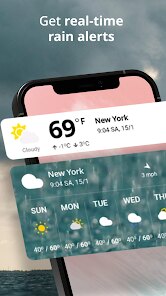
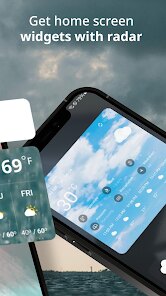
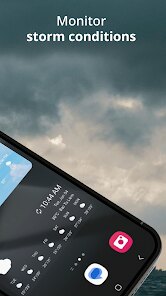
editor reviews
Weather Radar & Weather Live is a weather app that gives you a live look at what's happening outside. After downloading it from the Play Store and launching it, the first thing you notice is the animated radar map filling up the screen. There's no forced registration, which is a huge relief for someone who just wants to check if a storm is rolling in. It shows precipitation, clouds, and wind data right away, so your first impression is that this is a tool built for quick glances, not endless menus. The app has been installed over a million times and remains free to use, though there are ads that appear at the bottom of the screen. You can also unlock a premium version if you feel like supporting the developer, but it's not required for basic use.
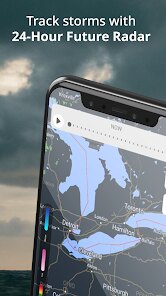
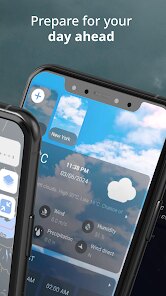
When you actually start using it, the experience is fairly straightforward. The main screen is dominated by a map that updates in real time, showing rain or snow moving across your area. You can pinch to zoom, tap on specific spots for hourly forecasts, or hit the “My Location” button to snap back to where you are. It also displays temperature, humidity, and wind speed in small panels at the top, which makes it easy to plan your morning commute. One thing I found useful is the weather layer toggle, which lets you switch between radar, clouds, and temperature maps without losing your zoom level. The layout does feel a bit crowded sometimes, especially on smaller screens, but you get used to it after a few uses. Overall, it's smooth but not flashy, which matches the practical vibe of the app.
After spending some time with it, I'd say Weather Radar & Weather Live is best for people who want a no-fuss radar view rather than a polished forecast app. It's different from something like The Weather Channel, which tries to be an all-in-one weather assistant. This one focuses on the map and real-time data, so if you enjoy watching storm cells move on a live radar, you'll probably keep it installed. On the flip side, if you're looking for a clean design or an app with lifestyle features like air quality alerts or sunrise photos, this may feel limited. I've personally found it handy for quick checks before going out, but I sometimes open another app like Weather Underground for more detailed graphs. For its core purpose, it works well, and I haven't felt the need to uninstall it.
features
- 🗺 The live radar map is the main attraction here, and it updates frequently enough to show rain moving block by block. Most weather apps put radar behind a menu, but this one puts it front and center, similar to RadarScope but without the steep learning curve.
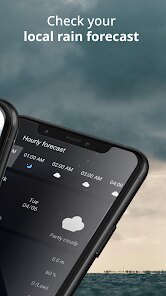
- ⏱ Hourly and 7-day forecasts are available with a simple tap, covering basics like temperature, humidity, and wind. It's not as detailed as what you get in AccuWeather, but it covers what most people need for daily planning.
- 🌡 Weather layers let you switch between radar, clouds, and temperature maps easily. This is a standout feature because it doesn't require extra downloads or confusing settings, unlike some apps that hide these views in settings menus.
- ⚡ It's lightweight and launches instantly. Opening the app feels quick even on mid-range phones, which isn't always the case with heavier weather tools like CARROT Weather or WeatherBug.
pros
- 📡 Radar data is surprisingly accurate for local conditions. I've checked it against official weather stations, and it matches well. Similar free apps like WeatherBug sometimes show outdated information, but this one keeps up nicely.
- 🆓 There's no account creation needed for full radar functionality. Many free weather apps force you to sign up first, like The Weather Channel, but here you can jump straight in without giving away your email.
- 💨 The wind map layer is a nice bonus that many free apps reserve for paid tiers. You can actually see wind direction overlaid on the map for free, which is a small win over apps like Flowx that charge for the same feature.
cons
- 📱 Ads are placed at the bottom of every screen, which can feel a bit nagging over time. Compare this to Today Weather, which has a cleaner ad-free experience even in the free version.
- 🔍 The interface looks a bit dated, with no dark mode for nighttime use. Apps like Weather Line have a more modern design, so this one may feel visually behind.
- 📊 Detailed data like UV index and air quality is missing entirely. If you rely on these metrics, you'll need to open another app like AirVisual alongside this one.
- 🎨 Customization is limited. You can't change the map style or units easily without digging into settings, which feels restrictive compared to Yahoo Weather's flexible layout options.
Recommended Apps
![]()
BetterMe: Health Coaching
BetterMe Limited4.3
![]()
Walli - HD, 4K Wallpapers
Tap AI4.4![]()
Future Self - Old Age Filter
Vidler Koiter1.6
![]()
AI Photo Editor, Collage-Fotor
AI Art Photo Editor | Everimaging Ltd.4.3![]()
AI Face Swap: MagicFace &Photo
Braly JSC0![]()
QR Code Reader: QR Scanner
WECHOICE MOBILE4.3![]()
Lip Fall Challenge: Fun Filter
Braly JSC0![]()
Funny Reverse Audio - Singing
PlayStudioInc0![]()
Birthday Secrets
shasunder4.4![]()
Live Wallpapers HD 4K
Wallpaper app4.4![]()
Find Your Phone By Clap
Trusted App Global4.5![]()
Wizz - Expand Your World
Wizz3.8![]()
NCAA March Madness Live
NCAA Digital4.7![]()
Hulu: Stream TV shows & movies
Disney4.5![]()
Lethal Love: a Yandere game
AniByte!4.4















Disclaimer
1.Apklifts does not represent any developer, nor is it the developer of any App or game.
2.Apklifts provide custom reviews of Apps written by our own reviewers, and detailed information of these Apps, such as developer contacts, ratings and screenshots.
3. All trademarks, registered trademarks, product names and company names or logos appearing on the site are the property of their respective owners.
4.Apklifts abides by the federal Digital Millennium Copyright Act (DMCA) by responding to notices of alleged infringement that complies with the DMCA and other applicable laws.
5.If you are the owner or copyright representative and want to delete your information, please contact us [email protected].
6.All the information on this website is strictly observed all the terms and conditions of Google Ads Advertising policies and Google Unwanted Software policy.
7.Apklifts.com is an independent, information-only website which is 100% free to all the users.














