

ChatGPT

100M+
Installs
OpenAI
Developer
-
Generative AI
Category
-
Teen
Content Rating
-
https://openai.com/policies/privacy-policy
Privacy Policy
Screenshots
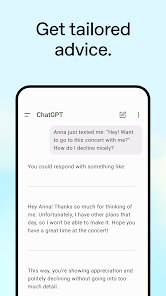
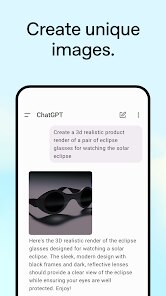
editor reviews
ChatGPT is an AI chatbot app developed by OpenAI that lets you have conversations, ask questions, brainstorm ideas, or even get help writing code. It's been downloaded over 10 million times on Google Play alone, and it's free to install, though there's a paid subscription called ChatGPT Plus for extra features. Most people download it because they're curious about AI—maybe they saw someone using it online or needed quick answers without sifting through search results. The first time you open it, the interface feels surprisingly clean: a simple text box at the bottom, a blank chat screen, and a tiny OpenAI logo at the top. It doesn't bombard you with tutorials or sign-up walls—you can just type something right away, which makes that initial impression feel refreshingly straightforward.
Once you start using it, the experience is mostly smooth. You type a question or prompt, hit send, and the bot replies in a few seconds, often with surprisingly human-like reasoning. The onboarding is minimal, just a short introduction to what the app can do, and then you're off. In daily use, I found myself using it for everything from drafting emails to explaining complex terms—like "explain quantum computing in simple words." The chat history is saved, so you can go back to previous conversations, which is handy. One small annoyance is that sometimes the app takes a bit longer to load if you're on a slow connection, and the free version can feel throttled during peak hours. A practical tip: if you're stuck on a long answer, just ask it to "summarize" or "give me bullet points." It's not perfect—sometimes it hallucinates facts or gives vague advice—but for a free tool, it's impressively responsive.
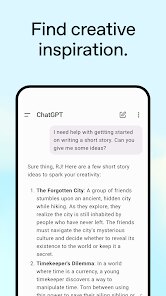
After a few weeks of using ChatGPT, I've got mixed feelings. It's incredibly useful for students, writers, or anyone who needs quick drafts or creative inspiration—I've used it to brainstorm blog post ideas and even practice interview questions. But if you're already a heavy user of Google Assistant or Siri for simple tasks, you might not see the point at first. What sets it apart from something like Microsoft's Copilot is that ChatGPT feels more like a conversation partner, less like a search engine—it actually "remembers" the context of your chat. I'll probably keep it installed because it saves me time on repetitive writing tasks, but I can see why someone might uninstall it if they find the free version too limiting or the AI responses too generic. It's a tool, not a replacement for thinking, but it's a solid one.
features
- 🤖 ChatGPT's standout feature is its natural conversational flow—you can ask follow-up questions, and it remembers the context of your chat, unlike Google Assistant, which often treats each query as a fresh request.
- 📝 It offers deep reasoning for complex topics, like explaining step-by-step math problems or coding logic, which feels more thorough than the quick, shallow answers you get from Siri or Alexa.
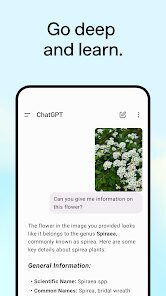
- 🔗 It supports file uploads in the paid version, letting you analyze PDFs or images directly, a feature that's absent in free alternatives like Gemini's basic tier.
- 🎨 The ChatGPT app integrates with DALL-E (again, in the premium version), so you can generate images from text prompts—something apps like Perplexity don't offer at all.
pros
- 👍 Free access to advanced AI—unlike Jasper or Google One AI, you don't need a subscription just to try it out, lowering the barrier for casual users.
- 👍 Saves conversation history automatically—no need to copy-paste or manually save, which is a step up from using web-based chatbots like Claude on a browser.
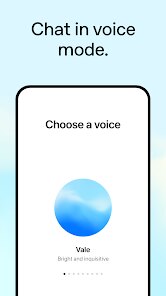
- 👍 Voice input in the mobile app makes it hands-free, something that's smoother than typing on a small screen, beating the clunkier voice interfaces on older AI tools.
cons
- 👎 Free version is rate-limited—during busy hours, you may wait longer for responses, whereas Perplexity or Google's Gemini keep replies fast even for unpaid users.
- 👎 Internet search isn't automatic—you have to manually enable web search, while Copilot or Gemini pull live data by default, making them quicker for current events.
- 👎 Can sometimes provide confidently wrong answers, a flaw called hallucination that feels more frequent than with Claude or DeepSeek, which tend to be more cautious.
Recommended Apps
![]()
BetterMe: Health Coaching
BetterMe Limited4.3
![]()
Walli - HD, 4K Wallpapers
Tap AI4.4![]()
Future Self - Old Age Filter
Vidler Koiter1.6
![]()
AI Photo Editor, Collage-Fotor
AI Art Photo Editor | Everimaging Ltd.4.3![]()
AI Face Swap: MagicFace &Photo
Braly JSC0![]()
QR Code Reader: QR Scanner
WECHOICE MOBILE4.3![]()
Lip Fall Challenge: Fun Filter
Braly JSC0![]()
Funny Reverse Audio - Singing
PlayStudioInc0![]()
Birthday Secrets
shasunder4.4![]()
Live Wallpapers HD 4K
Wallpaper app4.4![]()
Find Your Phone By Clap
Trusted App Global4.5![]()
Wizz - Expand Your World
Wizz3.8![]()
NCAA March Madness Live
NCAA Digital4.7![]()
Hulu: Stream TV shows & movies
Disney4.5![]()
Lethal Love: a Yandere game
AniByte!4.4















Disclaimer
1.Apklifts does not represent any developer, nor is it the developer of any App or game.
2.Apklifts provide custom reviews of Apps written by our own reviewers, and detailed information of these Apps, such as developer contacts, ratings and screenshots.
3. All trademarks, registered trademarks, product names and company names or logos appearing on the site are the property of their respective owners.
4.Apklifts abides by the federal Digital Millennium Copyright Act (DMCA) by responding to notices of alleged infringement that complies with the DMCA and other applicable laws.
5.If you are the owner or copyright representative and want to delete your information, please contact us [email protected].
6.All the information on this website is strictly observed all the terms and conditions of Google Ads Advertising policies and Google Unwanted Software policy.
7.Apklifts.com is an independent, information-only website which is 100% free to all the users.














