

10B+
Installs
Google LLC
Developer
-
Productivity
Category
-
Rated for 3+
Content Rating
-
http://www.google.com/policies/privacy
Privacy Policy
Screenshots


editor reviews
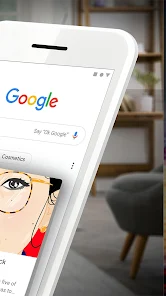
I have been using Google as my main search tool for as long as I can remember. It is a utility app that you usually download right after getting a new phone, since it serves as the default search engine and knowledge base for almost everything. You can search the web, check the latest news, get driving directions through Maps integration, translate languages on the fly, and even look up your flight status without typing much. I downloaded it from the Google Play Store and installed it quickly, and since it comes pre-installed on most Android devices, the Google Play listing shows billions of installs. You can use it for free, no registration required, though you get a more personalized experience if you sign in with your Google account. There are no forced in-app purchases, though you do see ads in search results from time to time. My first impression after launching it was just how clean the home screen is – just a search bar, a few shortcut buttons, and that colorful Google logo sitting above it. It feels simple and straightforward, which makes sense for a search app.
Once you start using it, the experience is mostly smooth and fast. The interface is dominated by the Google search bar, and as soon as you type something, the app suggests search terms and even gives you previews of top results. Tapping on a result usually opens it within the app itself via a built-in browser, which can be nice if you want to stay inside the app, but sometimes I find myself wishing it would just open in my preferred browser instead. When I search for local restaurants, it pulls up a map and a list of ratings from other people, which is super practical. For scrolling through news, the Discover feed appears when you swipe down from the search bar, and it gives you articles based on your interests, though some of the suggestions feel a bit random. The voice search works surprisingly well, even in noisy environments, and the Lens feature, where you point your camera at something and it identifies it, is definitely a handy party trick. One minor thing I noticed is that when I try to search without Wi-Fi, it still works but loads slower, which is understandable.
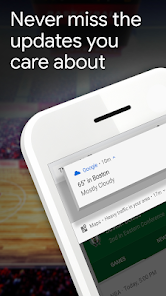
After using Google for a while, I think it is really good for people who just want a fast, no-fuss way to search the web or check updates on things they care about. If you are someone who likes having all the information in one place without dealing with too many settings, this app will probably be your default for years. But if you are really privacy-conscious, or if you prefer using a keyboard shortcut to jump to search rather than launching an app, you might not get that much extra from it compared to just using your browser. What makes it different from something like DuckDuckGo is the tight integration with Google services – if you live inside the Google ecosystem with Gmail, Drive, and Maps, this app just gets better over time. I would keep it installed mainly for the voice search and Lens, but I have seen people uninstall it simply because it was too tied into tracking or because they wanted a smaller footprint on their phone.
features
- 🔍 Search with Instant Answers: You type a query like "weather today" or "population of Japan," and Google instantly shows a neat card with the answer right under the search bar. No need to scroll through pages. On Apple's Safari browser, you usually have to tap through results to get the same data, which feels slower in comparison.
- 🔍 Lens Integration for Real-World Objects: You can point your camera at a flower, a landmark, or a restaurant menu, and Google will identify it and provide information. Samsung's Bixby Vision does something similar, but Google's recognition accuracy is often much better, especially for plants and text translation.
- 🔍 Discover Feed for Personalized News: When you swipe down, you get a scrollable feed of articles based on your search history and interests. Microsoft Bing's app has a similar news feed, but Google's content feels more relevant to my daily queries, like local news or sports scores.
- 🔍 Voice Search with Contextual Understanding: You can say "Where is the nearest pharmacy?" and then follow up with "What are their hours?" without repeating the location, and Google understands. Apple's Siri can do this as well, but I find Google's voice recognition works faster and with less accent bias.
pros
- ✅ Speed and Reliability: Google often returns results in under a second, even on slower connections. DuckDuckGo can be slightly slower for complex queries, and Bing sometimes shows more ads before the organic results.
- ✅ Tight Integration with Google Services: If you use Gmail, Maps, or Drive, search results include your own emails and files. No other search app, including Brave Search, offers this kind of deep personalization without extra setup.
- ✅ Robust Language Support: Google handles over 100 languages in search and Lens translation, whereas Yandex is strong in Russian but weaker in other languages, making Google more useful for travelers.
cons
- ❌ Privacy Concerns: Google tracks your location, search history, and even voice recordings to personalize ads. DuckDuckGo offers a strict no-tracking policy, so if privacy is your priority, this is a major drawback.
- ❌ Ads Within Results: Sometimes you see three or four sponsored listings before the actual organic results, which can feel cluttered. Bing has similar ad placement, but Google's ads are often less clearly marked.
- ❌ Limited Offline Capability: You need an internet connection for most functions, unlike offline-enabled apps like Maps or Translate that allow saved data usage. This can be annoying if you are commuting in a spotty reception area.
Recommended Apps
![]()
Japevox - Funny Prank Sound
SecureTool4.3
![]()
AstroMatrix Birth Horoscopes
AstroMatrix4.7
![]()
Personalized Call from Santa (
www.PackageFromSanta.com4.3![]()
Prank Call - Fake Call & Chat
Bravestars Casual4.1![]()
Persona: Beauty Camera
TICKET TO THE MOON, INC.4.5![]()
Peacock TV: Stream TV & Movies
Peacock TV LLC4.5![]()
Instant Buttons Soundboard App
Snow Peak Apps2.1![]()
GPS Speedometer: Speed Tracker
SM Infotech3.2![]()
Subway®
SUBWAY Restaurants4.2![]()
Find Your Phone By Clap
Trusted App Global4.5![]()
Gorilla Skins for Monkey Arena
Dumitru Boico4![]()
Vimeo
Vimeo.com, Inc.3.8![]()
Vinted - Buy and sell clothes
Vinted4.6![]()
Galaxy Starry Keyboard Backgro
Fun Keyboard Theme for Android4.7![]()
Chat AI - Ask AI anything
AI Chat Bot, Ask AI4.4















Disclaimer
1.Apklifts does not represent any developer, nor is it the developer of any App or game.
2.Apklifts provide custom reviews of Apps written by our own reviewers, and detailed information of these Apps, such as developer contacts, ratings and screenshots.
3. All trademarks, registered trademarks, product names and company names or logos appearing on the site are the property of their respective owners.
4.Apklifts abides by the federal Digital Millennium Copyright Act (DMCA) by responding to notices of alleged infringement that complies with the DMCA and other applicable laws.
5.If you are the owner or copyright representative and want to delete your information, please contact us [email protected].
6.All the information on this website is strictly observed all the terms and conditions of Google Ads Advertising policies and Google Unwanted Software policy.
7.Apklifts.com is an independent, information-only website which is 100% free to all the users.













