

NCAA March Madness Live

5M+
Installs
NCAA Digital
Developer
-
Sports
Category
-
Everyone
Content Rating
-
mmlivehelp@warnermedia.com
Developer Email
-
http://www.ncaa.com/privacy
Privacy Policy
Screenshots
editor reviews
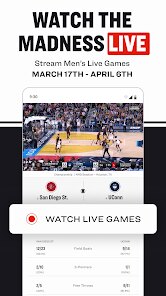
NCAA March Madness Live is a free sports streaming app built for basketball fans who want to follow the annual NCAA Division I men's basketball tournament. You download and install it from Google Play or the App Store, and the moment you launch it, you're hit with a familiar tournament bracket and a bunch of video thumbnails. First impression? It feels like they crammed a whole tournament hub into your phone. No registration is required to watch games, which is a nice surprise. There's some in-app purchases here and there, usually to remove ads or unlock extras, but honestly, if you just want to watch the games live, you can do that right away after installing it. The install count is in the millions, mostly because every March everyone rushes to grab it before the tip-off.
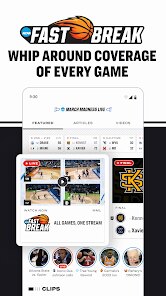
Once you start using the app, the real experience kicks in. The interface is basically a mix of a live TV guide, a scoreboard, and a bracket you can tap around. Onboarding is minimal - you pick your favorite team and it highlights their games for you. The main actions are watching live games, checking scores, or switching between multiple games if you have the multi-view feature. Some moments feel smooth, like swiping between games, but sometimes the stream buffers even on decent WiFi, which is frustrating. A small tip: if you're on mobile data, lower the video quality in settings because it eats up data fast. Common steps include tapping a game to watch, checking the bracket to see who plays next, and maybe sharing a big moment with friends through the social share button. It works fine for casual browsing, but if you're switching games a lot, the app can feel a bit sluggish.
After using it for a while, my personal take is that this app is perfect for college basketball fans who just want an easy way to watch the tournament on their phone. But if you don't care about March Madness, there's no reason to keep it after April. It's different from something like the ESPN app because it focuses purely on the tournament, so no distractions from other sports. But the ESPN app also has more polished streaming and better features like highlights and analysis. NCAA March Madness Live feels more like a basic, no-frills streamer. You might keep it installed if you're a die-hard fan who re-watches games, but most people delete it after the championship game. It's free and does its job, but it's not the smoothest app out there.
features
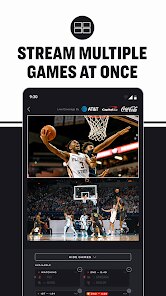
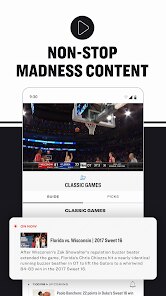
- 🎥 The app offers live streaming of every tournament game, and its multi-view feature stands out compared to the CBS Sports app, which often limits you to a single stream unless you pay for their premium tier. Being able to watch four games at once on a tablet is a huge plus for fans who don't want to miss a buzzer-beater.
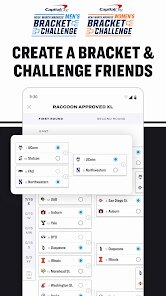
- 📊 The bracket integration is seamless - you can input your picks before the tournament and then watch the games directly from the bracket view. This beats something like the Yahoo Sports app, where the bracket feels more like a separate tool rather than part of the streaming experience.
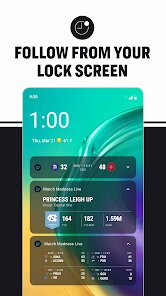
- 🔔 Real-time highlights and score updates push directly to your phone, even when you're not watching. Compared to the March Madness Live from previous years, this version finally lets you customize alerts for specific teams, so you're not flooded with notifications for every random game.
pros
- 🎯 The app is completely free for watching live games during the tournament, while the CBS Sports app charges for some premium streams or forces you to verify your cable subscription. NCAA March Madness Live just asks you to watch an occasional ad, which feels fair for the price.
- 🔗 The integration with the official NCAA bracket is more natural than in the Fox Sports app, because you can tap any team and immediately jump to their upcoming game stream without digging through menus.
- 📱 The app is lightweight and installs quickly, and it doesn't ask for unnecessary permissions like access to your contacts. That's a nice touch compared to some sports apps that feel like they're trying to collect all your data.
cons
- ⚠️ The video player sometimes lags or buffers during high-traffic moments like the Sweet Sixteen, and the app doesn't let you manually adjust the stream quality to a lower setting to save data. The CBS Sports app handles this better with more granular controls.
- 🗑️ After the tournament ends, the app becomes almost useless - no offseason content, no replays of classic games, nothing to keep you engaged. The ESPN app at least offers year-round content like analysis shows and replays.
- 🔒 The multi-view feature is only available on tablets or via AirPlay, not on phones, which limits the experience for most users. The NBA app does a better job letting you watch multiple streams on a phone screen.
Recommended Apps
![]()
Daily Horoscope
KADO Apps4.4
![]()
FOX Sports: Watch Live Games
Fox Digital Services, LLC3.7
![]()
Fake Call from Santa Claus
ThunderClap4.2![]()
Google Maps
Google LLC4.2![]()
PhotoLayers-Superimpose,Eraser
handyCloset Inc.4.6![]()
Healthy Benefits+
Solutran, Inc.4.5![]()
SuperMe - Avatar Maker Creator
THE.DEMON3.7![]()
Air Horn
Tenoku4.8![]()
Football Wallpaper HD 4K
Orange Infotech Studio4.6![]()
Artplay - AI Photo & Video
Hideaway Technology Limited4.5![]()
Horoscopes – Daily Zodiac Horo
Mail.Ru Group4.1![]()
Passport Parking
Passport Labs, Inc.2.5![]()
ParkMobile: Park. Pay. Go.
Parkmobile, LLC4.3![]()
FestAI: Ghost Detector App
Now Tech3.2![]()
Photo Tool
COLIFER LAB4





























