
DaVinci - AI Image Generator

1M+
Installs
HubX
Developer
-
Generative AI
Category
-
Rated for 7+
Content Rating
-
info@hubx.co
Developer Email
-
https://davinci.ai/privacy
Privacy Policy
Screenshots
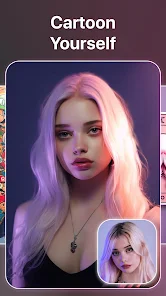
editor reviews
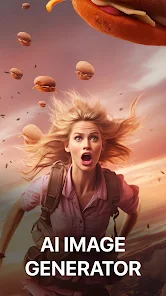
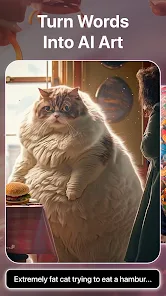
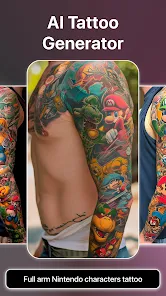
DaVinci is an AI image generator app from the developer HubX, available on both Google Play and the App Store. It's one of those tools that lets you turn text descriptions into images, and it's been downloaded over 10 million times. A lot of people grab it when they need quick visuals for social media posts, blog headers, or just for fun experimentation. After launching it for the first time, the interface hits you as pretty clean and modern, with a polished look that feels like a professional design tool rather than a cheap gimmick. It's free to download with in-app purchases, so you can start playing around before deciding whether to commit.
Going through the app, the whole flow is straightforward. You type in a prompt, choose a style from the library, and hit generate. The first time I used it, I typed something like "a cat wearing a space suit" and got back four versions in about 15 seconds. That speed caught me off guard. The interface guides you naturally through each step, and the style presets, like cinematic, fantasy, or digital art, are clearly labeled. There's a small but useful tip: if you add negative prompts in the advanced settings, you can filter out weird hands or distorted faces. Navigation between the creation screen and your gallery feels smooth, though I noticed the app sometimes takes a moment to load the previews when your saved images pile up.
After spending a couple of weeks with DaVinci, I'd say it's a solid choice for casual creators who want decent results without a steep learning curve. It's less intimidating than something like Midjourney, which requires Discord, and easier to pick up than Stable Diffusion, which needs a bit of technical know-how. The free tier gives you enough credits to play around, but serious users will likely hit the limit fast and consider a subscription. I've kept it installed because it's handy for quick mockups and brainstorming ideas, but people who want full control over every pixel might find it too simplified. Overall, it's a fun tool that serves its purpose well enough for everyday use.
features
- 🖼️ Resolution presets let you pick between square, portrait, or landscape without cropping later, which saves a ton of time compared to apps like Midjourney where you need to add aspect ratio parameters manually.
- 🎨 The style library includes over 50 curated presets like neon noir, watercolor, and 3D render, making it easy to get a specific look without fiddling with a prompt engineer's vocabulary.
- ⚡ Generation speed is surprisingly fast. Most images show up in under 20 seconds on a standard Wi-Fi connection, which beats many alternatives where you stare at loading spinners for a minute.
- 📁 The gallery organizes images by date and allows bulk export, so you can share multiple pieces at once instead of downloading each one individually like you do in DreamStudio.
pros
- 🌟 The onboarding wizard walks you through your first three creations step by step, which is way more beginner-friendly than diving straight into a blank canvas like you do in Stable Diffusion's web UI.
- 🔄 One of its strongest points is the inpainting tool. You can select a part of an image and regenerate only that area. Similar apps like NightCafe either lack this feature or charge extra for it.
- 📱 The mobile experience feels native and responsive. Unlike Midjourney's mobile web wrapper, DaVinci's gestures and scrolling are smooth, and the touch controls for brush size actually work on the first try.
cons
- ⏳ The free credit system runs out quickly. After generating about 15 standard images, you'll need to watch ads or buy a subscription. NightCafe offers free daily credits that feel more generous.
- 🔍 The prompt understanding is hit or miss with complex requests. If you ask for "a cyberpunk samurai with a glowing katana under purple rain," you might get confusing results that require redoing. Midjourney handles this kind of specificity better.
- 💾 There's no offline mode or local saving by default. You need internet for every generation, and if you delete an image from the gallery, it's gone for good unless you exported it. That feels risky compared to apps like Dream by Wombo that keep a local cache.
Recommended Apps
![]()
Daily Horoscope
KADO Apps4.4
![]()
FOX Sports: Watch Live Games
Fox Digital Services, LLC3.7
![]()
Fake Call from Santa Claus
ThunderClap4.2![]()
Google Maps
Google LLC4.2![]()
PhotoLayers-Superimpose,Eraser
handyCloset Inc.4.6![]()
Healthy Benefits+
Solutran, Inc.4.5![]()
SuperMe - Avatar Maker Creator
THE.DEMON3.7![]()
Air Horn
Tenoku4.8![]()
Football Wallpaper HD 4K
Orange Infotech Studio4.6![]()
Artplay - AI Photo & Video
Hideaway Technology Limited4.5![]()
Horoscopes – Daily Zodiac Horo
Mail.Ru Group4.1![]()
Passport Parking
Passport Labs, Inc.2.5![]()
ParkMobile: Park. Pay. Go.
Parkmobile, LLC4.3![]()
FestAI: Ghost Detector App
Now Tech3.2![]()
Photo Tool
COLIFER LAB4





























