
Lockscreen Drawing

1M+
Installs
EZTech Apps
Developer
-
Productivity
Category
-
Everyone
Content Rating
-
https://sites.google.com/view/eztechapps/home
Privacy Policy
Screenshots
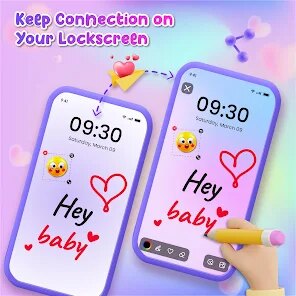
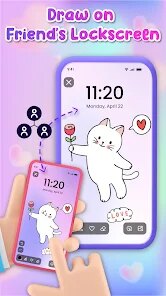
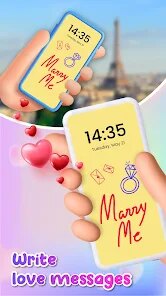
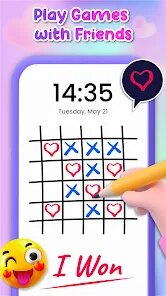
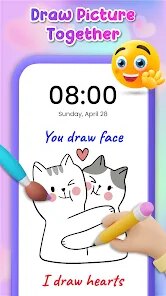
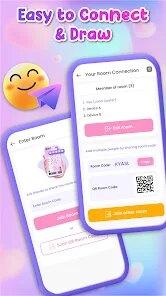
editor reviews
Lockscreen Drawing is a utility app that lets you doodle directly on your phone's lock screen. You know those moments when a sudden idea pops up and you scramble for a napkin or a notes app? This thing turns your locked display into a sketchpad. It's available on the Google Play Store, and the last time I checked, it had crossed a few hundred thousand installs. You can download it for free, but there are ads here and there, and an optional in-app purchase to remove them. No account registration is required, which is a relief. The first time you open it, the interface feels pretty straightforward—it asks for a few permissions and then just shows a blank canvas waiting for your finger.
Using it is as simple as tapping the screen after your phone locks. A small palette pops up with a few pen sizes and colors. You just drag your finger to draw, and if you mess up, there's an undo button that works like a charm. One thing I noticed early on is that the strokes are surprisingly smooth for a free app. No lag, no weird stuttering. If you want to save your doodle, it stores it automatically in the gallery, which is handy. There's also an option to set a password or pattern to access the drawings, though I didn't bother with that. The only hiccup I hit was during the setup—it took me a minute to figure out that you have to enable notification access for the app to work properly. Once that was done, it was smooth sailing.
After using it for a couple of weeks, I can see why someone would keep it around. If you're the type who constantly jots down ideas or sketches, this is a no-brainer. But if you rarely draw, it might feel like unnecessary clutter on your lock screen. Compared to apps like Adobe Sketch, Lockscreen Drawing is much more limited—you don't get layers, brush customization, or export options. What makes it different though is the lock screen integration. You don't have to unlock your phone or open a dedicated app; you just tap and draw. That convenience is its main selling point. I ended up uninstalling it because my drawing habits are pretty sporadic, but I can see a doodler or a busy parent keeping it installed for quick notes or random sketches.
features
- 🖊️ Lockscreen Drawing lets you shortcut straight to a canvas without ever unlocking your phone. Apps like Adobe Sketch require you to open the app first, which adds extra steps when you're in a hurry.
- 🖊️ The stroke engine feels smooth and responsive even on mid-range devices. Unlike some free alternatives that suffer from input lag or jagged lines, this one keeps the flow natural and frustration-free.
- 🖊️ Drawings are automatically saved to your gallery with no manual intervention needed. While popular apps like Infinite Painter demand you to actively save or export files, this one saves every stroke in the background without extra tapping.
pros
- 😊 The lock screen integration is its standout strength. No other popular doodle app I've tried lets you skip the unlock sequence entirely. It turns casual sketching into a frictionless experience.
- 😊 The app is lightweight and doesn't drain battery. Compared to heavy hitters like Procreate Pocket, which can heat up your phone and drain power, this one runs cool in the background and only activates when you tap the screen.
- 😊 The simplicity is refreshing. There's no learning curve, no menu clutter, no hidden features you need to hunt for. You just draw and save, which is perfect for quick note-takers and visual thinkers.
cons
- 😕 There's no support for layers or advanced brush options. Apps like Autodesk SketchBook give you a full toolbox, while Lockscreen Drawing keeps things basic—great for simplicity, but disappointing if you want to create detailed artworks.
- 😕 The ads can be intrusive. They pop up between sessions and sometimes cover part of the canvas. You have to pay to remove them, whereas many competitors like Sketchpad offer ad-free experiences for free.
- 😕 The auto-save feature has no manual filter. It saves every single doodle, whether it's a meaningful sketch or just a random scribble. Over time, your gallery fills up with clutter, and there is no bulk delete option to clean things up quickly.
Recommended Apps
![]()
Japevox - Funny Prank Sound
SecureTool4.3
![]()
AstroMatrix Birth Horoscopes
AstroMatrix4.7
![]()
Personalized Call from Santa (
www.PackageFromSanta.com4.3![]()
Prank Call - Fake Call & Chat
Bravestars Casual4.1![]()
Persona: Beauty Camera
TICKET TO THE MOON, INC.4.5![]()
Peacock TV: Stream TV & Movies
Peacock TV LLC4.5![]()
Instant Buttons Soundboard App
Snow Peak Apps2.1![]()
GPS Speedometer: Speed Tracker
SM Infotech3.2![]()
Subway®
SUBWAY Restaurants4.2![]()
Find Your Phone By Clap
Trusted App Global4.5![]()
Gorilla Skins for Monkey Arena
Dumitru Boico4![]()
Vimeo
Vimeo.com, Inc.3.8![]()
Vinted - Buy and sell clothes
Vinted4.6![]()
Galaxy Starry Keyboard Backgro
Fun Keyboard Theme for Android4.7![]()
Chat AI - Ask AI anything
AI Chat Bot, Ask AI4.4















Disclaimer
1.Apklifts does not represent any developer, nor is it the developer of any App or game.
2.Apklifts provide custom reviews of Apps written by our own reviewers, and detailed information of these Apps, such as developer contacts, ratings and screenshots.
3. All trademarks, registered trademarks, product names and company names or logos appearing on the site are the property of their respective owners.
4.Apklifts abides by the federal Digital Millennium Copyright Act (DMCA) by responding to notices of alleged infringement that complies with the DMCA and other applicable laws.
5.If you are the owner or copyright representative and want to delete your information, please contact us [email protected].
6.All the information on this website is strictly observed all the terms and conditions of Google Ads Advertising policies and Google Unwanted Software policy.
7.Apklifts.com is an independent, information-only website which is 100% free to all the users.













