

Piano: Learn & Play Piano

10M+
Installs
Enable Startup
Developer
-
Education
Category
-
Everyone
Content Rating
-
https://enablestartup.netlify.app/policy
Privacy Policy
Screenshots
editor reviews
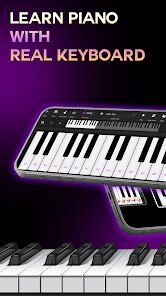
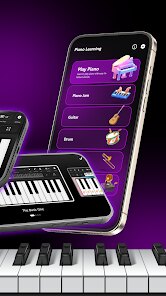
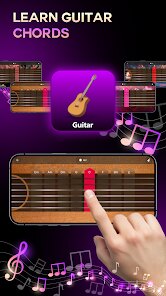
Piano: Learn & Play Piano is a mobile app that turns your phone or tablet into a virtual keyboard, designed for beginners who have never touched a piano before. It falls squarely into the music education category, but it doesn't pretend to replace a real teacher. The app is free to download from both Google Play and the App Store, though it does push in-app purchases for song packs and lesson unlocks. After launching it for the first time, I was greeted with a bright, colorful interface that felt more like a game than a serious learning tool. That first impression was actually pretty welcoming – the app immediately offered a short tutorial on finger placement and note reading, which made me feel like I could actually get started without feeling overwhelmed.
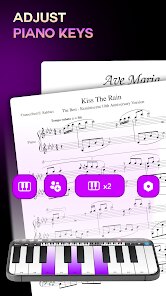
Once you get into the actual lessons, the experience is surprisingly hands-on. The app uses the phone's touchscreen to display a full piano keyboard, and it guides you through songs by highlighting the next key you need to press. I spent a good twenty minutes tapping through "Twinkle Twinkle Little Star" and "Happy Birthday," and the app gave real-time feedback on timing and accuracy. The interface is clean, though I did notice that ads pop up between lessons, which can break your flow a bit. One small tip: if you turn your phone to landscape mode, the keys get bigger and easier to hit. The progression is linear – you complete one song to unlock the next – which keeps things simple but can feel a bit repetitive after a while.
After using the app for a few days, I think it's best for absolute beginners who just want to play a few simple tunes without any pressure. It won't teach you music theory or proper technique, so if you're aiming to play classical pieces or jazz, you'd be better off with something like Simply Piano. What makes this app different is its sheer simplicity – no sign-up required, no long video lessons, just tap and play. That said, the constant ads and limited free content eventually made me consider uninstalling it. I kept it on my phone as a casual time-killer, but I wouldn't rely on it for serious practice. It's fine for what it is, but don't expect more than a fun introduction.
features
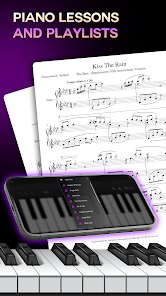
- 🎹 The standout feature is the real-time note highlighting system. When you play a song, the app lights up the exact key you need to press next, making it incredibly easy for total beginners to follow along without reading sheet music. This is much more beginner-friendly than something like Yousician, which expects you to understand basic notation first.
- 📚 The structured song library is another strong point. You start with super simple nursery rhymes and gradually unlock more complex songs. This progression feels rewarding, and it keeps you coming back to see what's next. Apps like Flowkey offer more variety in genres, but this one keeps the learning curve gentle.
- 🎮 The gamified feedback system gives you a star rating after each song based on accuracy and timing. It's a small touch, but it makes you want to replay songs to improve your score. Other apps like Piano Academy have similar features, but this one feels less punishing if you miss a note.
pros
- 👍 Its biggest strength is the low barrier to entry. No account creation, no complicated settings – just download, open, and start playing. This makes it more accessible than Simply Piano, which requires a subscription for full access.
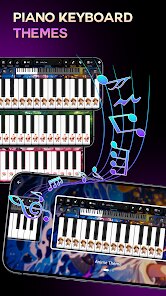
- 👍 The visual design is bright and cheerful, which reduces the intimidation factor for adults who feel they're too old to learn an instrument. It feels less clinical than Perfect Piano, which looks more like a tool than a learning app.
- 👍 The offline play ability is a huge plus. You can download song packs at home and practice without an internet connection, something that Yousician doesn't offer as smoothly.
cons
- 👎 The ad frequency is a major drawback. After every two or three songs, a full-screen video ad interrupts your session, which can completely kill your focus. Simply Piano doesn't have this issue because it's subscription-based.
- 👎 The free content is very limited. You only get a handful of simple songs to start, and unlocking anything beyond that requires in-app purchases. Flowkey gives you a more generous free trial with actual variety.
- 👎 The sound quality from the virtual keys is quite basic – it doesn't capture the dynamics of a real piano at all. If you care about tonal nuance, you'll be disappointed. Apps like Pianist HD offer much richer sound samples.
- 👎 There's no real assessment of hand position or posture, which means you could develop bad habits early on. A trained teacher or more advanced apps like Skoove would catch these issues.
Recommended Apps
![]()
BetterMe: Health Coaching
BetterMe Limited4.3
![]()
Walli - HD, 4K Wallpapers
Tap AI4.4![]()
Future Self - Old Age Filter
Vidler Koiter1.6
![]()
AI Photo Editor, Collage-Fotor
AI Art Photo Editor | Everimaging Ltd.4.3![]()
AI Face Swap: MagicFace &Photo
Braly JSC0![]()
QR Code Reader: QR Scanner
WECHOICE MOBILE4.3![]()
Lip Fall Challenge: Fun Filter
Braly JSC0![]()
Funny Reverse Audio - Singing
PlayStudioInc0![]()
Birthday Secrets
shasunder4.4![]()
Live Wallpapers HD 4K
Wallpaper app4.4![]()
Find Your Phone By Clap
Trusted App Global4.5![]()
Wizz - Expand Your World
Wizz3.8![]()
NCAA March Madness Live
NCAA Digital4.7![]()
Hulu: Stream TV shows & movies
Disney4.5![]()
Lethal Love: a Yandere game
AniByte!4.4















Disclaimer
1.Apklifts does not represent any developer, nor is it the developer of any App or game.
2.Apklifts provide custom reviews of Apps written by our own reviewers, and detailed information of these Apps, such as developer contacts, ratings and screenshots.
3. All trademarks, registered trademarks, product names and company names or logos appearing on the site are the property of their respective owners.
4.Apklifts abides by the federal Digital Millennium Copyright Act (DMCA) by responding to notices of alleged infringement that complies with the DMCA and other applicable laws.
5.If you are the owner or copyright representative and want to delete your information, please contact us [email protected].
6.All the information on this website is strictly observed all the terms and conditions of Google Ads Advertising policies and Google Unwanted Software policy.
7.Apklifts.com is an independent, information-only website which is 100% free to all the users.













