
AR Draw Sketch - Trace & Paint

5K+
Installs
MØ Studios
Developer
-
Art & Design
Category
-
Everyone
Content Rating
-
https://sites.google.com/view/mostudios/privacy-policy
Privacy Policy
Screenshots
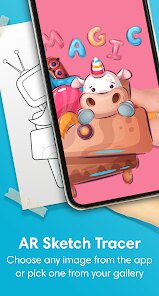
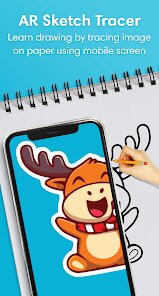
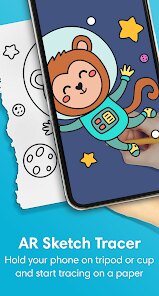
editor reviews
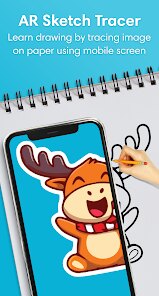
I stumbled upon AR Draw Sketch - Trace & Paint from MØ Studios a few weeks ago, and honestly, it's one of those apps that makes you feel like a kid again. It's essentially a tracing tool that uses your phone's camera to project an image onto your drawing surface through the screen. You open it up, pick a picture from their library or upload your own, and the app overlays a semi-transparent version of it on your camera view. What grabs you right away is how simple it feels—no complicated menus or sign-up walls. You just download it, launch it, and within seconds you're holding your phone over a piece of paper, tracing away. The install count seems decent for a niche tool, and it's free with a few optional in-app purchases if you want to unlock extra image packs or remove watermarks. First impression? Surprisingly polished for something that could have been a gimmick.
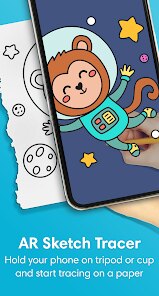
Once you actually start using it, the experience is pretty straightforward but has its quirks. The main screen shows a camera feed with your chosen image floating on top, and you adjust the opacity with a slider so you can see your paper underneath. You prop your phone up on a stand or just hold it in one hand while drawing with the other—kind of awkward at first, but you get used to it. The onboarding is minimal: a quick tip about locking the image position and you're off. I found myself tracing a simple flower outline in maybe five minutes, and it felt oddly satisfying. One small tip: if the image drifts because you move the phone, just tap the lock icon to freeze it, which works well in good lighting. The app doesn't lag much, though I did notice it struggles a bit in dim rooms or if the image has lots of fine details. It's not a tool for precision artists, but for casual fun or learning to sketch basic shapes, it's surprisingly smooth.
After using it for a while, I'd say this app is perfect if you're someone who always wanted to draw but felt you lacked the skill. It's not going to teach you anatomy or shading, but it removes that fear of a blank page. Kids will love it for tracing their favorite characters, and adults might find it oddly therapeutic during a boring afternoon. Compared to something like SketchAR, which does similar tracing but with more AR gimmicks, this one feels more stripped-down and focused. You won't keep it installed if you're a serious artist looking for advanced tools, but for a quick creative outlet or a fun party trick, it earns its spot on your phone. I almost uninstalled it after a week, then remembered how much my nephew enjoyed it—so it stayed. It's not a daily driver, but it's one of those apps you're glad to have when the mood strikes.
features
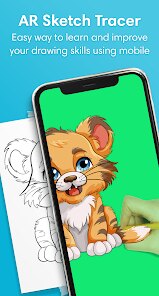
- 🖼️ The image tracing overlay is the core trick here—you pick any photo from your gallery or their built-in collection, and it becomes a ghosted layer on your camera feed. Unlike apps like Drawing Desk that focus on digital tools, this one keeps it old-school by guiding your hand on actual paper. You can adjust the transparency of the overlay, lock the image in place so it doesn't shift when you breathe, and even mirror or flip the picture for tricky angles. It feels more like a practical aid than a flashy feature.
- 📸 The live camera projection is what sets it apart from static tracing apps. Instead of squinting at a separate image on another screen, your phone acts like a see-through guide. The app uses your camera to show your paper and the reference together, which means you don't need to print anything out. Compared to apps like Trace Table, which rely on a flat surface template, this one works on any surface as long as there's decent light. It's not perfect in low light, but when it works, it feels almost magical.
- 🖌️ The built-in image library is surprisingly decent for a free app. You get categories like animals, flowers, mandalas, and cartoon characters, so you're not stuck with boring geometric shapes. Some packs are locked behind a small paywall, but the free selection is enough to keep you busy for hours. The images are pre-optimized for tracing, meaning the outlines are clear and not too cluttered, which saves you from the frustration of trying to trace a messy photograph.
pros
- 🌟 It's incredibly accessible—no registration, no tutorials, just point and trace. You don't need to be tech-savvy or artistically inclined. Compared to Procreate Pocket, which has a steep learning curve even for pros, this app is ready to go in under ten seconds.
- 🌟 The camera lock feature is surprisingly robust. Once you freeze the image, it stays glued to your surface even if you move the phone slightly. Apps like Easy Trace sometimes drift or lag, but here it feels stable as long as the room isn't too dim.
- 🌟 It encourages actual hand-drawing on paper, which is rare in the digital age. Unlike digital painting apps that let you undo mistakes instantly, this one forces you to make real marks, which builds confidence and motor skills for beginners.
cons
- ⚠️ The camera struggles with detailed images and low-light environments. If you try to trace a complex portrait or use it in a dim room, the overlay becomes fuzzy and hard to follow, making the experience frustrating.
- ⚠️ You need a phone stand or a second hand to hold the device steady while drawing, which isn't always convenient. Unlike dedicated drawing tablets like Wacom, where everything is in one place, here you're juggling hardware.
- ⚠️ The free version has a limited image library, and many good packs require payment. Apps like SketchAR offer more free content upfront, so you might feel nickel-and-dimed if you want variety.
- ⚠️ The app sometimes misaligns the overlay if you accidentally move the phone too fast, forcing you to unlock and reposition everything. It's a small annoyance, but it breaks the flow when you're in the zone.
Recommended Apps
![]()
BetterMe: Health Coaching
BetterMe Limited4.3
![]()
Walli - HD, 4K Wallpapers
Tap AI4.4![]()
Future Self - Old Age Filter
Vidler Koiter1.6
![]()
AI Photo Editor, Collage-Fotor
AI Art Photo Editor | Everimaging Ltd.4.3![]()
AI Face Swap: MagicFace &Photo
Braly JSC0![]()
QR Code Reader: QR Scanner
WECHOICE MOBILE4.3![]()
Lip Fall Challenge: Fun Filter
Braly JSC0![]()
Funny Reverse Audio - Singing
PlayStudioInc0![]()
Birthday Secrets
shasunder4.4![]()
Live Wallpapers HD 4K
Wallpaper app4.4![]()
Find Your Phone By Clap
Trusted App Global4.5![]()
Wizz - Expand Your World
Wizz3.8![]()
NCAA March Madness Live
NCAA Digital4.7![]()
Hulu: Stream TV shows & movies
Disney4.5![]()
Lethal Love: a Yandere game
AniByte!4.4















Disclaimer
1.Apklifts does not represent any developer, nor is it the developer of any App or game.
2.Apklifts provide custom reviews of Apps written by our own reviewers, and detailed information of these Apps, such as developer contacts, ratings and screenshots.
3. All trademarks, registered trademarks, product names and company names or logos appearing on the site are the property of their respective owners.
4.Apklifts abides by the federal Digital Millennium Copyright Act (DMCA) by responding to notices of alleged infringement that complies with the DMCA and other applicable laws.
5.If you are the owner or copyright representative and want to delete your information, please contact us [email protected].
6.All the information on this website is strictly observed all the terms and conditions of Google Ads Advertising policies and Google Unwanted Software policy.
7.Apklifts.com is an independent, information-only website which is 100% free to all the users.














