

Seekee - Ai Search & Assistant

50M+
Installs
Seekee Ltd
Developer
-
Generative AI
Category
-
Teen
Content Rating
-
info@seekee.ai
Developer Email
-
https://h5.seekee.ai/in/art/Seekeeai_Android_Privacy_Policy
Privacy Policy
Screenshots

editor reviews
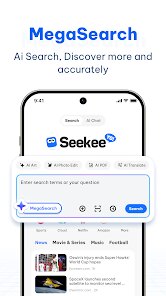
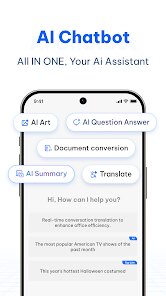
Seekee is an AI-powered search and assistant app that blends voice commands, visual recognition, and conversational AI into one interface. It's basically a Swiss Army knife for getting quick answers, summarizing web content, or even identifying objects through your camera. I stumbled across it on Google Play while looking for something more streamlined than juggling ChatGPT and Google separately. The install count seemed decent, and it's free to download, though I noticed some in-app purchases for unlocking extra features. First impression after launching? The home screen is clean—just a search bar and a little mic icon, no clutter. It felt like opening a stripped-down version of a browser, but with a smarter brain behind it. No forced registration either, which was a relief; you can just start typing or speaking right away.
Once I started using it, the hands-on experience was mostly smooth. The onboarding is a single swipe-through that explains the camera mode and voice commands, then you're on your own. I tested the voice search by asking “What's the weather in Tokyo next week?” and got a concise answer with a nice card layout, not just a wall of text. The real standout moment was using the camera to snap a plant in my living room—it identified it as a Monstera in about two seconds. Navigating between the search tab, camera, and chat history feels natural, though I did hit a slight lag when switching to the camera for the first time. A practical tip: you can long-press results to copy them directly, which saves a step. For daily use, I found myself relying on it for quick facts instead of opening a full browser, and the summarization feature for articles was surprisingly accurate, if a bit verbose at times.
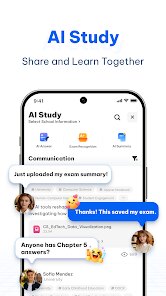
After a couple of weeks, my take is that Seekee works best for casual users who want an all-in-one helper without diving into multiple apps. Students or curious folks might love snapping pictures of homework problems or identifying landmarks while traveling. But if you're deep into power-user territory—like needing API-level customization or advanced data analysis—it probably won't replace tools like Perplexity or a full-featured assistant. What sets it apart from Google Assistant or Siri is the visual component; the camera integration feels more purposeful here than those clunky attempts in other apps. I'd keep it installed because it saves time for random queries, but the free tier felt limiting after a week, nudging you toward a subscription. Honestly, I can see someone uninstalling it if they just want a voice assistant and already have one built into their phone. It's good, but not revolutionary—just a convenient layer over existing AI models.
features
- 📸 Visual search that stands out — Snap anything from a textbook diagram to a restaurant dish, and Seekee pulls up relevant info or shopping links. Google Lens does this too, but Seekee's integration with the chat interface makes it feel less like a separate tool and more like a natural part of the search flow. For example, I photographed a broken chair part, and it suggested where to buy a replacement.
- 🎤 Voice-first interaction with context memory — You can ask follow-up questions without repeating yourself. “Who directed Inception?” followed by “What else did he make?” works seamlessly. Siri and Google Assistant remember context too, but Seekee keeps it visible in a chat log, which helps when you switch between topics.
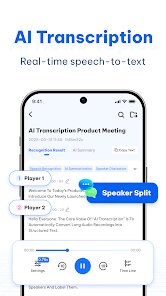
- 📄 Article summarization without leaving the app — Paste a URL or share it from your browser, and Seekee spits out a bullet-point summary. This is faster than opening a separate summarizer like TLDR This or using ChatGPT's web plugin, though the quality can vary with longer content.
- 🔍 Multi-source answer format — Instead of just one answer, Seekee shows results from web searches, Wikipedia, and AI models side by side. This is similar to Perplexity AI, but Seekee's layout is less dense and more friendly for quick glances.
pros
- 🌟 Speed and simplicity over Perplexity AI — Seekee loads answers faster for basic queries like “capitals of Europe” because it doesn't try to show excessive source citations upfront. You still get sources if you tap, but the default view is cleaner for everyday use.
- 🌟 Camera integration is more intuitive than Google Lens — Instead of opening a separate app or button, Seekee lets you switch to camera mode from the main search bar with one tap. The overlay also shows live suggestions as you focus, which feels more guided.
- 🌟 Free tier is generous for casual use — You can do several searches and camera scans daily without hitting a paywall. ChatGPT's free tier limits you more strictly on image analysis, and even Google's AI features sometimes require a subscription for advanced modes.
cons
- ⚠️ Limited offline functionality — If you're without internet, Seekee is basically dead. Google Assistant can at least handle basic commands offline, like setting alarms or opening apps. Relying on the cloud makes it less reliable in areas with spotty coverage.
- ⚠️ Notification overload from the assistant — The app sends prompts like “Ask me anything!” after a couple of hours of inactivity. It felt nagging compared to ChatGPT's totally silent behavior unless you initiate. I had to dig into settings to disable them.
- ⚠️ Camera mode drains battery noticeably — On a long walk, using Seekee to identify plants and signs ate through 15% of my battery in about 20 minutes. Google Lens is more power efficient for the same task, likely due to lighter resource handling.
- ⚠️ Paid features are pushed too early — A pop-up about unlocking unlimited summarization appears after just three uses. Perplexity AI offers a similar paid model but waits longer before nudging you, which feels less pushy.
Recommended Apps
![]()
Daily Horoscope
KADO Apps4.4
![]()
FOX Sports: Watch Live Games
Fox Digital Services, LLC3.7
![]()
Fake Call from Santa Claus
ThunderClap4.2![]()
Google Maps
Google LLC4.2![]()
PhotoLayers-Superimpose,Eraser
handyCloset Inc.4.6![]()
Healthy Benefits+
Solutran, Inc.4.5![]()
SuperMe - Avatar Maker Creator
THE.DEMON3.7![]()
Air Horn
Tenoku4.8![]()
Football Wallpaper HD 4K
Orange Infotech Studio4.6![]()
Artplay - AI Photo & Video
Hideaway Technology Limited4.5![]()
Horoscopes – Daily Zodiac Horo
Mail.Ru Group4.1![]()
Passport Parking
Passport Labs, Inc.2.5![]()
ParkMobile: Park. Pay. Go.
Parkmobile, LLC4.3![]()
FestAI: Ghost Detector App
Now Tech3.2![]()
Photo Tool
COLIFER LAB4





























