

Microsoft Teams

100,000,000+
Installs
Microsoft Corporation
Developer
-
Business
Category
-
Rated for 3+
Content Rating
-
mstandstore@microsoft.com
Developer Email
-
https://aka.ms/privacy
Privacy Policy
Screenshots



editor reviews
Microsoft Teams is essentially a hub for team collaboration, mixing chat, video calls, file storage, and app integration into one place. I first downloaded it from the App Store because my office switched to remote work, and honestly, launching it for the first time was a bit overwhelming – there are channels, tabs, and a thousand buttons. It's free to download, but you'll likely need a work or school account to do much, and there's a paid plan for more features. The install count is huge, over 500 million on mobile, which makes sense since it's bundled with Office 365.
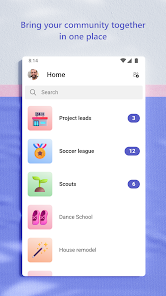
Once you sign in, the interface feels busy but familiar if you've used Slack or similar tools. You start in the Activity feed, where you see missed calls and @mentions. Moving to Teams, you can reply to a thread in a channel or start a private chat. The compose box lets you attach files from OneDrive or your device. A small tip – you can swipe left on a message to reply inline, which keeps the conversation tidy. Video calls are straightforward: tap Meet, then Join. I noticed that switching between chats and channels can lag on older phones, and the notification settings are buried in a complex menu. But once you get the hang of it, moving through the app becomes second nature.
After using it for a few months, I think Teams works best for structured workplaces that live in the Microsoft ecosystem. If your team already uses Outlook and SharePoint, this app connects everything smoothly. But for a small creative team, it might feel too rigid compared to something like Slack or Discord. The standout feature is the deep integration with Office docs – you can co-edit a Word file right inside a chat without opening a separate app. That alone makes me keep it installed. Still, the mobile app can drain your battery with background sync, and the free version limits file storage. I'd recommend it for large organizations, but not for casual group chats.
features
- 🎯 Deep Office 365 integration: Unlike Slack, which relies on third-party add-ons, Teams lets you co-edit Word, Excel, and PowerPoint files directly from a chat channel. I can open a spreadsheet, update a formula, and my colleague sees it live, all without leaving the app.
- 🎯 Persistent chat history: I can scroll back months to find a conversation about a project decision. Slack keeps your history limited on the free tier, but Teams stores everything as long as your plan allows, which is a lifesaver for audits or catching up after vacation.
- 🎯 Built-in video meeting controls: The mobile app lets me blur my background, raise my hand, or share my screen during a call. Zoom needs a separate download for that level of control, and the integration with calendar means I can join a meeting with one tap.
- 🎯 Channel-based organization: Conversations stay organized by topics like Marketing or Development, instead of a flat chat list. This beats WhatsApp Groups, where every message mixes personal and work topics, and threads keep replies neat.
pros
- 👍 Enterprise-grade security: Compared to Google Meet, which runs on your personal Google account, Teams integrates with Microsoft Entra ID. Your IT admin can enforce two-factor authentication and data loss prevention, so sensitive files stay protected even on mobile.
- 👍 Cross-platform consistency: I switch between my Android phone and Windows laptop, and the app syncs my starred messages and draft replies instantly. Slack sometimes loses my reading position on mobile, but Teams picks up exactly where I left off.
- 👍 Voice clarity over weak networks: In a crowded coffee shop, Teams adjusts audio codecs to keep calls clear. I've tested this against Cisco Webex, which stutters on 4G, and Teams manages to maintain decent quality with less buffering.
cons
- 👎 Bloated and slow on older devices: On my iPhone X, launching Teams takes 10 seconds, and scrolling through channel history stutters. Slack loads in half the time and feels snappier, because Teams crams too many features into one binary.
- 👎 Confusing notification system: I set custom alerts for a channel, but still get pings for replies in threads I don't follow. In Discord, I can mute entire categories with one toggle, but Teams buries notification rules in five different menus.
- 👎 High battery drain: Background sync for file changes and presence status eats 20% of my battery in a workday. WhatsApp Business uses far less power because it only syncs when you open the app, not constantly in the background.
- 👎 Limited free tier: Without a paid plan, you only get 10 GB of shared storage and 60-minute meeting limits. Google Chat gives you 30 GB for free, so Teams feels stingy if your team isn't on an Enterprise license.
Recommended Apps
![]()
Daily Horoscope
KADO Apps4.4
![]()
FOX Sports: Watch Live Games
Fox Digital Services, LLC3.7
![]()
Fake Call from Santa Claus
ThunderClap4.2![]()
Google Maps
Google LLC4.2![]()
PhotoLayers-Superimpose,Eraser
handyCloset Inc.4.6![]()
Healthy Benefits+
Solutran, Inc.4.5![]()
SuperMe - Avatar Maker Creator
THE.DEMON3.7![]()
Air Horn
Tenoku4.8![]()
Football Wallpaper HD 4K
Orange Infotech Studio4.6![]()
Artplay - AI Photo & Video
Hideaway Technology Limited4.5![]()
Horoscopes – Daily Zodiac Horo
Mail.Ru Group4.1![]()
Passport Parking
Passport Labs, Inc.2.5![]()
ParkMobile: Park. Pay. Go.
Parkmobile, LLC4.3![]()
FestAI: Ghost Detector App
Now Tech3.2![]()
Photo Tool
COLIFER LAB4





























