

starryai - AI Art Generator

1M+
Installs
starryai Inc.
Developer
-
Generative AI
Category
-
Rated for 18+
Content Rating
-
support@starryai.com
Developer Email
-
https://www.starryai.com/privacy
Privacy Policy
Screenshots
editor reviews
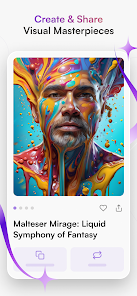
I first stumbled across starryai while looking for something to turn my rough doodles into actual art. It's an AI-powered image generator, sitting right in that growing space of apps that let you create visuals from text prompts or even your own photos. What caught my eye was the promise of high-quality, detailed images without needing any design experience. After downloading it from Google Play, I saw it had a huge number of installs, which made me think it was worth a shot. The first impression after launching was that it felt more like a creative tool than a toy. The home screen is clean, with a focus on generating or remixing art, and it pushes you straight into trying out the core features. No endless sign-up walls, just a quick login and you are ready to see what it can do.
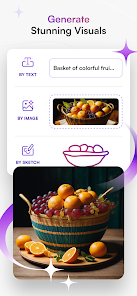
Once I started playing around, the real experience unfolded. You can pick from a handful of styles like anime, realistic, or fantasy, or you can type in a description like "a cyberpunk fox in neon rain" and see what comes out. I found the remix feature especially fun. You upload a photo, tell the AI to reimagine it, and it spits out something completely different but still connected to the original. The interface is simple enough that I was generating my first few images in under a minute. There is a slight waiting time for each generation, but nothing too painful. A small tip: if you want better results, be more specific with your prompt. "A cat" gives you a cat, but "a fluffy gray cat wearing a tiny top hat in a Victorian parlor" gives you something worth saving. The only confusing moment was figuring out where my finished images were saved, but a quick tap on the profile icon solved that.
After using it for a few weeks, I have a pretty solid sense of who would like this and who would hit uninstall. If you enjoy dabbling in digital art, making weird profile pictures, or just want a quick way to visualize a concept, starryai is a neat tool to have. But if you are looking for something with deep manual controls like Photoshop or Procreate, this will feel too limiting. What sets it apart from apps like Midjourney or DALL-E is how mobile-friendly it is. You do not need a desktop or a paid subscription to get decent results. Still, the app does rely on credits for higher-resolution outputs, which can feel a bit stingy after a while. I kept it installed because it is fun for quick creative bursts, but I can see someone deleting it once they have made a few pieces and run out of ideas.
features
- 🎨 Text-to-Image Generation: The core feature lets you type any description and get a unique image back. Compared to Dream by Wombo, starryai gives you more control over style and detail. You can choose from realistic, anime, fantasy, and other presets, while Dream feels more random and less consistent.
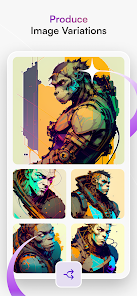
- 🔁 Image Remixing: This is where starryai shines. You can upload your own photo and have the AI reinterpret it in a different style. Apps like Midjourney have similar functionality, but starryai makes it much simpler for mobile users. You just pick a photo, pick a style, and the app handles the rest without confusing commands.
- 🚀 Fast Mobile Interface: The app is optimized for quick generations on a phone. Unlike Stable Diffusion, which often requires a desktop or complex setup, starryai works right out of the box. You can create art while waiting for a bus or lounging on the couch, no technical know-how needed.
pros
- 💡 High Quality for a Mobile App: The images look crisp and detailed, often rivaling what you would get from a desktop tool. I have used it to generate wallpapers that look surprisingly professional.
- 🆓 Generous Free Tier: Unlike Midjourney, which locks you into a paid plan quickly, starryai lets you create a decent number of images daily without paying. That free access made me stick with it longer than I expected.
- 🎯 Simple Learning Curve: The app is incredibly easy to pick up. Other tools like Dream or Wombo require some trial and error with prompts, but starryai's style presets give you a strong starting point right away.
cons
- ⏳ Slow Generation Times: Sometimes waiting for an image takes longer than I would like, especially compared to DALL-E which is nearly instant. It can break the creative flow when you are in the middle of a session.
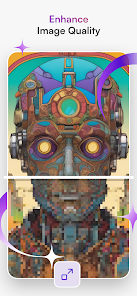
- 🖼️ Limited Resolution Options: The free tier only gives you standard resolution. If you want high-res prints or detailed art, you have to spend credits or pay. Apps like Stable Diffusion offer more flexibility for free.
- 📦 Repetitive Outputs: After generating many images, I noticed the AI has a certain look to everything. Faces and landscapes start feeling similar. Midjourney feels more diverse in its output styles, while starryai can get a bit samey.
- 🔇 No Community Features: There is no easy way to share or browse others' creations within the app. Some other apps have a built-in gallery or feed, which makes discovery and inspiration easier.
Recommended Apps
![]()
Daily Horoscope
KADO Apps4.4
![]()
FOX Sports: Watch Live Games
Fox Digital Services, LLC3.7
![]()
Fake Call from Santa Claus
ThunderClap4.2![]()
Google Maps
Google LLC4.2![]()
PhotoLayers-Superimpose,Eraser
handyCloset Inc.4.6![]()
Healthy Benefits+
Solutran, Inc.4.5![]()
SuperMe - Avatar Maker Creator
THE.DEMON3.7![]()
Air Horn
Tenoku4.8![]()
Football Wallpaper HD 4K
Orange Infotech Studio4.6![]()
Artplay - AI Photo & Video
Hideaway Technology Limited4.5![]()
Horoscopes – Daily Zodiac Horo
Mail.Ru Group4.1![]()
Passport Parking
Passport Labs, Inc.2.5![]()
ParkMobile: Park. Pay. Go.
Parkmobile, LLC4.3![]()
FestAI: Ghost Detector App
Now Tech3.2![]()
Photo Tool
COLIFER LAB4





























