

Monster Call: Prank Sound

10M+
Installs
GAdventure
Developer
-
Entertainment
Category
-
Rated for 3+
Content Rating
-
https://hidephoto.online/policy
Privacy Policy
Screenshots


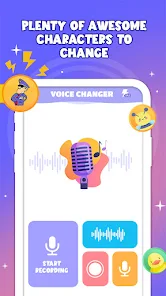

editor reviews
Monster Call: Prank Sound is a straightforward prank and utility app from GAdventure, designed mainly to let users play a variety of creepy or funny monster noises from their phone. It fits into the “prank call” or “soundboard” genre, but instead of mimicking real people, it throws out roars, growls, and eerie whispers. A normal user might download it for a quick laugh at a friend's expense or to add some silly tension to a casual hangout. After launching it from Google Play—where it sits with a moderate install count and is free to download—the first impression is a bit rough. The interface looks dated, with clunky buttons and basic graphics, and there's no registration needed, which is a plus. But you immediately notice some in-app ads popping up, which can break the mood when you're trying to set up a prank. Still, the novelty of having a pocket monster keeps you curious enough to tap around.
Once you start using it, the hands-on experience is a mixed bag. The main screen lists a bunch of sound categories like “Scary Laugh” or “Monster Roar,” and you just tap one to play it. The audio quality is decent—some sounds actually have a good deep bass that can startle people—but the volume control is missing initially, so you have to fumble with your phone's physical buttons. Onboarding is nonexistent; you just dive right in. In daily use, you might open it before a friend walks into the room, hit a sound like “Zombie Moan,” and hide the phone. The timing is unpredictable though, because the app sometimes lags for a second before playing, ruining the surprise. A small tip I picked up: keep the app open and ready in the background, and mute your phone's notification sounds first to avoid giving away the trick. It's not smooth, but for a quick prank, it gets the job done.
After using it for a while, I'd say it's a fun novelty that wears off fast. People who enjoy practical jokes or who host parties might keep it installed for a few weeks, pulling it out for laughs now and then. But if you're looking for polished pranks or more sophisticated tools like voice changers, you'd probably uninstall it quickly. Compared to something like “Prank Call – Voice Changer” or “Funny Prank Sounds,” Monster Call feels less flexible—it only offers monster sounds, not real-time voice modulation or call simulation. It's different in that it focuses purely on monster themes, which is niche but fun for Halloween or gaming sessions. Honestly, I'd keep it for a bit, but once the giggles fade, it's likely getting deleted. It's a silly toy, not a daily driver.
features
- 👾 Sound Library Variety: Monster Call offers a solid range of over 30 sounds, from “Ghostly Wail” to “Dragon Roar,” which is decent for a free app. In comparison, “Prank Soundboard” by a rival dev only has about 20 free sounds and locks the rest behind a paywall. Monster Call's standout is its “Custom Mix” feature—it lets you layer two sounds together, like combining a growl with a cackle, which feels unique. You don't see that in many free soundboard apps, and it adds a creative twist for pranks.
- 🎮 Instant Play Simplicity: The app's main strength is how fast you can trigger sounds. There's no loading screen or complex menu—just a list and a tap. “Funny Prank Sounds” forces you into a slow animation before each play, which kills the surprise. Monster Call's simplicity means you can hide it in your pocket and randomly hit a button, and the sound fires off almost instantly. That immediacy is key for a good prank.
- 🗂️ Category Sorting: The sounds are sorted into four clear categories like “Creepy” and “Funny,” which helps you pick the right mood fast. In “Prank Call Master,” sounds are just dumped into one long list, making you scroll awkwardly. Monster Call's organized layout saves time when you're under pressure to set up a joke quickly. It's not fancy, but it works better than the cluttered alternatives.
pros
- 🌟 No Registration Barrier: You can start using Monster Call without signing up for anything. Apps like “Prank Studio” demand an email or social login even for basic sounds. Here, it's just download and play, which feels refreshingly low-hassle for a quick laugh.
- 💪 Free Sound Quantity: Unlike “Spooky Soundboard,” which limits you to five free clips before pushing a premium upgrade, Monster Call gives you around 30 sounds without charge. That's a big deal for casual users who don't want to pay for a silly app. It feels generous compared to the competition's stinginess.
- 🔋 Low Resource Usage: The app runs lightly and barely drains your battery or memory, unlike “Horror Sounds PRO,” which can slow down older phones with its flashy animations. Monster Call stays lean, so you can keep it running in the background without killing your phone's performance. Practical for a prank tool.
cons
- 📢 Heavy Ad Interruptions: Monster Call hits you with full-screen video ads after every three or four sound plays, which spoils the flow. “Prank Soundboard” shows smaller banner ads that are less obtrusive. Here, the ad frequency feels excessive for a free app, making sustained use annoying.
- 😴 Dated Interface Design: The UI looks like it's from 2015, with blocky buttons and flat colors. Apps like “Funny Prank Sounds” have a sleeker, modern look with smoother transitions. Monster Call's outdated design gives a cheap impression, which might turn off users who value aesthetics.
- 🔇 No Background Play Option: You can't keep sounds playing if you switch to another app or lock your screen. Rival app “Voice Changer Pro” allows audio to run in the background, which is handy for continuous pranks. Monster Call stops immediately if you leave it, limiting its practical use for complex setups.
Recommended Apps
![]()
BetterMe: Health Coaching
BetterMe Limited4.3
![]()
Walli - HD, 4K Wallpapers
Tap AI4.4![]()
Future Self - Old Age Filter
Vidler Koiter1.6
![]()
AI Photo Editor, Collage-Fotor
AI Art Photo Editor | Everimaging Ltd.4.3![]()
AI Face Swap: MagicFace &Photo
Braly JSC0![]()
QR Code Reader: QR Scanner
WECHOICE MOBILE4.3![]()
Lip Fall Challenge: Fun Filter
Braly JSC0![]()
Funny Reverse Audio - Singing
PlayStudioInc0![]()
Birthday Secrets
shasunder4.4![]()
Live Wallpapers HD 4K
Wallpaper app4.4![]()
Find Your Phone By Clap
Trusted App Global4.5![]()
Wizz - Expand Your World
Wizz3.8![]()
NCAA March Madness Live
NCAA Digital4.7![]()
Hulu: Stream TV shows & movies
Disney4.5![]()
Lethal Love: a Yandere game
AniByte!4.4















Disclaimer
1.Apklifts does not represent any developer, nor is it the developer of any App or game.
2.Apklifts provide custom reviews of Apps written by our own reviewers, and detailed information of these Apps, such as developer contacts, ratings and screenshots.
3. All trademarks, registered trademarks, product names and company names or logos appearing on the site are the property of their respective owners.
4.Apklifts abides by the federal Digital Millennium Copyright Act (DMCA) by responding to notices of alleged infringement that complies with the DMCA and other applicable laws.
5.If you are the owner or copyright representative and want to delete your information, please contact us [email protected].
6.All the information on this website is strictly observed all the terms and conditions of Google Ads Advertising policies and Google Unwanted Software policy.
7.Apklifts.com is an independent, information-only website which is 100% free to all the users.














