Ace Hardware

1M+
Installs
Ace Hardware Corporation
Developer
-
Shopping
Category
-
Everyone
Content Rating
-
http://www.acehardware.com/helpdesk/index.jsp?display=safety&subdisplay=privacy
Privacy Policy
Screenshots
editor reviews
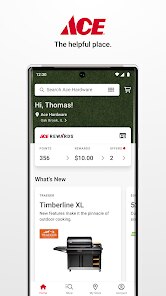
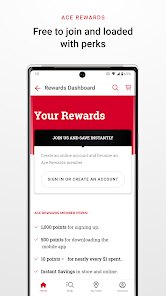
I gave Ace Hardware's app a try after a few trips to the store left me forgetting half the items I needed. It's basically a digital companion for the physical hardware chain, not a standalone shopping tool. You can browse their massive inventory, check what's in stock at your local store, and even get replacement parts identified if you're not sure what you are looking for. The moment I opened it, the bright red theme and the familiar logo made me feel like I was already standing in the aisle. It's free to download from both Google Play and the App Store, and so far it has been downloaded over a million times. There is no forced registration to browse, but you do need an account to place orders or save lists. I noticed a few banner ads for weekly specials, which was a bit annoying, but they didn't pop up in the middle of searching.
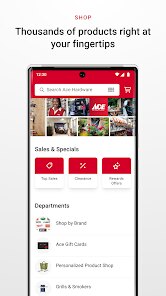
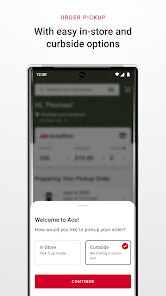
Using the app for the first time felt straightforward. The home screen shows a search bar and some quick categories like paint, tools, and lawn & garden. I tapped on "Paint" and was surprised to see a color visualizer tool that lets you snap a photo of your wall and try different shades. That was actually fun to play with. The real hands-on test came when I needed a specific screwdriver set. I typed the name, filtered by price, and found the exact product with aisle and bay numbers listed. It even said "5 in stock" at my nearest location. The checkout process is smooth if you choose in-store pickup, but delivery options felt limited. One small tip: the app saves your recent searches, so you can pick up where you left off without retyping everything. I did get confused when tapping a product opened a full page rather than a quick view, but overall, the navigation is clean.
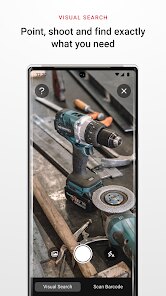
After a few weeks, I have mixed feelings. If you are someone who visits Ace Hardware regularly, this app is almost necessary for checking stock and finding those odd-sized nuts or bolts. The barcode scanner for identifying parts is a lifesaver, but the app still feels a bit slow on older phones. Compared to Home Depot's app, Ace's version is simpler and less bloated, but it also lacks project guides or price matching features. I think someone who just needs a quick hardware reference might install and forget about it, while a DIY enthusiast could rely on it weekly. I kept it installed because it saves me from making extra trips, but the occasional ads and the lack of advanced features make me wonder if I'd stick with it long term. It's decent, but not revolutionary.
features
- 😊 The barcode scanner is hands-down the best feature here. You just point your camera at a broken part or an old screw, and it instantly identifies the exact replacement. Home Depot's app tries something similar, but Ace's scanner is faster and more accurate with smaller hardware items like washers or chains.
- 😊 The in-store stock checker is incredibly reliable. It lists exact aisle and bay numbers, so you walk right to the shelf instead of wandering around. Lowes does this too, but Ace's app updates stock more frequently, which saves me from dashing to a store only to find empty hooks.
- 😊 The color visualizer tool is a pleasant surprise. You upload a photo of your room, tap a wall, and see different paint brands and shades applied. It beats flipping through tiny sample cards, though Sherwin-Williams's app does this with more precision for paint professionals.
- 😊 The weekly ad integration is seamless. Instead of hunting through emails, the app shows local deals on the home screen, and you can add sale items straight to your shopping list. True Value's app also has this, but Ace's version feels less cluttered with extra promotions.
pros
- 💪 The part identification tool is a clear strength. When you have a weird faucet cartridge or an odd-sized O-ring, the app's database can pinpoint it in seconds. Home Depot's app struggles with niche parts, while Ace's library feels curated for old, weird hardware.
- 💪 The store-level inventory visibility is top-notch. You can see exact counts, not just vague "low stock" labels, which is rare among hardware apps. Lowes often just says "limited availability," but Ace gives you a real number like "3 in stock" for a specific SKU.
- 💪 The app's size and speed are big pluses. It loads fast even on weak Wi-Fi, and it doesn't eat up storage like Home Depot's bloated app. That matters when you are standing in a parking lot checking stock.
- 💪 The barcode scanner also works on paint cans to pull up data sheets, something Benjamin Moore's app doesn't support. It's a niche trick, but for anyone mixing custom colors, it saves time.
cons
- 😒 The mobile checkout is painfully limited. You cannot pay through the app for in-store purchases; you still have to line up at a register. Home Depot allows app-based checkout at self-service kiosks, which is much more convenient.
- 😒 There are too many notifications from the app by default. It pings you daily about deals and new stock, and turning them off requires digging into settings. Lowes's app is more respectful of your notification preferences out of the box.
- 😒 The search filter isn't great for browsing. If you type "drill" it returns hundreds of results without sorting by relevance, and you have to scroll forever. Home Depot's app uses AI to prioritize popular or local stock items.
- 😒 The wish list feature is basic. You cannot share lists with family or set price drop alerts, which True Value's app allows. For project planning, this feels like a missed opportunity.
Recommended Apps
![]()
Ghost Detector Real Life Radar
Spot Among Party4.3
![]()
Change Hair And Eye Color
Csmartworld3![]()
Crafto
Kutumb App4.7
![]()
Dog Scanner: Breed Recognition
Siwalu Software GmbH4.2![]()
Idol Prank Call: Fun Video
EPIKMOUNT JOINT STOCK COMPANY3.9![]()
Japan Timetable & Route Search
NAVITIME JAPAN CO., LTD.4.3![]()
PastLives
Moodlr, inc.2.7![]()
Flipped:Chat with AI Character
First Group pte ltd4.1![]()
Signal Private Messenger
Signal Foundation4.5![]()
AI Mirror: AI Art Photo Editor
POLYVERSE INC.4.3![]()
Tarot Card Reading
Astroyogi.com4.2![]()
Monster Call: Prank Video Call
TeH Software4.2![]()
4K Wallpaper & HD Background
MobWally5![]()
Wallpapers HD - Backgrounds 4K
TarrySoft4.4![]()
Bugzz: Insect Prank Filters
Smart Utilities Hub3.8















Disclaimer
1.Apklifts does not represent any developer, nor is it the developer of any App or game.
2.Apklifts provide custom reviews of Apps written by our own reviewers, and detailed information of these Apps, such as developer contacts, ratings and screenshots.
3. All trademarks, registered trademarks, product names and company names or logos appearing on the site are the property of their respective owners.
4.Apklifts abides by the federal Digital Millennium Copyright Act (DMCA) by responding to notices of alleged infringement that complies with the DMCA and other applicable laws.
5.If you are the owner or copyright representative and want to delete your information, please contact us [email protected].
6.All the information on this website is strictly observed all the terms and conditions of Google Ads Advertising policies and Google Unwanted Software policy.
7.Apklifts.com is an independent, information-only website which is 100% free to all the users.