
GPS Maps Voice Navigation

1M+
Installs
Green Lines
Developer
-
Productivity
Category
-
Everyone
Content Rating
-
https://sites.google.com/view/gpsnavigationmapdirection/home
Privacy Policy
Screenshots
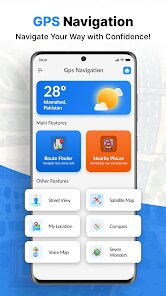
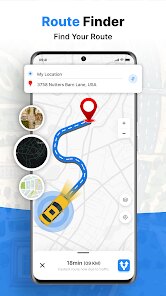
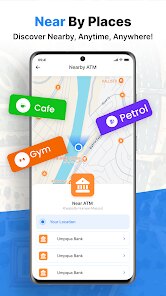
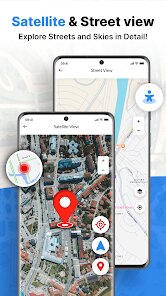
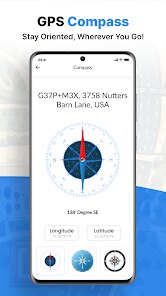
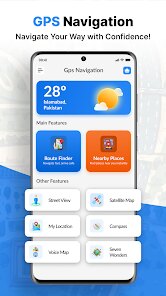
editor reviews
You know that moment when you're driving in an unfamiliar area and your phone's default map takes you on some bizarre detour? That's exactly why I gave GPS Maps Voice Navigation a shot. It's a straightforward navigation app you can grab from the Google Play Store, designed to get you from point A to point B with spoken turn-by-turn directions. After a quick download and install—it's free, but like most apps these days, there are in-app purchases to unlock extra features—I launched it and was greeted by a clean, no-fuss interface. No flashy animations or confusing menus, just a search bar and a map. For someone who just wants to navigate without the extra fluff, that first impression was pretty solid.
Once I started using it, the hands-on experience was mostly smooth. After typing in an address, I was given a few route options with estimated travel times, which is standard but appreciated. The voice guidance kicked in promptly, and the volume was clear enough to hear over my car's AC. I noticed the app recalculates routes quickly if you miss a turn, which saved me from a full-blown panic on a recent road trip. The interface during navigation is simple: your route is highlighted, and the next turn is clearly displayed. A small tip—if you're in an area with spotty signal, you can download offline maps ahead of time, which I found super helpful when driving through mountain passes. The only slightly confusing moment was figuring out how to save a home address; the menu isn't exactly intuitive, but after poking around for a minute, I got it.
After using GPS Maps Voice Navigation for a few weeks, I'd say it's a great fit if you want a dedicated navigation app that doesn't bombard you with restaurant recommendations or nearby gas station ads like Google Maps does. It feels like a tool made for drivers, period. But if you rely heavily on real-time traffic updates or public transit directions, this might feel a bit limited. Compared to Waze, for instance, it lacks that social reporting of police or hazards. Still, its straightforwardness is a strength—I can see someone keeping it installed as a backup or primary nav tool, especially if they value battery efficiency and simplicity over flashy features. I honestly might keep it around for those long trips where I just want to focus on the road.
features
- 🗺️ Real-time Navigation with Voice Alerts – The app gives crystal-clear voice instructions for turns, lane changes, and exits. Unlike Google Maps, which sometimes buries the next step in a list, this app shouts out directions right when you need them, keeping your eyes on the road instead of the screen.
- 🗺️ Detailed Route Calculation – It calculates the fastest path based on current traffic conditions, but what sets it apart from HERE WeGo is the ability to preview multiple routes side-by-side with estimated fuel costs. That extra detail helps you decide if a toll road is actually worth it.
- 🗺️ Lane Assistance with Signboards – When approaching a complex intersection, the app displays which lane you should be in, complete with realistic signboard graphics. It's way more intuitive than Apple Maps' vague arrows, especially when there are five lanes and you're not sure which one to pick.
pros
- ✅ Battery Friendly – Unlike Google Maps, which drains my phone like crazy after 30 minutes, this app sips power in the background. I drove for two hours and my battery only dropped 15%, which is a huge plus on long trips without a car charger.
- ✅ Offline Map Reliability – Downloading entire states for offline use is super easy, and maps actually work well without internet. For example, Sygic charges a premium for this, but here it's part of the base free version, making it a lifesaver in rural areas.
- ✅ Clear Voice Prompts – The voice never sounds robotic or muffled, even at highway speeds. It's much clearer than what you get from MapFactor Navigator, which sometimes cuts off mid-sentence. Plus, you can adjust the speech speed if the default is too fast.
cons
- ❌ No Real-time Traffic Info – Unlike Waze, which gives second-by-second updates on jams and accidents, this app relies on slower data from third parties. Once I sat stuck on a highway for 20 minutes while the app thought traffic was "light." Pretty frustrating.
- ❌ Limited Points of Interest – Searching for a gas station or coffee shop is hit or miss. Google Maps lists everything within 10 miles, but this app sometimes misses big chains entirely. I ended up using a separate app just to find a rest stop once.
- ❌ Outdated Map Updates – The app says it updates maps periodically, but I noticed some new roads missing from 2023 construction projects. Compare that to TomTom AmiGO, which updates weekly. It makes me question whether I can trust it on unfamiliar routes.
- ❌ No Speed Limit Displays – A basic feature in most modern navigation apps, but for some reason, this one doesn't show speed limits on the screen. I found myself constantly glancing at road signs to avoid tickets, which kind of defeats the purpose of hands-free navigation.
Recommended Apps
![]()
Japevox - Funny Prank Sound
SecureTool4.3
![]()
AstroMatrix Birth Horoscopes
AstroMatrix4.7
![]()
Personalized Call from Santa (
www.PackageFromSanta.com4.3![]()
Prank Call - Fake Call & Chat
Bravestars Casual4.1![]()
Persona: Beauty Camera
TICKET TO THE MOON, INC.4.5![]()
Peacock TV: Stream TV & Movies
Peacock TV LLC4.5![]()
Instant Buttons Soundboard App
Snow Peak Apps2.1![]()
GPS Speedometer: Speed Tracker
SM Infotech3.2![]()
Subway®
SUBWAY Restaurants4.2![]()
Find Your Phone By Clap
Trusted App Global4.5![]()
Gorilla Skins for Monkey Arena
Dumitru Boico4![]()
Vimeo
Vimeo.com, Inc.3.8![]()
Vinted - Buy and sell clothes
Vinted4.6![]()
Galaxy Starry Keyboard Backgro
Fun Keyboard Theme for Android4.7![]()
Chat AI - Ask AI anything
AI Chat Bot, Ask AI4.4















Disclaimer
1.Apklifts does not represent any developer, nor is it the developer of any App or game.
2.Apklifts provide custom reviews of Apps written by our own reviewers, and detailed information of these Apps, such as developer contacts, ratings and screenshots.
3. All trademarks, registered trademarks, product names and company names or logos appearing on the site are the property of their respective owners.
4.Apklifts abides by the federal Digital Millennium Copyright Act (DMCA) by responding to notices of alleged infringement that complies with the DMCA and other applicable laws.
5.If you are the owner or copyright representative and want to delete your information, please contact us [email protected].
6.All the information on this website is strictly observed all the terms and conditions of Google Ads Advertising policies and Google Unwanted Software policy.
7.Apklifts.com is an independent, information-only website which is 100% free to all the users.













