
Anti Theft Alarm–Find my Phone

10M+
Installs
Phone Lock & Utilities Apps
Developer
-
Productivity
Category
-
Everyone
Content Rating
-
https://sites.google.com/view/antitheftalramprivacypolicy/home
Privacy Policy
Screenshots

editor reviews
If you've ever misplaced your phone around the house or worried about someone grabbing it while you're not looking, Anti Theft Alarm–Find my Phone is exactly the kind of tool you might try. It's a security utility app, mainly built to help you locate your device through loud alarms, movement detection, and anti-theft triggers. You can download it for free from Google Play or the App Store, and once installed, it asks for basic permissions like accessing your phone's sensors and camera. The first impression after launching is pretty straightforward – a clean interface with a few big buttons for setting up alarms, but I did notice a couple of ads popping up right away, which is common for free utilities. No forced registration, which is a nice touch if you just want to test it out.
Using the app day-to-day feels decent. The main screen has options like “Shake Alarm,” “Motion Alarm,” and “Fake Call.” The onboarding is quick – you just tap what you need and adjust a few sliders. For example, if you set the motion alarm and walk away, the phone will start screaming if it feels movement. That part works well, though I found the sensitivity a bit too high at default – my cat brushing against the desk set it off. A practical tip is to lower the sensitivity in settings right away if you have pets or kids. The “Find my phone” feature is the simplest: you press a button on another device, and your lost phone rings loudly, even if it's on silent. That saved me when I buried my phone under a couch cushion. The interface is smooth enough, though sometimes switching between modes felt slightly delayed, which was a little confusing at first.
After a few weeks, I'd say this app is great for absent-minded people or anyone who lives in a shared space and worries about theft. But if you're used to something like Prey Anti Theft, which offers GPS tracking and remote wipe, this one feels limited – it's more about loud alarms than smart recovery. The standout part is how immediate and noisy it gets, which can be a lifesaver in a pinch. On the flip side, the constant ads can get annoying, and there's no cloud backup for your data. I kept it installed because it's small and does one job well, but I can see someone uninstalling if they find the alarms too sensitive or want more advanced features. It's a fair trade-off for a free app.
features
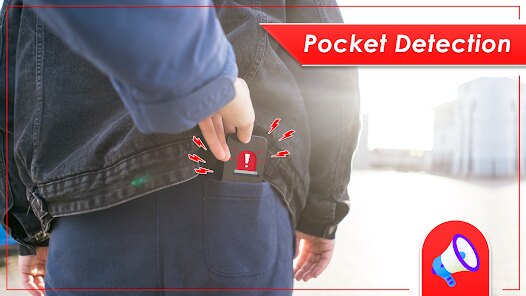
- 🔊 Motion-triggered alarm: The app uses your phone's accelerometer to detect movement. Set it down on a desk, and if someone picks it up, it blasts a siren. This works better than similar apps like Lookout, which often rely on location changes and can miss quick grabs.
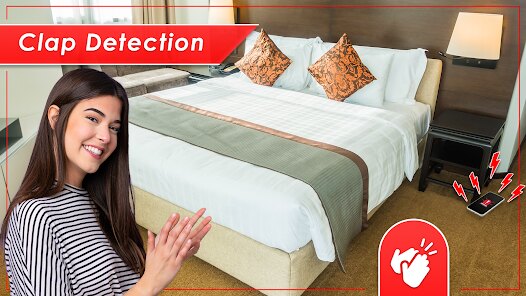
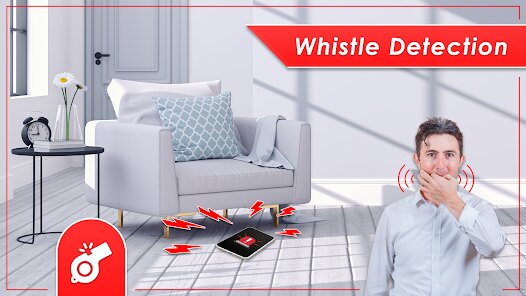
- 📍 Shake-to-find: You can trigger a loud ring from another device by shaking your phone or using an online dashboard. It's simpler than Cerberus's multi-step process, which requires logging into a website first.
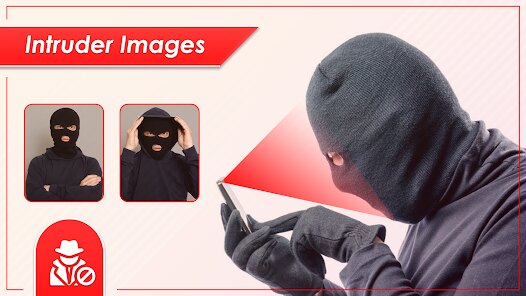
- 📸 Intruder selfie: When the alarm goes off, the front camera captures a photo. While not as polished as Kaspersky's geotagged snapshots, it's a solid free alternative.
pros
- 🔊 No sign-up needed: Unlike Prey Anti Theft, which forces you to create an account, you can use this app right after install. That's a big plus for quick setup.
- 📍 Simple interface: The menu is easier to navigate than Avast's cluttered options. You don't need to hunt for basic functions.
- 📸 Free intruder shots: Most competitors charge for camera capture features, but this one offers it at no cost, even with ads.
cons
- 🔊 Overly sensitive sensors: The motion alarm triggers too easily compared to Cerberus, which lets you fine-tune detection zones and time delays.
- 📍 No GPS tracking: Unlike Prey, which gives you a map of your phone's last location, this app only uses sound and light. If the thief turns off the phone, you're out of luck.
- 📸 Poor photo quality in low light: The intruder selfie works fine in bright rooms, but it's grainy in dim settings, unlike Lookout's infrared-equipped capture.
Recommended Apps
![]()
Japevox - Funny Prank Sound
SecureTool4.3
![]()
AstroMatrix Birth Horoscopes
AstroMatrix4.7
![]()
Personalized Call from Santa (
www.PackageFromSanta.com4.3![]()
Prank Call - Fake Call & Chat
Bravestars Casual4.1![]()
Persona: Beauty Camera
TICKET TO THE MOON, INC.4.5![]()
Peacock TV: Stream TV & Movies
Peacock TV LLC4.5![]()
Instant Buttons Soundboard App
Snow Peak Apps2.1![]()
GPS Speedometer: Speed Tracker
SM Infotech3.2![]()
Subway®
SUBWAY Restaurants4.2![]()
Find Your Phone By Clap
Trusted App Global4.5![]()
Gorilla Skins for Monkey Arena
Dumitru Boico4![]()
Vimeo
Vimeo.com, Inc.3.8![]()
Vinted - Buy and sell clothes
Vinted4.6![]()
Galaxy Starry Keyboard Backgro
Fun Keyboard Theme for Android4.7![]()
Chat AI - Ask AI anything
AI Chat Bot, Ask AI4.4















Disclaimer
1.Apklifts does not represent any developer, nor is it the developer of any App or game.
2.Apklifts provide custom reviews of Apps written by our own reviewers, and detailed information of these Apps, such as developer contacts, ratings and screenshots.
3. All trademarks, registered trademarks, product names and company names or logos appearing on the site are the property of their respective owners.
4.Apklifts abides by the federal Digital Millennium Copyright Act (DMCA) by responding to notices of alleged infringement that complies with the DMCA and other applicable laws.
5.If you are the owner or copyright representative and want to delete your information, please contact us [email protected].
6.All the information on this website is strictly observed all the terms and conditions of Google Ads Advertising policies and Google Unwanted Software policy.
7.Apklifts.com is an independent, information-only website which is 100% free to all the users.













