
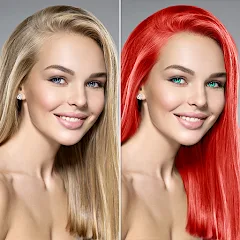
Change Hair And Eye Color

10M+
Installs
Csmartworld
Developer
-
Video Players & Editors
Category
-
Rated for 3+
Content Rating
-
csmartworld@gmail.com
Developer Email
-
http://csmartworldprivacypolicy.blogspot.in/2017/03/privacy-policy-of-csmartworldterms-and.html
Privacy Policy
Screenshots
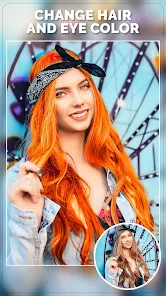
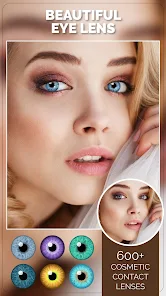
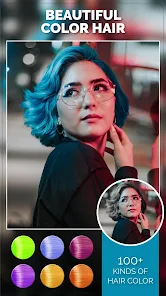
editor reviews
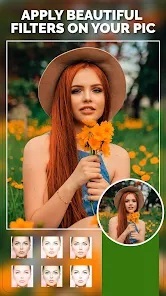
Change Hair And Eye Color by Csmartworld is one of those niche photo-editing tools that zeroes in on a very specific task: swapping out your natural hair and eye colors for something different. It's basically a beauty retouching app, sitting squarely in the portrait-editing category, and it's designed for anyone who wants to preview a new look before committing to dye or contacts. You'd download it mostly out of curiosity, maybe because you've been toying with going blonde or trying blue eyes for a special occasion. The first impression upon launching the app is a little overwhelming, to be honest. It has a dated interface with cluttered buttons and splashy banners, which makes it feel like it hasn't been updated in a while. On the bright side, it's free to install on Google Play and the App Store, with over 10 million downloads recorded, and there's no mandatory sign-up required. You just grant camera and gallery permissions and jump straight into editing. In-app purchases and occasional ads do pop up, but they're not aggressive enough to ruin the experience entirely.
When you actually start using it, the hands-on experience is hit-or-miss. After opening the app, you select a photo from your gallery or snap a new one, then the app auto-detects your face and highlights areas for hair and eyes. The interface guides you through a few steps: choose which part to recolor, pick a shade from the preset palette, and apply it. The hair color options range from natural browns and reds to wild pinks and blues, while the eye colors cover everything from hazel to deep violet. The tricky part is that the detection is far from perfect. If your hair has highlights or shadows, the app might recolor only patches or miss sections entirely, leaving your original color peeking through. On the flip side, the eye color tool works surprisingly well if your eyes are open and well-lit. A small tip I picked up from trial and error: using a close-up, evenly lit selfie gives way better results than a full-body shot taken in dim lighting. The app does not offer an undo button for individual changes, so you have to restart if a swap looks wonky.
After using Change Hair And Eye Color for a while, I'd say it's a fun time-waster rather than a serious editing tool. It's best for someone who wants instant, low-effort results without learning complicated software, like a teenager experimenting with bold looks or a friend planning a cosplay. But if you're looking for realistic, seamless edits that you'd actually post on social media, this app will likely disappoint you. The recoloring often looks artificial, with harsh edges and unnatural blending that screams “edited.” In comparison to apps like FaceApp or Adobe Photoshop Express, which offer similar hair and eye swapping features with far more polish, Change Hair And Eye Color feels like a rough prototype. What keeps it on my phone is the sheer simplicity — no account creation, no tutorials, just open and tap. However, I could see someone uninstalling it after a few uses because the novelty wears off fast and the results aren't convincing enough for real-world use. It's a decent gimmick, but not a keeper for everyday retouching.
features
- 🖌️ AI-Powered Face Detection – The app automatically detects facial features and isolates hair and eye regions, reducing manual selection. However, compared to FaceApp, the AI here is noticeably less accurate, often misdetecting edges in complex hairstyles or uneven lighting.
- 🖌️ Broad Color Palette – It offers dozens of hair colors from natural browns and blonds to fantasy shades like neon green and silver, plus eye colors from amber to violet. YouCam Perfect provides a similar range but applies colors with smoother gradients and better blending.
- 🖌️ One-Tap Apply – You can change hair or eye color with a single tap after selection, which is faster than layer-based editors like PicsArt. But the result often looks flat and overlayed rather than integrated into the original photo.
- 🖌️ No Registration Needed – Unlike Adobe Photoshop Express, which requires an Adobe ID for certain features, this app lets you jump straight into editing without creating an account — a huge plus for privacy-conscious users.
pros
- ✅ Super Fast Editing – The whole process from opening the app to saving an edited photo takes under 30 seconds. FaceApp handles similar tasks but sometimes lags or requires network connection.
- ✅ Completely Offline – Once downloaded, the app works without internet, which is rare among photo editing tools. Snapseed offers offline editing too but doesn't specialize in hair or eye color swaps.
- ✅ Wide Device Compatibility – It runs smoothly on older Android and iOS devices, unlike Remini which demands higher processing power for AI adjustments.
cons
- ❌ Dated User Interface – The app looks like it's stuck in 2015, with clunky icons and oversized ads. YouCam Perfect feels far more modern and intuitive to navigate.
- ❌ Inconsistent Detection – Hair and eye detection fails frequently on side profiles, bangs, or glasses. FaceApp handles these cases much more reliably.
- ❌ No Fine-Tuning Tools – You cannot adjust opacity, brush over missed areas, or blend edges manually. PicsArt offers these features for more precise results.
- ❌ Watermark on Free Version – The edited image gets a watermark unless you pay for the pro version, which is annoying for casual users. Snapseed never adds watermarks to any edit.
Recommended Apps
![]()
Daily Horoscope
KADO Apps4.4
![]()
FOX Sports: Watch Live Games
Fox Digital Services, LLC3.7
![]()
Fake Call from Santa Claus
ThunderClap4.2![]()
Google Maps
Google LLC4.2![]()
PhotoLayers-Superimpose,Eraser
handyCloset Inc.4.6![]()
Healthy Benefits+
Solutran, Inc.4.5![]()
SuperMe - Avatar Maker Creator
THE.DEMON3.7![]()
Air Horn
Tenoku4.8![]()
Football Wallpaper HD 4K
Orange Infotech Studio4.6![]()
Artplay - AI Photo & Video
Hideaway Technology Limited4.5![]()
Horoscopes – Daily Zodiac Horo
Mail.Ru Group4.1![]()
Passport Parking
Passport Labs, Inc.2.5![]()
ParkMobile: Park. Pay. Go.
Parkmobile, LLC4.3![]()
FestAI: Ghost Detector App
Now Tech3.2![]()
Photo Tool
COLIFER LAB4





























