

Artplay - AI Photo & Video

1M+
Installs
Hideaway Technology Limited
Developer
-
Video Players & Editors
Category
-
Everyone
Content Rating
-
lucadavis212@gmail.com
Developer Email
-
https://sites.google.com/view/artplay-privacypolicy
Privacy Policy
Screenshots


editor reviews
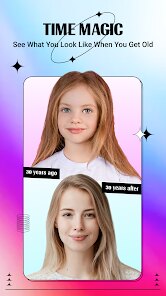
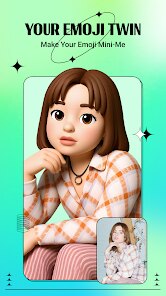
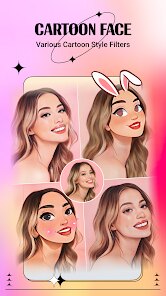
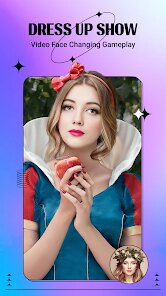
Artplay is an AI-driven photo and video editing app that focuses on turning ordinary pictures into stylized artwork, almost like having a mini art studio in your pocket. It falls under the category of creative editing tools, sitting somewhere between apps like Picsart and more specialized AI generators. The main draw for someone downloading this from the Google Play or App Store is the promise of transforming selfies or vacation shots into paintings, cartoons, or anime-style portraits with just a tap. After launching it for the first time, the initial impression is pretty polished—there's a clean, modern interface that doesn't immediately shove ads or subscription pop-ups in your face. The install count seems decent, and it's free to download, though registration is required to save or share your creations. That's a small hurdle, but most people won't mind signing up with an email or social account.
Once you get into actual usage, the experience feels smooth but a bit guided. The onboarding walks you through a quick tutorial on how to upload a photo and apply one of the many art styles, like “Oil Painting” or “Anime Fusion.” After selecting a style, the app processes the image, which takes maybe ten to fifteen seconds—long enough to feel like it's actually doing something, but not so long that you get bored. A common daily use loop might be opening the app, picking a fresh photo from your gallery, choosing a filter or AI effect, and then tweaking the intensity with a slider before saving. The interface is intuitive, though the sheer number of styles can be overwhelming at first. A practical tip: try the “Cartoon” effect on group photos, since it handles multiple faces better than some other AI apps. One mildly confusing moment is how the free version restricts high-resolution exports, which isn't immediately obvious until you hit the save button.
After spending a week with Artplay, my honest take is that it's a fun tool for casual users who want quick, shareable edits without opening a desktop program. If you're into posting stylized selfies on Instagram or TikTok, this app nails that niche. However, anyone looking for deep manual controls or layer-based editing will likely uninstall it after a day, because it's not built for that crowd. Compared to apps like FaceApp or Prisma, Artplay feels less gimmicky and more artistic, but it also lacks the community features or advanced filters that keep those apps sticky. What sets it apart is the consistency of its AI outputs—the results rarely look distorted or creepy, which is a win. I kept it installed because it's lightweight and great for a lazy Sunday edit, but I could easily see someone deleting it if they don't recreate that novelty within the first few sessions.
features
- 🎨 Artplay's standout feature is its real-time preview mode, which lets you see how an applied style will look before you commit to processing. In contrast, Meitu relies on batch processing that often hides the final result until after a long wait, making Artplay feel more responsive and less wasteful for trial-and-error editing.
- 🎨 The app offers over 50 unique art styles, from “Ukiyo-e” to “Pop Art,” while similar tools like Picsart only provide generic filters that mimic basic color adjustments. This variety makes Artplay feel less like a filter pack and more like a genuine art conversion tool for creative projects.
- 🎨 A notable feature is the batch editing capability for video clips—you can apply a consistent style across multiple seconds of footage. This is rare among rivals like B612, which mainly handle still images, so it's a practical edge for anyone making short, stylized video content for social media.
pros
- ✅ The processing speed is surprisingly fast for an AI app; most conversions finish under 15 seconds. Apps like Picsart often take twice as long for similar effects, so Artplay saves time when you're editing a batch of photos in a rush.
- ✅ Free users get access to a solid rotation of daily styles without needing a subscription. Compared to Meitu, which locks most trendy filters behind a paywall, Artplay's free rotation feels generous and keeps the experience fresh even if you never pay a cent.
- ✅ The image output resolution stays decent even on the free tier, avoiding the pixelation that haunts apps like FaceApp. This means your stylized portraits look natural when shared as phone wallpapers or social media posts.
cons
- ❌ The watermark is annoyingly large and placed dead center on free exports. While Picsart hides its watermark discreetly in a corner, Artplay's branding ruins the visual flow and feels pushy unless you upgrade to the pro version.
- ❌ There's no offline mode, so you need a stable internet connection for every single edit. This is a huge letdown compared to Meitu, which caches core filters locally for travel or areas with poor coverage.
- ❌ The style selection can't be customized or layered—you pick one preset and that's it. Like FaceApp, you can't combine effects or tweak elements manually, which limits creativity for users who want more than a one-click transformation.
Recommended Apps
![]()
Daily Horoscope
KADO Apps4.4
![]()
FOX Sports: Watch Live Games
Fox Digital Services, LLC3.7
![]()
Fake Call from Santa Claus
ThunderClap4.2![]()
Google Maps
Google LLC4.2![]()
PhotoLayers-Superimpose,Eraser
handyCloset Inc.4.6![]()
Healthy Benefits+
Solutran, Inc.4.5![]()
SuperMe - Avatar Maker Creator
THE.DEMON3.7![]()
Air Horn
Tenoku4.8![]()
Football Wallpaper HD 4K
Orange Infotech Studio4.6![]()
Artplay - AI Photo & Video
Hideaway Technology Limited4.5![]()
Horoscopes – Daily Zodiac Horo
Mail.Ru Group4.1![]()
Passport Parking
Passport Labs, Inc.2.5![]()
ParkMobile: Park. Pay. Go.
Parkmobile, LLC4.3![]()
FestAI: Ghost Detector App
Now Tech3.2![]()
Photo Tool
COLIFER LAB4




























