

BitMind: AI Detector & Creator

100K+
Installs
BitMindAI
Developer
-
Productivity
Category
-
Mature 17+
Content Rating
-
https://bitmind.ai/privacy
Privacy Policy
Screenshots

editor reviews
BitMind AI Detector & Creator is a mobile app that helps you figure out whether something was written by a human or generated by artificial intelligence. It's basically a detection tool for all that AI-generated text floating around, which is becoming more common on social media, in emails, and even in school assignments. So if you're someone who reads a lot online or just wants to double-check what's real, this app is pretty handy. I downloaded it from the Google Play Store after seeing a friend use it, and the first thing I noticed was how clean the interface looks. It's not overwhelming at all. No registration needed when I launched it, and it was free to install. There are some in-app purchases for extra credits or more advanced features, but the basic detection worked fine for me right away.
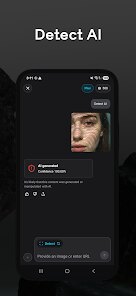
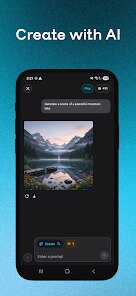
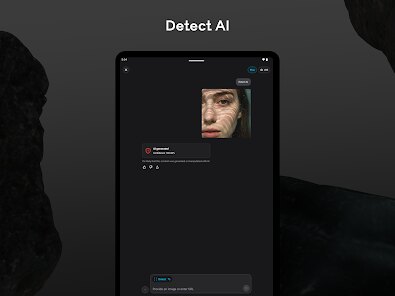
Once I opened the app, the onboarding was super quick. You just paste or type in some text, hit the scan button, and it spits out a result saying whether the text seems AI-generated or human-written. I tested it with a few things: a paragraph I wrote myself, an AI-written email, and a blog post I found online. The app showed a percentage score for AI likelihood, which felt very detailed. Going through the main actions is straightforward. There's also a “Creator” mode where you can generate text yourself using AI, but I mostly stayed with the detector part. One small thing that stood out is that you can copy the result or share it directly, which is nice if you're checking stuff while chatting with someone. Everything moves smoothly, no lag or freezing, which I appreciate.
After using it for a while, I'd say this app is great for students, journalists, or just curious people who want to know what's AI and what's not. The detection is surprisingly accurate even with shorter texts. But if you're not into checking text quality or verifying sources, you might not need it. Compared to something like GPTZero or Originality.ai, BitMind feels more user-friendly on mobile, but it doesn't have the same depth for academic papers. What makes it different is that it also lets you create AI content, so it's like a two-in-one tool. I can see myself keeping it installed to fact-check random posts and emails, although I'd probably uninstall if I stop caring about AI content. It's a decent little app for its purpose.
features
- 🤖 Detection accuracy: BitMind gives a clear percentage score showing how likely text is AI-generated, which feels more precise than just a yes or no. In contrast, tools like GPTZero sometimes rely on confusing highlight patterns that are harder to read on a phone screen. The exact number helps you make your own judgment instead of trusting a vague label.
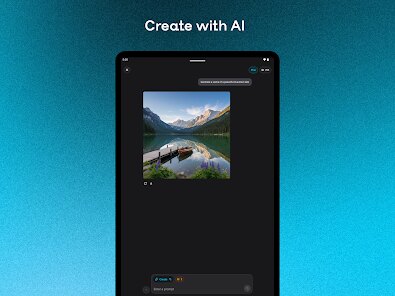
- 🤖 Creator mode included: The app doesn't just detect AI text, it also lets you generate your own. So if you're writing an email or a post, you can switch to the creation tab and get AI help. That's rare for detection-focused apps, since most only do one thing. It saves you from having another app just for writing assistance.
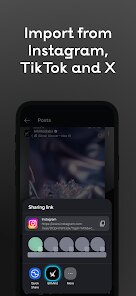
- 🤖 Simple copy and share: After scanning text, you can copy the result or share it instantly with friends through messaging apps. Other apps usually only let you screenshot, which adds extra steps. This makes BitMind much more practical for quick daily checks on social media or chat conversations.
- 🤖 No registration barrier: You can use the basic detector right after installing without making an account. Many competitors like Copyleaks force you to sign up first, which feels unnecessary for a quick scan. This removes friction and respects your time, especially if you're just testing it out.
pros
- 👍 Fast and lightweight: The app runs quickly even on older phones, unlike Originality.ai which can be slow on mobile because it's designed for desktop browsers. BitMind loads results almost instantly after pasting text, and it doesn't drain battery or take up much storage space.
- 👍 Two functions in one: Having both detector and creator in the same app is a big time-saver. Writing tools like Jasper require separate installs or subscriptions, but here you get both abilities without juggling different accounts or paying extra. This bundling makes the app feel more complete.
- 👍 Clear layout: Buttons and labels are big and easy to tap, which helps a lot on a small screen. Apps like Writer.com can clutter their interface with sidebar menus or dropdowns that are annoying on phones. BitMind keeps everything front and center, reducing confusion.
cons
- 👎 Limited free credits: The free version only lets you scan a few pieces of text per day. If you're a heavy user, you'll quickly hit a wall, while tools like Winston AI offer more generous daily limits without requiring payment upfront. This makes BitMind less useful for people who need to check lots of content frequently.
- 👎 No batch scanning: You can only check one text at a time, which feels slow if you have multiple paragraphs. Services like ZeroGPT allow you to upload documents or check multiple snippets in one go, saving time for researchers or teachers. BitMind feels stuck in single-task mode.
- 👎 Creator mode is basic: The AI text generation part is functional but lacks customization options. Specialized writing apps like ChatGPT provide tone controls, length adjustments, and style choices. Here you just get basic output, so it's not ideal for serious writing projects.
Recommended Apps
![]()
Japevox - Funny Prank Sound
SecureTool4.3
![]()
AstroMatrix Birth Horoscopes
AstroMatrix4.7
![]()
Personalized Call from Santa (
www.PackageFromSanta.com4.3![]()
Prank Call - Fake Call & Chat
Bravestars Casual4.1![]()
Persona: Beauty Camera
TICKET TO THE MOON, INC.4.5![]()
Peacock TV: Stream TV & Movies
Peacock TV LLC4.5![]()
Instant Buttons Soundboard App
Snow Peak Apps2.1![]()
GPS Speedometer: Speed Tracker
SM Infotech3.2![]()
Subway®
SUBWAY Restaurants4.2![]()
Find Your Phone By Clap
Trusted App Global4.5![]()
Gorilla Skins for Monkey Arena
Dumitru Boico4![]()
Vimeo
Vimeo.com, Inc.3.8![]()
Vinted - Buy and sell clothes
Vinted4.6![]()
Galaxy Starry Keyboard Backgro
Fun Keyboard Theme for Android4.7![]()
Chat AI - Ask AI anything
AI Chat Bot, Ask AI4.4















Disclaimer
1.Apklifts does not represent any developer, nor is it the developer of any App or game.
2.Apklifts provide custom reviews of Apps written by our own reviewers, and detailed information of these Apps, such as developer contacts, ratings and screenshots.
3. All trademarks, registered trademarks, product names and company names or logos appearing on the site are the property of their respective owners.
4.Apklifts abides by the federal Digital Millennium Copyright Act (DMCA) by responding to notices of alleged infringement that complies with the DMCA and other applicable laws.
5.If you are the owner or copyright representative and want to delete your information, please contact us [email protected].
6.All the information on this website is strictly observed all the terms and conditions of Google Ads Advertising policies and Google Unwanted Software policy.
7.Apklifts.com is an independent, information-only website which is 100% free to all the users.













