
My Character: Cartoon Filter

5M+
Installs
CEM SOFTWARE LTD
Developer
-
Entertainment
Category
-
Everyone
Content Rating
-
https://cemsoftwareltd.com/privacyPolicy.html
Privacy Policy
Screenshots
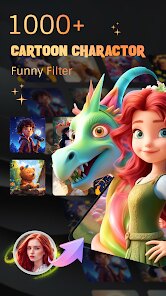
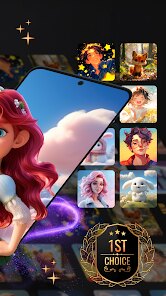
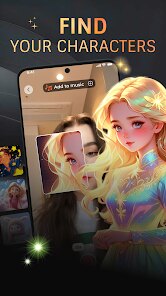
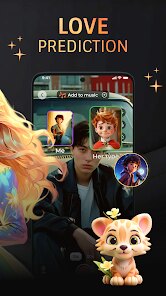
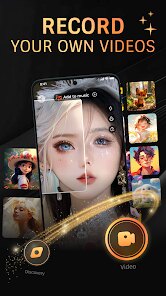
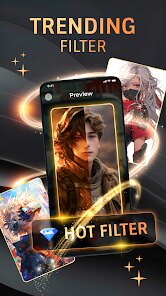
editor reviews
So I stumbled upon Cartoon Filter on the Google Play Store a few days ago, and it's basically one of those playful photo editing tools that turns your regular snapshots into cartoon-style images. Developed by CEM SOFTWARE LTD, this app falls under the entertainment and photography genres, and it's mostly meant for folks who want to add a bit of whimsy to their selfies or group photos without needing any serious editing skills. After downloading it for free—the install count seems pretty decent, though I can't give you exact numbers—I launched it and was greeted with a straightforward interface that didn't overwhelm me with options. First impression? It felt light and fun, like something you'd open when you're bored and want to see your dog's face transformed into a comic character. There's no mandatory registration, which is a huge plus, but I did notice some ads popping up occasionally, and there are in-app purchases if you want to unlock extra filters or remove those ads entirely.
Once I actually started using it, the hands-on experience was pretty smooth overall. You pick a photo from your gallery or snap a new one right there, and then the app processes it in a few seconds—sometimes it's almost instant, other times it takes a bit longer if the image is high-res. The interface is clean, with the main filter options laid out in a grid, so you can swipe through different cartoon styles like sketch, comic book, or even a retro animation look. I tried applying a filter to a picture of my friend at a coffee shop, and the result was this charming, exaggerated version that kept the facial features recognizable but added that playful twist. One small tip: if you want the best outcome, stick to well-lit photos with clear faces, because darker shots tend to make the cartoon effect look muddy. There were moments when I felt a bit lost because the app doesn't have a clear tutorial, but after a few taps, it became intuitive enough.
After using it for a while, I'd say this app is perfect for casual users who just want to have a laugh with friends or create unique profile pictures, but it's probably not for anyone looking for professional-grade editing tools. Compared to something like Prisma or ToonMe, Cartoon Filter feels more basic and less artistic—the styles are fun but lack the depth and precision you'd get from those competitors. What keeps it installed on my phone is the sheer simplicity and the fact that it doesn't bombard you with complex settings; you just tap and go. However, I can see someone uninstalling it after a week because the novelty wears off, especially since there aren't many advanced features to explore. It's a decent little app for a quick laugh, but it doesn't have the staying power of more robust editors.
features
- 😊 Simple One-Tap Transformation: The standout feature here is how easy it is to turn any photo into a cartoon with just a single tap. Unlike ToonMe, which sometimes requires manual adjustments or selecting specific areas, Cartoon Filter processes the entire image automatically. This makes it perfect for quick edits when you're on the go, though it lacks the fine-tuning controls that power users might want.
- 😊 Variety of Styles in a Grid: You get a selection of around 10 to 15 cartoon effects, all displayed neatly in a grid for easy browsing. This beats Prisma's more scattered layout since you can see multiple options at once without scrolling endlessly. The styles range from soft watercolor cartoons to bold comic book looks, but some feel repetitive compared to competitors.
- 😊 No Login Required: You don't need to create an account or sign in to use the app, which is a relief for privacy-conscious users. Unlike some apps that push for social media logins, Cartoon Filter lets you jump right in after installation. This is a big win for casual use, though it means you miss out on cloud saving or sharing features.
pros
- ⭐ Free Core Experience: You can use the main cartoon filters without paying a dime, which is rare compared to apps like ToonMe that lock good styles behind a paywall. The free version provides a solid set of effects, and the ads are non-intrusive enough that you can ignore them.
- ⭐ Fast Processing Speeds: The app handles images quickly, even on older phones. I tested it on a mid-range device, and it took under three seconds for most photos. This is much snappier than Prisma, which often needs a stable internet connection for processing.
- ⭐ No Watermark on Exports: Unlike many free editing apps that slap a watermark on your images, Cartoon Filter keeps your pictures clean. You can save and share them without any branding, which is a nice touch.
cons
- ⚠ Limited Advanced Editing: There's no manual tools to adjust the intensity of the cartoon effect or tweak specific areas. ToonMe offers better control with sliders and masks, but here you're stuck with the default output. If you want to fine-tune, this app will disappoint.
- ⚠ Repetitive Filter Options: While there are multiple styles, many look too similar to each other. Prisma has a more diverse library with artistic inspirations, whereas Cartoon Filter feels like it just tweaks brightness or contrast between filters.
- ⚠ Occasional Glitches with Backgrounds: The app sometimes struggles to separate a person from the background, especially in cluttered photos. I had a case where my friend's hair blended into the wall behind her, creating a messy result. Competitors like FaceApp handle this more cleanly with better edge detection.
Recommended Apps
![]()
BetterMe: Health Coaching
BetterMe Limited4.3
![]()
Walli - HD, 4K Wallpapers
Tap AI4.4![]()
Future Self - Old Age Filter
Vidler Koiter1.6
![]()
AI Photo Editor, Collage-Fotor
AI Art Photo Editor | Everimaging Ltd.4.3![]()
AI Face Swap: MagicFace &Photo
Braly JSC0![]()
QR Code Reader: QR Scanner
WECHOICE MOBILE4.3![]()
Lip Fall Challenge: Fun Filter
Braly JSC0![]()
Funny Reverse Audio - Singing
PlayStudioInc0![]()
Birthday Secrets
shasunder4.4![]()
Live Wallpapers HD 4K
Wallpaper app4.4![]()
Find Your Phone By Clap
Trusted App Global4.5![]()
Wizz - Expand Your World
Wizz3.8![]()
NCAA March Madness Live
NCAA Digital4.7![]()
Hulu: Stream TV shows & movies
Disney4.5![]()
Lethal Love: a Yandere game
AniByte!4.4















Disclaimer
1.Apklifts does not represent any developer, nor is it the developer of any App or game.
2.Apklifts provide custom reviews of Apps written by our own reviewers, and detailed information of these Apps, such as developer contacts, ratings and screenshots.
3. All trademarks, registered trademarks, product names and company names or logos appearing on the site are the property of their respective owners.
4.Apklifts abides by the federal Digital Millennium Copyright Act (DMCA) by responding to notices of alleged infringement that complies with the DMCA and other applicable laws.
5.If you are the owner or copyright representative and want to delete your information, please contact us [email protected].
6.All the information on this website is strictly observed all the terms and conditions of Google Ads Advertising policies and Google Unwanted Software policy.
7.Apklifts.com is an independent, information-only website which is 100% free to all the users.














