
Artimind: AI Art Generator

10M+
Installs
Apero Vision Lab
Developer
-
Generative AI
Category
-
Rated for 12+
Content Rating
-
trustedapp.help@gmail.com
Developer Email
-
https://sites.google.com/view/ai-art-generator-policy/home
Privacy Policy
Screenshots

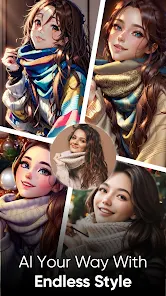
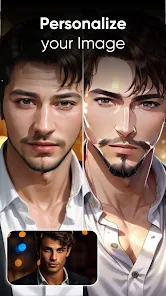
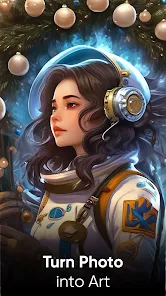
editor reviews
Artimind is an AI art generator that sits somewhere between a pure novelty app and a serious creative tool. You download it from the Play Store or App Store, and at a glance, it seems like just another one of those "type a prompt, get a picture" apps. But after installing it—which is free, by the way, though it does have in-app purchases—and actually opening it up, the first impression is that it looks surprisingly clean. No bombastic tutorial slaps you in the face. It just gives you a text box, a few style options, and a generate button. That minimalist approach made me think, "Okay, this might actually be useful for something beyond messing around."
Once you start tapping around, the real experience kicks in. The interface is smooth, no laggy menus or weird loading screens. You type in your idea, choose a style from the preset list—something like anime, realistic, oil painting, that sort of thing—and hit generate. The app churns for a few seconds and pops out four variations. What I found genuinely handy is that you can then select one and edit it further, or regenerate with a tweaked prompt. There is a small learning curve with wording your prompts right. For example, if you type "cat in a hat," it gives you a straight cat wearing a top hat. But if you say "whimsical cat in a Victorian hat, soft watercolor," it nails the vibe. That felt intuitive after a few tries. A small practical tip: swipe left on a generated image to save it instantly to your gallery, which is faster than poking through menus. Onboarding is pretty much nonexistent, which I actually prefer. No forced sign-up either, just a guest mode that works fine.
After using Artimind for a couple of weeks, I can see who it really clicks with. If you are a casual user who wants quick, decent-looking art for social media posts, profile pictures, or just to mess around on a rainy afternoon, this app is perfect. It is way less intimidating than something like Midjourney or DALL-E, both of which feel more like work. But if you are a digital artist or someone who needs precise control over composition, lighting, or character poses, you will hit a wall fast. The AI does not let you tweak things at a granular level. You cannot draw a rough sketch and have the AI refine it. You are stuck with what the prompt and style preset give you. Compared to something like Wombo Dream, Artimind feels more polished and less toy-like. But compared to Leonardo AI, it lacks depth. I kept it installed because it is fast and fun for quick ideas, but I can see people uninstalling it once they realize the creative ceiling is lower than they hoped.
features
- 🎨 Artimind's standout feature is its prompt-to-image speed. You type something, hit generate, and within three seconds you get four variations. Compare that to Midjourney, which often takes fifteen to twenty seconds on Discord and requires you to scroll through a messy channel. Artimind feels snappy and efficient, like a tool that respects your time.
- 🎨 The style presets are another strong point. You have around fifteen options ranging from "Anime" to "Cyberpunk" to "Watercolor." In DALL-E, you have to describe the style within the prompt, which sometimes works and sometimes just confuses the AI. Artimind's presets act like a filter that actually changes the output consistently, making it more reliable for getting a specific look.
- 🎨 The editing feature after generation is genuinely useful. You can select one of the four variations, then either regenerate with a new prompt or "inpaint" a specific area to change it. For example, I generated a landscape with a moon, but wanted a sun instead. I painted over the moon area, typed "sun," and it replaced just that part. Apps like NightCafe do not have this precision, so it feels like a real step up for fine-tuning.
pros
- ✅ Artimind's biggest strength is how user-friendly it is. No complicated subscription tiers, no confusing credit systems like in DreamStudio. You just download, type, and generate. It removes the friction that keeps casual users from enjoying AI art.
- ✅ The image quality is surprisingly high for a free-tier app. While it does not beat Midjourney's photorealism, it holds its own against Wombo Dream and Starryai, often producing crisper edges and more coherent subjects, especially in fantasy and portrait styles.
- ✅ It does not bombard you with ads. Most free AI art apps show a video ad after every generation, but Artimind only shows a small banner at the bottom. That alone makes it more pleasant to use on a daily basis compared to something like AI Painter.
cons
- ❌ The biggest weakness is the lack of negative prompting. In Midjourney or Stable Diffusion, you can tell the AI "no trees" or "no people," and it listens. In Artimind, if you do not want something in the image, you just have to hope the prompt works. Often, it includes random elements you did not ask for.
- ❌ The resolution cap is frustrating. All generated images max out at 1024x1024. If you try to upscale, the app either crashes or produces a blurry mess. Leonardo AI offers up to 4K resolution for free users, so this feels like a hard limit that kills any professional use case.
- ❌ There is no community gallery or sharing feature inside the app. Apps like NightCafe let you browse other users' creations for inspiration. Artimind feels isolated. You cannot even see what styles are trending or how others wrote prompts to get a certain look, which limits the learning curve for new users.
Recommended Apps
![]()
Daily Horoscope
KADO Apps4.4
![]()
FOX Sports: Watch Live Games
Fox Digital Services, LLC3.7
![]()
Fake Call from Santa Claus
ThunderClap4.2![]()
Google Maps
Google LLC4.2![]()
PhotoLayers-Superimpose,Eraser
handyCloset Inc.4.6![]()
Healthy Benefits+
Solutran, Inc.4.5![]()
SuperMe - Avatar Maker Creator
THE.DEMON3.7![]()
Air Horn
Tenoku4.8![]()
Football Wallpaper HD 4K
Orange Infotech Studio4.6![]()
Artplay - AI Photo & Video
Hideaway Technology Limited4.5![]()
Horoscopes – Daily Zodiac Horo
Mail.Ru Group4.1![]()
Passport Parking
Passport Labs, Inc.2.5![]()
ParkMobile: Park. Pay. Go.
Parkmobile, LLC4.3![]()
FestAI: Ghost Detector App
Now Tech3.2![]()
Photo Tool
COLIFER LAB4





























