

GhostTube SLS Camera Alternate

1M+
Installs
GhostTube
Developer
-
Entertainment
Category
-
Rated for 12+
Content Rating
-
https://ghosttube.com/privacy
Privacy Policy
Screenshots
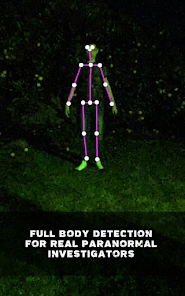
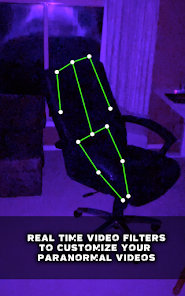
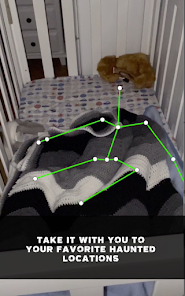
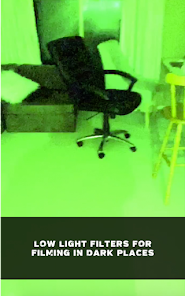
editor reviews
GhostTube SLS Camera Alternate is one of those niche apps you only find if you're already into paranormal investigation. It's not a game or a utility, it's a ghost hunting tool that mimics the functionality of a real Structured Light Sensor camera—the kind of gear serious ghost hunters use to detect humanoid figures that are supposedly invisible to the naked eye. You download it from Google Play, install it, and launch it expecting silly jump scares, but the first impression is actually quite serious. It has a clean, dark interface that feels more like a professional instrument than a prank app. The install count is decent for such a specific category, and it's free to download, though there are some in-app purchases for extra features, and yes, there are ads, but they are not too intrusive during actual sessions.
After launching the app, you're greeted with a live camera feed overlaid with a grid of infrared dots—exactly like a real SLS camera would show. The onboarding is minimal, just a quick tip about how moving the phone around helps the app map depth. In practice, you walk around a room, point the camera at empty spaces, and watch for stick-figure outlines to appear on screen. The app uses motion and depth data to generate these figures, so it's not purely random. A common usage step is to set the phone down in a dark room, let it adjust, and then slowly scan corners or hallways. The interface responds smoothly, though sometimes the figures pop up in obvious places like near furniture, which feels less eerie. One practical tip: dim the lights for better results, as bright sunlight tends to wash out the detection.
After using it for a while, I can see why some people keep this app on their phone. If you run a paranormal YouTube channel or just enjoy spooking friends at sleepovers, it's genuinely fun. But if you're a skeptic or looking for something with repeatable science, this will feel like a toy. Compared to something like the Ghost Hunting Tools bundle, which tries to offer multiple devices in one app, GhostTube SLS Camera Alternate focuses on just this one effect and does it better. The standout is the figure rendering—it actually moves and shifts posture, which adds to the immersion. Still, I could see uninstalling it after a few uses unless you regularly visit creepy locations. It's not a daily driver, but for its niche, it's impressively crafted.
features
- 🗺️ GhostTube SLS Camera Alternate focuses on one specific paranormal tool, unlike apps like Ghost Hunting Tools that try to cram in a dozen different sensors. The SLS effect here is more polished, with figures that shift posture based on depth data, not just random animation loops. The experience feels more deliberate and immersive because the app doesn't overwhelm you with clutter.
- 🗺️ The app runs entirely on your phone's camera and gyroscope, so you don't need any extra hardware. In contrast, real SLS cameras cost hundreds of dollars and require separate tablets. For a casual investigator, this is a huge advantage—you get a similar visual effect for free, with no complicated setup.
- 🗺️ The figure detection algorithm is surprisingly reactive to movement. If you wave your hand near the camera, the stick figure mimics that motion in real time. This makes it feel interactive, whereas other similar apps like GhostTube SLS (the original) sometimes lag or generate static poses. The responsiveness gives the impression that something is actually there.
pros
- 🌟 The user interface is dark and minimal, which helps you focus on the camera feed without distractions. Many ghost hunting apps clutter the screen with buttons and meters, but GhostTube SLS Camera Alternate keeps it simple—just the grid, the figure, and a settings icon. This makes it easy to hand the phone to someone without explaining ten menus first.
- 🌟 The privacy aspect is decent too. The app asks for camera permission only when you start a session, and it doesn't seem to upload footage without your consent. Compared to some free paranormal apps that demand contact list or location access for no obvious reason, this one feels more trustworthy.
- 🌟 It works in low light better than NeRad or other radar ghost detectors, which often fail in darkness. The SLS camera effect relies on the visual feed, but even in near-darkness, the grid lines remain visible, and figures can still appear. That's a practical win for dark location investigations.
- 🌟 Battery usage is surprisingly light. You can run this for a solid hour without draining your phone, unlike real-time spectrum analyzers that kill a battery in twenty minutes. For night hunts, that matters a lot.
cons
- ⚠️ The app generates false positives constantly. Any moving shadow or pet in frame gets translated into a stick figure. Real SLS cameras have sensitivity adjustments to filter this, but GhostTube SLS Camera Alternate offers no such fine-tuning. You end up chasing nothing a lot.
- ⚠️ The free version is limited to shorter session lengths, and the ads pop up right when you're trying to observe something still. This breaks immersion. The paid version removes ads, but given the app's niche appeal, it feels expensive for what you get.
- ⚠️ There's no export or recording option built in. You have to screen record if you want to save evidence. Apps like Spiritus Box allow saving audio clips directly, so this omission stands out. For paranormal researchers who want to review footage, this is a pain.
- ⚠️ The figure animations, while responsive, are still obviously digital. They don't look organic like a person, they look like a futuristic stick figure from a tech demo. This can ruin the suspension of disbelief for anyone expecting a more natural humanoid shape.
Recommended Apps
![]()
BetterMe: Health Coaching
BetterMe Limited4.3
![]()
Walli - HD, 4K Wallpapers
Tap AI4.4![]()
Future Self - Old Age Filter
Vidler Koiter1.6
![]()
AI Photo Editor, Collage-Fotor
AI Art Photo Editor | Everimaging Ltd.4.3![]()
AI Face Swap: MagicFace &Photo
Braly JSC0![]()
QR Code Reader: QR Scanner
WECHOICE MOBILE4.3![]()
Lip Fall Challenge: Fun Filter
Braly JSC0![]()
Funny Reverse Audio - Singing
PlayStudioInc0![]()
Birthday Secrets
shasunder4.4![]()
Live Wallpapers HD 4K
Wallpaper app4.4![]()
Find Your Phone By Clap
Trusted App Global4.5![]()
Wizz - Expand Your World
Wizz3.8![]()
NCAA March Madness Live
NCAA Digital4.7![]()
Hulu: Stream TV shows & movies
Disney4.5![]()
Lethal Love: a Yandere game
AniByte!4.4















Disclaimer
1.Apklifts does not represent any developer, nor is it the developer of any App or game.
2.Apklifts provide custom reviews of Apps written by our own reviewers, and detailed information of these Apps, such as developer contacts, ratings and screenshots.
3. All trademarks, registered trademarks, product names and company names or logos appearing on the site are the property of their respective owners.
4.Apklifts abides by the federal Digital Millennium Copyright Act (DMCA) by responding to notices of alleged infringement that complies with the DMCA and other applicable laws.
5.If you are the owner or copyright representative and want to delete your information, please contact us [email protected].
6.All the information on this website is strictly observed all the terms and conditions of Google Ads Advertising policies and Google Unwanted Software policy.
7.Apklifts.com is an independent, information-only website which is 100% free to all the users.













