

Funny Reverse Audio - Singing

500K+
Installs
PlayStudioInc
Developer
-
Entertainment
Category
-
Everyone
Content Rating
-
https://sites.google.com/view/playstudio99/
Privacy Policy
Screenshots

editor reviews
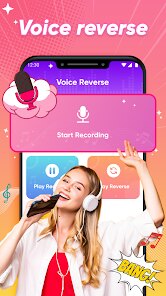
Funny Reverse Audio - Singing is exactly what it sounds like: an app that records your voice, then plays it back in reverse. It's a novelty tool, more of a party trick than a serious audio editor. You'd probably download this from the Google Play or App Store if you're bored with a friend and want to hear what your normal speech sounds like when scrambled backward, or if you're trying to mess with someone by playing a reversed snippet of a song. The first impression when you launch it is minimal—there's no clutter or complicated menus. It's just a big red record button and a playback button. The app is free to install and doesn't seem to force registration on you, though there might be a small banner ad at the bottom. For something this simple, the straightforwardness is actually refreshing.
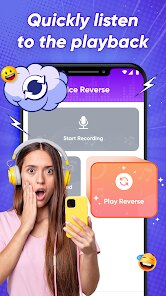
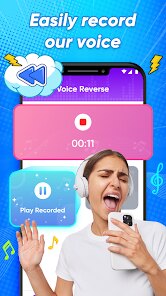
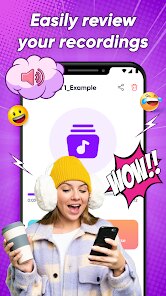
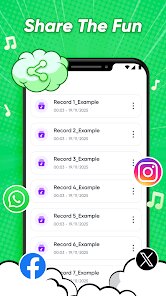
Once you tap record, the app captures whatever you say or sing. After you stop recording, it instantly reverses the audio and plays it back. The interface is so stripped down that there's really no onboarding needed. In everyday use, the main action is recording short clips—like saying your name or singing a chorus—and then hitting play to laugh at the gibberish result. The reverse effect shifts the timbre and rhythm, making familiar words sound alien. A small tip: it works best with rhythmic or melodic input, like a rap verse or a song's chorus, because the reversed result often sounds like a new melody. The app is smooth in that it doesn't lag between recording and playback, but the simplicity does mean there are no editing tools or sharing buttons built in. You might need to screen record if you want to send the result to a friend. It's a one-trick app, but that trick is executed cleanly.
After using it for a while, I think this app is perfect for a quick laugh at a party or when you're hanging out with kids who get a kick out of hearing their own voice scrambled. But if you're looking for something more substantial—like a reverse reverb effect for music production or a backward masking tool for vocal samples—this won't cut it. Apps like Voicemod or Audio Evolution offer reverse effects as part of a larger set of tools, but they're also heavier and require more setup. Funny Reverse Audio - Singing stands out by being laser-focused on this one gag. You keep it installed if you want instant access to that novelty, but you'd uninstall it fast if you realize you never actually use it after the first few tries. For a free download with no strings attached, it's harmless fun.
features
- 🔊 Instant Reverse Playback: You record, and the app spits out the reversed version immediately with no loading. Compared to GarageBand, which requires you to manually reverse a track in the timeline, this is a one-tap process that prioritizes speed over depth.
- 🎤 Clean Recording Quality: The audio quality is clear enough for speech and singing, even though it's a simple mic capture. Unlike Voice Memos, which saves files with metadata and dates, this app discards everything after playback, keeping it ephemeral and fun.
- 🔄 No Export Hassle: There's no save button or share sheet to figure out. This is a stark contrast to apps like WavePad, where export settings and formats can stall a quick laugh. Here, you just record, reverse, and listen.
- 🎯 Extreme Simplicity: The white-on-red interface leaves zero confusion. Compared to Audacity, which is a full digital audio workstation, this app deliberately removes choices to deliver a single outcome fast.
pros
- 😄 Instant Laughter: Its main strength is how quickly you can get a funny result. Apps like Clownfish or Voicemod require voice changer setups, but this one works on the first tap without any configuration.
- 📱 Lightweight Installation: The app barely takes up storage space and runs on older devices without lag. Other similar tools like Reverse Audio Player often come with extra permissions or bloated UIs, but this remains clean and simple.
- 🎶 No Account Needed: You don't have to sign up or log in. Many free apps like Music Maker JAM push email sign-ups, but this one respects your privacy by staying fully offline.
cons
- ❌ No Export Options: If you want to save or share the reversed clip, you're out of luck. Unlike Voice Recorder Pro, which lets you export files, this app only plays the reversed version in the moment, requiring a screen record workaround.
- 🔄 Single Trick Only: After the novelty wears off, the app offers nothing else. Compared to Audio Reverser, which at least lets you reverse pre-recorded music from your library, this one forces you to record everything live.
- 📉 No Editing Tools: Once you stop recording, you can't trim, loop, or adjust speed. Apps like Lexis Audio Editor give you fine control over reverse effects, but this lacks any of those parameters.
Recommended Apps
![]()
BetterMe: Health Coaching
BetterMe Limited4.3
![]()
Walli - HD, 4K Wallpapers
Tap AI4.4![]()
Future Self - Old Age Filter
Vidler Koiter1.6
![]()
AI Photo Editor, Collage-Fotor
AI Art Photo Editor | Everimaging Ltd.4.3![]()
AI Face Swap: MagicFace &Photo
Braly JSC0![]()
QR Code Reader: QR Scanner
WECHOICE MOBILE4.3![]()
Lip Fall Challenge: Fun Filter
Braly JSC0![]()
Funny Reverse Audio - Singing
PlayStudioInc0![]()
Birthday Secrets
shasunder4.4![]()
Live Wallpapers HD 4K
Wallpaper app4.4![]()
Find Your Phone By Clap
Trusted App Global4.5![]()
Wizz - Expand Your World
Wizz3.8![]()
NCAA March Madness Live
NCAA Digital4.7![]()
Hulu: Stream TV shows & movies
Disney4.5![]()
Lethal Love: a Yandere game
AniByte!4.4














Disclaimer
1.Apklifts does not represent any developer, nor is it the developer of any App or game.
2.Apklifts provide custom reviews of Apps written by our own reviewers, and detailed information of these Apps, such as developer contacts, ratings and screenshots.
3. All trademarks, registered trademarks, product names and company names or logos appearing on the site are the property of their respective owners.
4.Apklifts abides by the federal Digital Millennium Copyright Act (DMCA) by responding to notices of alleged infringement that complies with the DMCA and other applicable laws.
5.If you are the owner or copyright representative and want to delete your information, please contact us [email protected].
6.All the information on this website is strictly observed all the terms and conditions of Google Ads Advertising policies and Google Unwanted Software policy.
7.Apklifts.com is an independent, information-only website which is 100% free to all the users.














