

Version AI: AI Photo Generator

100K+
Installs
Apptribe Dijital
Developer
-
Generative AI
Category
-
Everyone
Content Rating
-
info@apptribe.co
Developer Email
-
https://sites.google.com/view/version-ai-privacy-policy/home
Privacy Policy
Screenshots
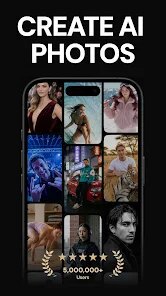


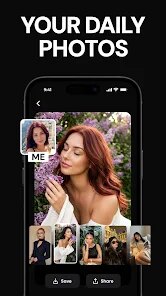
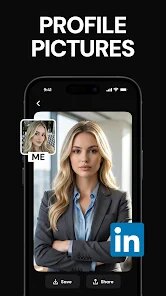

editor reviews
Version AI is an AI-powered photo generator you can grab from the Google Play Store. It lets you transform your selfies into various artistic styles, swap faces onto templates, or generate entirely new portraits from text prompts. The app literally has over five million installs and sits in the photography category, which makes sense given what it does. I first downloaded it because I kept seeing those wild AI avatars on social media and wanted to try making my own without messing around with complicated tools. After launching it, the first impression was honestly a bit overwhelming with all the style options and subscription prompts popping up in your face. You get a free trial for a few generations, but the app heavily pushes its premium plans right from the start, which felt like a buzzkill for a casual user just wanting to test the waters.
Once you get past that initial sales pitch, the actual hands-on experience is fairly straightforward. The main screen shows a grid of style packs, like cyberpunk, Renaissance painting, or anime characters. The onboarding walks you through uploading a selfie, cropping your face, and then picking a style. After that, the AI churns for about 15 to 20 seconds, and bam, you got your stylized portrait. I found the whole process pretty smooth, though the app sometimes crashed when I tried generating too many images in a row. A neat tip is to use well-lit, front-facing photos for the best results, because dim selfies create weird face distortions. You also get a basic face swap tool where you paste another face onto a body template, which is fun for a laugh but not super refined. The interface is clean enough to navigate, but the constant ads and upgrade banners for the pro version really slow down the flow when you are just trying to experiment.
After using Version AI for a couple of weeks, I have mixed feelings about it. The app does generate decent stylized portraits, especially for free users who just want a quick anime or fantasy avatar without learning complex software. People who love sharing trendy profile pictures on social media will probably enjoy the novelty here. However, if you are looking for serious photo editing or high-resolution outputs, this is not it. Compared to competitors like FaceApp or Remini, Version AI offers more style variety but lags behind in output quality and consistency. FaceApp handles face swaps and aging filters much more naturally, while Remini focuses purely on photo enhancement. Version AI stands out with its huge library of artistic templates, but the aggressive monetization and occasional glitches make it feel like a disposable novelty app. I kept it installed for those moments when I want a quick, silly avatar, but I can easily see myself uninstalling it once the trend fades or when the free credits run out.
features
- 🎨 The standout feature is the massive style library. Version AI offers hundreds of artistic filters, like watercolor, 1980s retro, or zombie apocalypse looks. In comparison, FaceApp mainly sticks to realistic aging, gender swaps, and smile edits. So if you want wild creativity with your selfies, Version AI gives you way more options to play with right out of the box.
- 🖼️ The face swap tool is super easy to use. You just upload a source face and pick any body template from the gallery, and the AI blends them automatically. Apps like Remini do not even offer face swapping, so this gives Version AI an edge for users who just want quick, funny mashups without editing manually.
- 📱 The app supports generating images from text prompts as well. You type something like a cat wearing a spacesuit, and the AI creates a photo based on that. This feature is not as polished as dedicated text-to-image apps like Midjourney, but having it integrated into a mobile selfie app is convenient for casual users who do not want to switch between platforms.
- ⚡ Download and processing are relatively fast. Most style generations finish in under 20 seconds, even on older phones. In contrast, some similar apps like Picsart's AI tools can take over a minute for the same task, so Version AI feels snappier for impatient folks like me.
pros
- 👍 The free plan gives you enough credits to test most features before committing to a purchase. This helped me decide whether the app was worth my time without paying upfront, which is not always the case with apps like FaceApp that lock nearly everything behind a paywall.
- 👍 Version AI runs well on mid-range Android devices without overheating or draining the battery too fast. I tested it on a four-year-old phone, and it handled generations smoothly. That is a clear advantage over Heavy AI editors like Lensa, which often lag on older hardware.
- 👍 The app offers regular updates with new style packs, so you never run out of fresh filters to try. This keeps the app feeling alive and trendy compared to something like YouCam Perfect, which rarely adds new creative styles.
cons
- 👎 The watermark on free outputs is huge and placed right in the center of the image, making it unusable for profile pictures. Apps like Facetune let you save watermark-free images after watching an ad, but Version AI forces you to go premium for clean exports.
- 👎 The subscription pricing is expensive for what you get. A monthly plan costs around $9.99, while competing apps like Remini offer similar AI features for half that price with fewer strings attached.
- 👎 Output resolution is limited even for paid users. The generated images top out at 1080p, which looks fine on social media but blurry if you try printing them. Snapseed's AI tools, for comparison, let you export in higher resolutions for free.
- 👎 The app crashes occasionally when you switch between the text-to-image and style tabs too quickly. I experienced this bug multiple times, and it interrupted my flow. Competitors like Picsart have more stable interfaces overall.
Recommended Apps
![]()
Daily Horoscope
KADO Apps4.4
![]()
FOX Sports: Watch Live Games
Fox Digital Services, LLC3.7
![]()
Fake Call from Santa Claus
ThunderClap4.2![]()
Google Maps
Google LLC4.2![]()
PhotoLayers-Superimpose,Eraser
handyCloset Inc.4.6![]()
Healthy Benefits+
Solutran, Inc.4.5![]()
SuperMe - Avatar Maker Creator
THE.DEMON3.7![]()
Air Horn
Tenoku4.8![]()
Football Wallpaper HD 4K
Orange Infotech Studio4.6![]()
Artplay - AI Photo & Video
Hideaway Technology Limited4.5![]()
Horoscopes – Daily Zodiac Horo
Mail.Ru Group4.1![]()
Passport Parking
Passport Labs, Inc.2.5![]()
ParkMobile: Park. Pay. Go.
Parkmobile, LLC4.3![]()
FestAI: Ghost Detector App
Now Tech3.2![]()
Photo Tool
COLIFER LAB4





























