
Opera Mini: Fast Web Browser

500,000,000+
Installs
Opera
Developer
-
Social
Category
-
Rated for 3+
Content Rating
-
http://www.opera.com/privacy
Privacy Policy
Screenshots
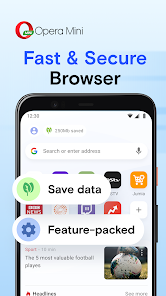
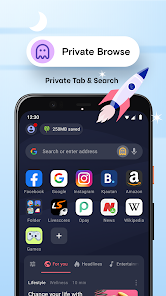
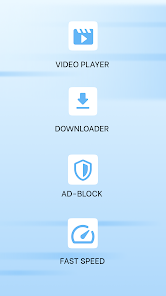
editor reviews
Opera Mini is a mobile web browser designed specifically to save data and load pages quickly, even on slower networks. It belongs to the category of lightweight browsers that compress web content before sending it to your phone. People usually install it because their main browser feels sluggish or eats up too much mobile data. The first time you launch it on Android or iOS, the clean interface feels refreshingly simple—there is no clutter, just a search bar and some shortcut icons. The app is free to download from Google Play and the App Store, with over 100 million installs on Android alone, and you do not need to register to start browsing. In-app purchases exist for some extra features like ad removal, and there are occasional ads on the free version, but they don't get in the way.
When you actually start using Opera Mini, the experience stands out right away. After opening it, the onboarding shows you a few quick tips about data compression and video boosting. The main actions are straightforward: you tap the address bar to type a URL or search term, and the built-in ad blocker works silently in the background. One common usage step is hitting the speed dial page, where you can save your favorite sites for one-tap access. The browser feels snappy most of the time, though occasionally pages with heavy scripts take a moment to decompress. A small practical tip is to enable the night mode in settings if you read in bed—it makes the screen way easier on the eyes. There is also a built-in download manager that handles file downloads smoothly, which is nice.
After using Opera Mini for a few weeks, I have mixed feelings. It is excellent for anyone who has a limited data plan or lives in an area with spotty internet—the compression truly makes a difference on news sites and blogs. However, if you are someone who uses lots of web apps or needs perfect rendering of complex layouts, you might find the compressed version sometimes breaks how a page looks. Compared to Chrome or Firefox, it feels less like a full desktop browser and more like a tool designed for quick, lightweight browsing. I keep it installed as my secondary browser for when I am out and about, but for heavy use at home, I still rely on something more robust. People who prioritize speed over feature richness will probably love it; those who demand full desktop parity might get annoyed and uninstall it later.
features
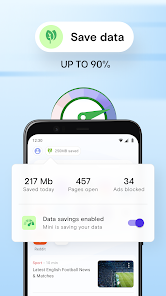
- 🔄 Opera Mini compresses web pages on its servers before delivering them to your phone, which can cut data usage by up to 90%. In contrast, Chrome pre-loads pages in your cache, but it does not compress content in the same way, so you use more data on image-heavy sites.
- 📺 The browser integrates a video booster that enhances streaming quality on slow connections without extra buffering. Firefox Focus, on the other hand, focuses on privacy but does not offer any special video optimization for poor networks.
- 📰 A built-in news feed on the start page aggregates articles from various sources based on your interests, making it a one-stop shop for browsing and reading. DuckDuckGo's browser lacks this feature entirely—it strictly focuses on private search results without any curated content.
- 🌙 Night mode is available system-wide, applying a dark overlay to all websites, not just the browser UI. Samsung Internet also has a night mode, but it sometimes leaves white backgrounds on certain pages, which Opera Mini handles more consistently.
pros
- 📱 Opera Mini uses significantly less RAM than Chrome or Safari, so older phones with 2GB of memory can run it without lag or frequent reloads of tabs.
- 🔒 The built-in ad blocker stops most intrusive ads and pop-ups, giving a cleaner reading experience compared to Firefox, which requires a separate extension for similar functionality.
- ⚡ Offline file sharing is possible through the integrated Opera Flow feature, letting you send links and notes between your phone and desktop seamlessly, a convenience missing from most other mobile browsers like Edge.
cons
- 🔄 Pages sometimes display incorrectly because the compression engine strips out certain scripts and fonts, which is rarely an issue with Chrome that loads full desktop versions of sites properly.
- 📶 The browser does not support extensions like uBlock Origin or LastPass, unlike Firefox for Android, which limits customization for power users who want more control.
- 🌐 Synchronization with the desktop version of Opera is limited; bookmark syncing works, but open tabs and passwords do not always transfer reliably, while Chrome's sync across devices feels much more seamless.
- 📸 The camera upload feature for social media is clunky and often fails mid-upload, something you would not encounter with Samsung Internet, which handles media sharing more smoothly.
Recommended Apps
![]()
BetterMe: Health Coaching
BetterMe Limited4.3
![]()
Walli - HD, 4K Wallpapers
Tap AI4.4![]()
Future Self - Old Age Filter
Vidler Koiter1.6
![]()
AI Photo Editor, Collage-Fotor
AI Art Photo Editor | Everimaging Ltd.4.3![]()
AI Face Swap: MagicFace &Photo
Braly JSC0![]()
QR Code Reader: QR Scanner
WECHOICE MOBILE4.3![]()
Lip Fall Challenge: Fun Filter
Braly JSC0![]()
Funny Reverse Audio - Singing
PlayStudioInc0![]()
Birthday Secrets
shasunder4.4![]()
Live Wallpapers HD 4K
Wallpaper app4.4![]()
Find Your Phone By Clap
Trusted App Global4.5![]()
Wizz - Expand Your World
Wizz3.8![]()
NCAA March Madness Live
NCAA Digital4.7![]()
Hulu: Stream TV shows & movies
Disney4.5![]()
Lethal Love: a Yandere game
AniByte!4.4















Disclaimer
1.Apklifts does not represent any developer, nor is it the developer of any App or game.
2.Apklifts provide custom reviews of Apps written by our own reviewers, and detailed information of these Apps, such as developer contacts, ratings and screenshots.
3. All trademarks, registered trademarks, product names and company names or logos appearing on the site are the property of their respective owners.
4.Apklifts abides by the federal Digital Millennium Copyright Act (DMCA) by responding to notices of alleged infringement that complies with the DMCA and other applicable laws.
5.If you are the owner or copyright representative and want to delete your information, please contact us [email protected].
6.All the information on this website is strictly observed all the terms and conditions of Google Ads Advertising policies and Google Unwanted Software policy.
7.Apklifts.com is an independent, information-only website which is 100% free to all the users.














