
Imagine : AI Art Generator

10M+
Installs
Vyro AI
Developer
-
Generative AI
Category
-
Rated for 12+
Content Rating
-
support@imagine.art
Developer Email
-
https://www.vyro.ai/privacy
Privacy Policy
Screenshots
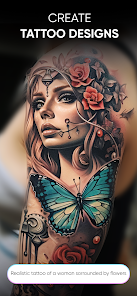
editor reviews
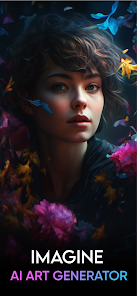
So I stumbled upon this app called Imagine, an AI art generator from Vyro AI, and honestly, I wasn't sure what to expect. It's basically one of those text-to-image tools where you type in a description and it spits out a picture for you. I downloaded it from the Play Store because I had some free time and wanted to mess around with something creative without needing any actual artistic skill. First impression after launching was pretty clean — a simple input box at the bottom, a couple of style options at the top, and a feed of other users' creations. It felt polished, not overwhelming, which was nice because some of these AI art apps throw a million buttons at you right away. It's free to download, though you quickly realize there are in-app purchases and ads that pop up now and then, but nothing too aggressive.
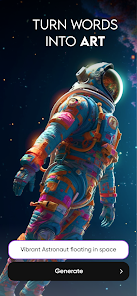
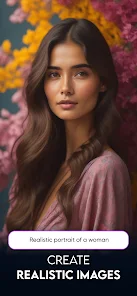
Once I started using it, the experience was surprisingly straightforward. You type in your prompt, pick a style like realistic, anime, or cinematic, and hit generate. It takes maybe 10 to 15 seconds, and then you get four variations to choose from. The interface is clean with a dark theme that makes the images pop. I played around with prompts like "a cat reading a book in a library" and "a futuristic city at sunset," and the results were decent — not always perfect, but often close enough to what I imagined. One thing I noticed is that the free version limits you to a certain number of generations per day, and after that, you either wait or watch an ad to continue. The app also has an upscale feature and a remove background tool, which are handy but locked behind a subscription. Navigating between the creation tab and the gallery was smooth, though I did accidentally hit an ad a couple times during a generation.
After spending a few days with it, I think Imagine is a solid choice if you just want to dip your toes into AI art without any commitment. It's not as powerful or flexible as something like Midjourney or DALL-E, but for a mobile app that's free to start, it does the job. I could see someone keeping this on their phone if they enjoy making quick wallpapers or social media posts. But if you're serious about high-quality, detail-rich generations, you'll probably get frustrated with the daily limits and ads pretty fast. I ended up uninstalling it after a week because I didn't want to pay for the subscription and the free version felt too restrictive for regular use. Definitely a fun toy, but not a daily driver for me.
features
- 🎨 Text-to-image generation with 9 different styles including realistic, anime, cinematic, and oil painting. Compared to DreamStudio, Imagine offers fewer style options but packs them into a simpler, more mobile-friendly interface that doesn't overwhelm new users.
- ⚡ Batch generation that produces 4 variations per prompt, which is convenient for exploring different interpretations quickly. In contrast, Midjourney on Discord requires manual variation selection and can be slower on mobile.
- 📱 Built-in upscaling and background removal tools, both accessible in the same app. While these features exist in standalone apps like Remini or Remove.bg, having them integrated into the art generator saves you from switching between multiple apps.
pros
- 😊 The interface is incredibly beginner-friendly. Unlike Stable Diffusion on mobile which often requires tweaking complex parameters, Imagine lets you just type and generate. I showed it to a friend who had never used an AI art app, and she got impressive results on her first try without any guidance.
- ⚡ Generation speed is noticeably faster than similar mobile tools like Wonder AI. Most prompts complete within 10-15 seconds, which keeps the creative flow going instead of making you stare at a loading screen.
- 📸 The gallery feature where you can browse other users' creations is surprisingly inspiring. Apps like NightCafe have this too, but Imagine keeps the feed clean and focused on the art rather cluttered with ratings and comments.
cons
- 😕 The free daily limit is quite low, usually around 10-15 generations before you hit a paywall. Apps like Dream by Wombo allow more free usage before asking for money, which makes Imagine feel restrictive for casual exploring.
- ⚡ Image quality consistency is hit or miss. While some generations look great, others have distorted faces or weird artifacts, and there's no inpainting tool to fix specific parts. Midjourney handles complex prompts much more reliably.
- 📸 Ads interrupt the creative flow. Unlike Leonardo AI which offers an ad-free free tier, Imagine shows a video ad every few generations, and sometimes the ad plays during the generation screen, which is distracting and feels intrusive.
Recommended Apps
![]()
Daily Horoscope
KADO Apps4.4
![]()
FOX Sports: Watch Live Games
Fox Digital Services, LLC3.7
![]()
Fake Call from Santa Claus
ThunderClap4.2![]()
Google Maps
Google LLC4.2![]()
PhotoLayers-Superimpose,Eraser
handyCloset Inc.4.6![]()
Healthy Benefits+
Solutran, Inc.4.5![]()
SuperMe - Avatar Maker Creator
THE.DEMON3.7![]()
Air Horn
Tenoku4.8![]()
Football Wallpaper HD 4K
Orange Infotech Studio4.6![]()
Artplay - AI Photo & Video
Hideaway Technology Limited4.5![]()
Horoscopes – Daily Zodiac Horo
Mail.Ru Group4.1![]()
Passport Parking
Passport Labs, Inc.2.5![]()
ParkMobile: Park. Pay. Go.
Parkmobile, LLC4.3![]()
FestAI: Ghost Detector App
Now Tech3.2![]()
Photo Tool
COLIFER LAB4





























