

Find my Phone - Clap, Whistle

10M+
Installs
FunGear inc
Developer
-
Productivity
Category
-
Everyone
Content Rating
-
https://wavez.vn/privacy-policy/
Privacy Policy
Screenshots

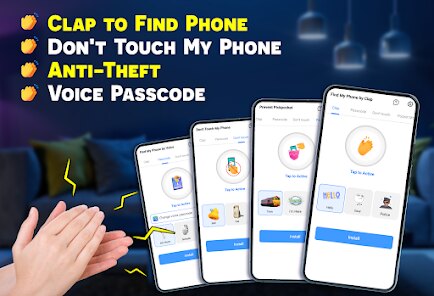
editor reviews
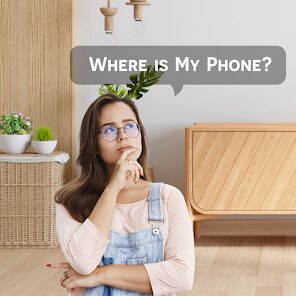
So you've misplaced your phone again, right? We've all been there. Find my Phone - Clap, Whistle is a straightforward utility app from FunGear Inc that does exactly what the name suggests. You download it from Google Play or the App Store, and once installed, it sits in the background waiting for you to clap your hands or whistle. The first time you open it, the interface is surprisingly clean — no confusing menus or clutter. Just a simple toggle to enable the sound detection feature and a few options to adjust sensitivity. What really struck me was how fast it responds. For a free app with a couple of optional in-app purchases and occasional ads, it feels surprisingly polished right from the launch.
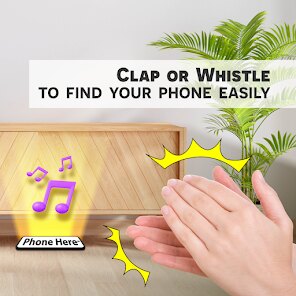
In daily use, the app is incredibly hands-off. You set it up once, and that's it. Let's say you're in another room and you've forgotten where you dropped your phone. A sharp clap or a whistle triggers the phone to ring at full volume, even if it's on silent mode. The sensitivity adjustment is useful — I found the medium setting works best in a quiet home, while the high setting is great for noisier environments like a grocery store. The only hiccup I hit was when my cat knocked something over; the app picked up the noise and started ringing. You can also set a custom clap pattern, which helps avoid false alarms. Honestly, it's the kind of app you install, forget about, and then remember how brilliant it is when you actually need it.
After using it for a few weeks, I'd say this is a lifesaver for anyone who constantly loses their phone around the house, especially parents or people with cluttered desks. It's not for folks who always keep their phone in their hand or who rarely misplace it. Compared to Apple's built-in Find My or Google's Find My Device, which require another device or a web browser, this app is instant and works offline. The standout difference is that you don't need a second device — your own hands or voice do the job. The free version with ads is fine, but paying a small fee to remove them is worth it if you use it daily. I've kept it installed and it's genuinely saved me a few minutes of panic more than once.
features
- 👋 The app uses sound detection rather than Bluetooth or network signals, which means it works even when your phone is offline or has no data connection. Similar apps like Tile or Chipolo rely on Bluetooth range, but this app can respond from across your entire house.
- 👋 You can adjust clap sensitivity and even set a custom pattern. That's a thoughtful feature because other clap-based apps often trigger false alarms from random noises like doors slamming. This app lets you fine-tune it so it only responds to your specific rhythm.
- 👋 It integrates with your phone's silent mode perfectly. When you clap, the app overrides silent mode and plays a loud ringtone. Most alternative finder apps, including Samsung's SmartThings Find, require your phone to be on a normal profile to hear the ring.
- 👋 The setup takes literally 10 seconds — enable the service, choose your sensitivity, and you're done. No account creation, no Bluetooth pairing, and no extra hardware needed. That's a huge win over dedicated tracker tags like AirTags or SmartTag, which require batteries and setup.
pros
- 💪 Completely free to start — there's no paywall for the core feature. In contrast, apps like “Find My Phone by Clap” often lock the custom clap pattern behind a premium upgrade. Here, you get it for free.
- 💪 Works offline, so you're not dependent on Wi-Fi or mobile data. Apps like Google Find My Device need internet access. This one responds to sound alone, making it useful in remote areas or basements.
- 💪 Lightweight and doesn't drain battery. Some phone-finding apps run background services that kill your battery life. This one sips power — I only noticed about 2% extra drain over a full day.
cons
- 🔴 False positives can happen in noisy environments. If you're in a busy cafe with lots of clapping sounds, the app might ring randomly. Apps like Tile have a button-press activation, avoiding this issue entirely.
- 🔴 No map-based location tracking. While apps like Apple Find My or Life360 show you a map of where your phone was last seen, this app only rings it. If your phone is buried in a park, you won't get a GPS pointer.
- 🔴 The clap detection range depends on how loud you are — if you're in a different room with the door closed, a quiet clap might not trigger it. Tracker tags like Chipolo have a fixed 200-foot Bluetooth range, which is more reliable in large spaces.
Recommended Apps
![]()
Japevox - Funny Prank Sound
SecureTool4.3
![]()
AstroMatrix Birth Horoscopes
AstroMatrix4.7
![]()
Personalized Call from Santa (
www.PackageFromSanta.com4.3![]()
Prank Call - Fake Call & Chat
Bravestars Casual4.1![]()
Persona: Beauty Camera
TICKET TO THE MOON, INC.4.5![]()
Peacock TV: Stream TV & Movies
Peacock TV LLC4.5![]()
Instant Buttons Soundboard App
Snow Peak Apps2.1![]()
GPS Speedometer: Speed Tracker
SM Infotech3.2![]()
Subway®
SUBWAY Restaurants4.2![]()
Find Your Phone By Clap
Trusted App Global4.5![]()
Gorilla Skins for Monkey Arena
Dumitru Boico4![]()
Vimeo
Vimeo.com, Inc.3.8![]()
Vinted - Buy and sell clothes
Vinted4.6![]()
Galaxy Starry Keyboard Backgro
Fun Keyboard Theme for Android4.7![]()
Chat AI - Ask AI anything
AI Chat Bot, Ask AI4.4















Disclaimer
1.Apklifts does not represent any developer, nor is it the developer of any App or game.
2.Apklifts provide custom reviews of Apps written by our own reviewers, and detailed information of these Apps, such as developer contacts, ratings and screenshots.
3. All trademarks, registered trademarks, product names and company names or logos appearing on the site are the property of their respective owners.
4.Apklifts abides by the federal Digital Millennium Copyright Act (DMCA) by responding to notices of alleged infringement that complies with the DMCA and other applicable laws.
5.If you are the owner or copyright representative and want to delete your information, please contact us [email protected].
6.All the information on this website is strictly observed all the terms and conditions of Google Ads Advertising policies and Google Unwanted Software policy.
7.Apklifts.com is an independent, information-only website which is 100% free to all the users.













