

Subway®

10M+
Installs
SUBWAY Restaurants
Developer
-
Food & Drink
Category
-
Everyone
Content Rating
-
https://www.subway.com/en-US/Legal/PrivacyStatement-FWH
Privacy Policy
Screenshots
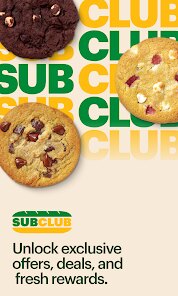
editor reviews
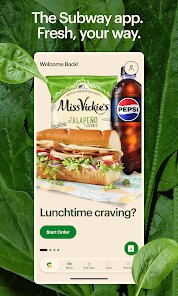
I remember the first time I used the app to order lunch during a work break. Subway is a quick-service sandwich chain, and their official app is exactly what you'd expect from a big fast-food brand: a tool designed to skip the line and save time. After downloading it from the App Store and launching it, I was greeted with a clean screen showing nearby locations. The install count is high, given how many people grab subs daily, and signing up is quick — you can even use Google or Apple to log in. My first impression was that the layout felt a bit corporate but practical, with everything focused on getting you from hungry to fed as fast as possible.
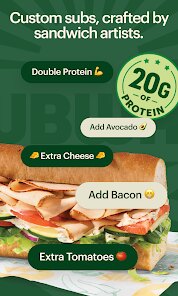
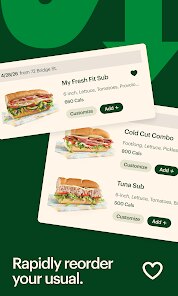
Once inside, the main action revolves around building your sandwich. You tap "Start Order" and the menu pops up with categories for sandwiches, wraps, salads, and sides. The interface guides you through each step — choosing the bread, the protein, the cheese, then whether you want it toasted. The onboarding is intuitive because it mirrors the real in-store process. I found the image previews of custom subs handy, even if some combos feel overwhelming. For daily use, the app remembers my favorites and past orders, so ordering the same footlong Italian BMT takes maybe two taps. That said, the screen can lag when loading the full menu during busy hours, which hurts the otherwise smooth ordering flow.
After a few months of using it on and off, I'd say this app is perfect for loyal Subway customers who order the same thing often or want to collect Subway Rewards points. People who prefer building complex sandwiches might find the navigation slow, and the app's reliance on location tracking for local promos can feel pushy. Compared to the McDonald's app, Subway's version lacks the same gamification with daily deals, but it also avoids annoying notification spam. I keep it installed mainly for the points system — saving up for a free sub makes visits feel less mindless. If you only grab a sandwich once in a blue moon, it's probably skippable, but for regulars, it's genuinely convenient.
features
- 🍞 Build Your Own Sub Step by Step — The app lets you customize everything from bread type to sauce, just like in-store. It's more detailed than what you get with the Chipotle app, which offers fewer topping options per item.
- 🏆 Subway Rewards Points — Every purchase via the app earns points that add up to free sandwiches. It's a straightforward loyalty system without the complicated tiers you see in Starbucks Rewards, making it easier to understand and use.
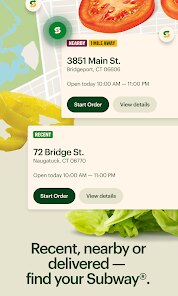
- 📍 Nearby Store Locator — The app shows real-time store hours and directions, even flagging which locations offer the "Sub of the Day" deal. That's a nice touch over the generic location finder in the Burger King app, which sometimes still lists closed stores.
- ⚡ Saved Favorites and Quick Reorder — Once you build a sub and save it, you can reorder it in seconds. This beats the Pizza Hut app where customizing a saved pizza sometimes resets half the toppings — a real headache.
pros
- ⏱️ Fast Order-Ahead Pickup — The app's main strength is how quickly you can order and pick up without waiting in line. Compared to the Wendy's app, which sometimes takes extra time to confirm mobile orders, Subway's system is smoother and more reliable during lunch rushes.
- 🔢 No Confusing Tiers — Points are straightforward: spend $2-ish to earn one point, and around 200 points gets you a free sub. This is much simpler than the crazy earning rates in the Dunkin' app, where the math feels deliberately confusing.
- 🗺️ Accurate Store Filters — You can filter stores by open now, drive-thru available, or participating in specific offers. The KFC app's store locator has no such filters, so you often end up calling a store to check their hours.
- 🔄 Consistent Layout Across Updates — Even after app updates, the main ordering flow rarely changes, so regular users feel comfortable. This is a solid contrast to the Taco Bell app, which sometimes rearranges menu categories between updates and breaks muscle memory.
cons
- 🐌 Occasional Menu Lag — When the app's menu fully loads, it can take 10-15 seconds during peak hours, which is slower than the McDonald's app that loads almost instantly even with crowds. It makes quick ordering feel less quick.
- 🧭 Too Much Location Tracking — The app constantly asks for location access to show local deals, but even when denied, it pings you about turning it on. The Chick-fil-A app handles this better by only requesting location once and respecting your choice.
- 🛑 No Real-Time Order Tracking — Once you place an order, you get a pick-up time estimate, but there's no progress bar or "your sub is being prepped" updates. The Panera app does this wonderfully, giving live updates that reduce uncertainty.
- 🔔 Uneven Notification Timing — Sometimes you get the "order ready" notification minutes after actually picking it up, or worse, not at all. This is less reliable than the Domino's Pizza Tracker, which consistently updates at every stage.
Recommended Apps
![]()
BetterMe: Health Coaching
BetterMe Limited4.3
![]()
Walli - HD, 4K Wallpapers
Tap AI4.4![]()
Future Self - Old Age Filter
Vidler Koiter1.6
![]()
AI Photo Editor, Collage-Fotor
AI Art Photo Editor | Everimaging Ltd.4.3![]()
AI Face Swap: MagicFace &Photo
Braly JSC0![]()
QR Code Reader: QR Scanner
WECHOICE MOBILE4.3![]()
Lip Fall Challenge: Fun Filter
Braly JSC0![]()
Funny Reverse Audio - Singing
PlayStudioInc0![]()
Birthday Secrets
shasunder4.4![]()
Live Wallpapers HD 4K
Wallpaper app4.4![]()
Find Your Phone By Clap
Trusted App Global4.5![]()
Wizz - Expand Your World
Wizz3.8![]()
NCAA March Madness Live
NCAA Digital4.7![]()
Hulu: Stream TV shows & movies
Disney4.5![]()
Lethal Love: a Yandere game
AniByte!4.4















Disclaimer
1.Apklifts does not represent any developer, nor is it the developer of any App or game.
2.Apklifts provide custom reviews of Apps written by our own reviewers, and detailed information of these Apps, such as developer contacts, ratings and screenshots.
3. All trademarks, registered trademarks, product names and company names or logos appearing on the site are the property of their respective owners.
4.Apklifts abides by the federal Digital Millennium Copyright Act (DMCA) by responding to notices of alleged infringement that complies with the DMCA and other applicable laws.
5.If you are the owner or copyright representative and want to delete your information, please contact us [email protected].
6.All the information on this website is strictly observed all the terms and conditions of Google Ads Advertising policies and Google Unwanted Software policy.
7.Apklifts.com is an independent, information-only website which is 100% free to all the users.














