
LINE: Calls & Messages

500,000,000+
Installs
LINE Corporation
Developer
-
Social
Category
-
Rated for 3+
Content Rating
-
https://terms.line.me/line_rules/
Privacy Policy
Screenshots
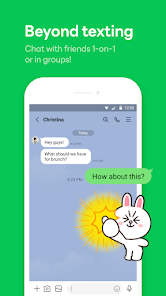
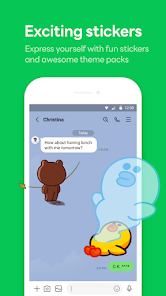
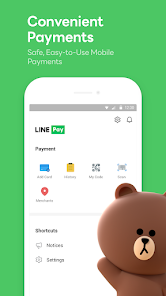

editor reviews
LINE is a messaging and calling app that feels more like a social media platform than just a simple way to text or call your friends. You use it to send free messages and make free voice or video calls over an internet connection, but it also packs in a timeline feature for sharing posts, lots of stickers and emojis, plus news and payment services depending on your region. I first heard about it because most of my friends in certain Asian countries wouldn't use anything else, so I figured I had to download it from the App Store to stay in touch. The first thing I noticed after installing and launching it was how colorful and busy the whole interface looked, almost like stepping into a virtual town square instead of a quiet messaging app. Registration took just a phone number and a few seconds, but the barrage of initial setup prompts felt a little overwhelming for a new user just trying to send a quick hello.
Once I actually started using the app, the experience was mostly smooth but a little cluttered for my taste. The onboarding tried to sell me on cute sticker packs and a timeline service before I had even sent my first message, which made me want to rush through it. The main chat screen is familiar enough, similar to WhatsApp or Messenger, but LINE adds this layer of "Home" and "Chats" tabs that can be confusing at first. When I tapped a conversation, sending a sticker or a voice note was quick and responsive, but switching between chats and the timeline felt slower than I expected. I also used the call feature a few times, and the quality was solid, though I noticed the app drains battery more noticeably if you keep it running in the background. A small practical tip: you can hide the timeline tab in settings if you never use it, which clears up some visual noise.
After spending a few weeks with LINE installed, I can say it's a solid pick if your social circle is already using it, but I wouldn't install it just for the messaging alone. People who love expressive stickers and sharing daily updates on the timeline will enjoy it more than someone who just wants a no-frills text and call app. Compared to something like Telegram or Signal, LINE feels much more commercial and busy, with ads in some accounts more frequent features that try to sell you things. I kept it on my phone solely because a few contacts refuse to use any other app, but the first chance I get to move those chats elsewhere, I'll probably uninstall it. It's not a bad app, it just asks for more attention than I want to give a messaging tool.
features
- 🎨 Stickers and Emojis: LINE has a massive library of official and third-party sticker sets that go way beyond the generic emojis you get in WhatsApp. You can browse artists, buy collectible packs, or even use the ones that move or play sound. It makes conversations feel more playful, especially in group chats.
- 📱 Timeline Social Feed: Unlike most messaging apps that keep everything private, LINE includes a public or friends-only timeline where you can share photos, thoughts, and updates. It's similar to Facebook's news feed but built right into the app, so you can keep up with close contacts without opening another social network.
- 💳 Integrated Services: LINE bundles in payments called LINE Pay, news summaries, ride-hailing, and even manga reading in some regions. This makes it more of a mini-ecosystem than a pure communicator, which is handy if you live in Japan or Thailand but feels unnecessary for most users elsewhere.
- 📞 Free Voice and Video Calls: The call quality over Wi-Fi is reliable and clear, with support for group video and screen sharing. It outperforms Telegram's voice calls in stability, though it doesn't offer end-to-end encryption for everything like Signal does.
pros
- 👍 Huge Customization: LINE lets you change themes, home screen backgrounds, chat bubbles, and sticker sets far more than WhatsApp or Telegram do. You can really make the app look your own, which is rare in the messaging world.
- 👍 Regional Popularity: If you live in or connect with people in Taiwan, Japan, or Thailand, LINE is basically essential. It dominates so completely that you have to use it if you want to talk to most locals there, which is a huge plus for travelers.
- 👍 Light File Sharing: Sending images, videos, and documents through LINE is quick and doesn't compress files as badly as WhatsApp does. Plus, the built-in photo editing tools allow you to draw or add text before sending.
- 👍 Free Calls Over Poor Connections: LINE's voice codec handles weaker internet signals better than apps like FaceTime, so calls rarely drop even when your Wi-Fi is spotty.
cons
- 👎 Privacy Concerns: LINE has been criticized for its data collection practices and lack of end-to-end encryption by default for messages. Signal and even Telegram offer much stronger privacy protections without needing to trust a company's servers.
- 👎 Battery and Data Drain: The background activity of LINE eats up battery life noticeably faster than WhatsApp or iMessage, especially with all the sticker and timeline syncing running constantly.
- 👎 Cluttered User Interface: The constant push of news, services, and ads inside the app makes it feel messy compared to the clean layouts of Signal or Telegram. Even simple tasks like finding settings can take extra taps.
- 👎 Account Security: LINE ties your account to just a phone number and uses a simple PIN for recovery, making it easier to lose access if you switch SIMs. Other apps like Telegram offer cloud-based passwords or multiple device management that feels more secure.
Recommended Apps
![]()
BetterMe: Health Coaching
BetterMe Limited4.3
![]()
Walli - HD, 4K Wallpapers
Tap AI4.4![]()
Future Self - Old Age Filter
Vidler Koiter1.6
![]()
AI Photo Editor, Collage-Fotor
AI Art Photo Editor | Everimaging Ltd.4.3![]()
AI Face Swap: MagicFace &Photo
Braly JSC0![]()
QR Code Reader: QR Scanner
WECHOICE MOBILE4.3![]()
Lip Fall Challenge: Fun Filter
Braly JSC0![]()
Funny Reverse Audio - Singing
PlayStudioInc0![]()
Birthday Secrets
shasunder4.4![]()
Live Wallpapers HD 4K
Wallpaper app4.4![]()
Find Your Phone By Clap
Trusted App Global4.5![]()
Wizz - Expand Your World
Wizz3.8![]()
NCAA March Madness Live
NCAA Digital4.7![]()
Hulu: Stream TV shows & movies
Disney4.5![]()
Lethal Love: a Yandere game
AniByte!4.4















Disclaimer
1.Apklifts does not represent any developer, nor is it the developer of any App or game.
2.Apklifts provide custom reviews of Apps written by our own reviewers, and detailed information of these Apps, such as developer contacts, ratings and screenshots.
3. All trademarks, registered trademarks, product names and company names or logos appearing on the site are the property of their respective owners.
4.Apklifts abides by the federal Digital Millennium Copyright Act (DMCA) by responding to notices of alleged infringement that complies with the DMCA and other applicable laws.
5.If you are the owner or copyright representative and want to delete your information, please contact us [email protected].
6.All the information on this website is strictly observed all the terms and conditions of Google Ads Advertising policies and Google Unwanted Software policy.
7.Apklifts.com is an independent, information-only website which is 100% free to all the users.














