

Ford™

10M+
Installs
Ford Motor Co.
Developer
-
Lifestyle
Category
-
Everyone
Content Rating
-
https://www.fordpass.com/fordpassprivacy
Privacy Policy
Screenshots
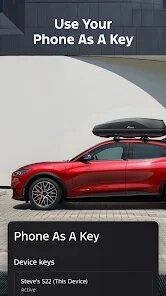
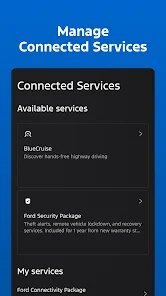
editor reviews
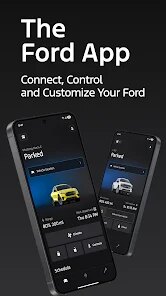
So I gave the Ford app a whirl after getting a new car. It's basically your typical vehicle companion app, the kind you download to connect your phone with your car. Ford Motor Company makes this one, so it's specifically for Ford owners. You mainly use it for stuff like remote starting, locking or unlocking doors, checking your fuel level or tire pressure, and finding your parked car in a massive lot. I downloaded it from the App Store since it's free, and installation was straightforward. After launching, it asks you to create a Ford account or log in, then you pair it with your vehicle using a provided code or scanning a QR code in the car's SYNC system. First impression was honestly decent – the interface is clean, with a big "start" button right on the home screen, which feels satisfying to tap. No registration fees, but there are some in-app purchases for features like FordPass Rewards or connected services, though basic remote functions are free. You do see ads for Ford service specials or new models, but they're not super intrusive.
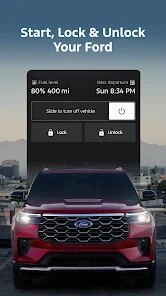
Once you start using it daily, the experience is mostly smooth but has its quirks. Opening the app, you land on that main screen with your car's status. The onboarding is quick if you follow the prompts to connect. The main actions are pretty intuitive: tap the lock icon to lock doors, hold the start button to remote start. Common usage for me is starting my car on cold mornings from my kitchen – it's a lifesaver. Navigating between sections is easy thanks to the bottom tabs: Home, Vehicle, Map, Account. One confusing moment was when the app asked for a software update and the car wouldn't start remotely until I did it – that was annoying. A practical tip: set up the "remote start" shortcut on your phone's widget screen for quicker access. Daily usage feels natural, though sometimes status updates lag by a few seconds.
After using it for a few months, I have mixed feelings. Who'd enjoy this? Definitely Ford owners who want convenience – say, parents who want to lock doors from inside the house or people in cold climates wanting a warm car. It's great if you often forget where you parked. Who might not need it? If your car is older and doesn't support many features, or if you already use a universal remote start system, this might feel redundant. What sets it apart from similar apps like MyChevrolet or Tesla's app is that Ford integrates nicely with its SYNC system, but it's not as polished as Tesla's app. Some people might keep it installed for the peace of mind of checking fuel levels, while others uninstall because they rarely use it. I kept mine installed because the remote start is just too handy to give up.
features
- 🎮 Remote Start and Climate Control: You can start your car from anywhere with cellular coverage, and set the temperature before you get in. This beats Tesla's app which doesn't let you adjust climate without starting the car, but Ford's execution is simpler.
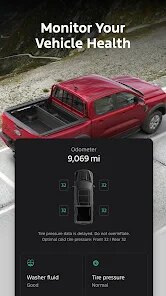
- 🎮 Vehicle Health Check: The app provides a quick overview of tire pressure, oil life, and fuel level. It's not as detailed as MyChevrolet's diagnostics, but it's easier to glance at than digging through menus.
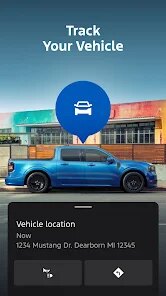
- 🎮 Parking Location: The app automatically saves your parking spot via GPS when you turn off the engine. It's more reliable than Hyundai's Bluelink system, which sometimes misses locations in underground garages.
- 🎮 FordPass Rewards Integration: You earn points for certain actions like service visits, redeemable for oil changes. This is unique compared to generic apps from Toyota or Honda, which lack loyalty programs.
pros
- 👍 User-Friendly Interface: The app is way less cluttered than MyChevrolet, which feels like a crowded dashboard. Ford keeps it simple with big buttons and clear icons, making it easy for older users.
- 👍 Reliable Remote Start: In comparison to HondaLink, which sometimes fails to connect, Ford's app usually works within seconds. It's a small win but noticeable in daily use.
- 👍 Free Basic Features: Unlike Tesla, which requires a premium subscription for some connectivity, Ford gives you remote locks and start free. That's a big plus for budget-conscious owners.
- 👍 Good Customer Support: If the app glitches, Ford's chat or phone support is actually helpful, unlike some other automakers' slow responses.
cons
- 👎 Laggy Status Updates: The tire pressure or fuel level sometimes takes 10-15 seconds to update, which is slower than Tesla's near-instantaneous data. It's not a dealbreaker, but annoying.
- 👎 Limited Features on Older Models: If your Ford is from 2018 or earlier, you miss out on remote start or climate control. MyChevrolet similarly limits features, but Ford's cutoff seems older.
- 👎 Occasional Connection Drops: The app sometimes disconnects from the car, especially in areas with weak signal. Hyundai's Bluelink handles this better with a more stable connection.
- 👎 In-App Advertisements: You'll see sponsored content for Ford accessories or service deals. While not terrible, it feels unnecessary compared to the ad-free experience of Tesla's app.
Recommended Apps
![]()
BetterMe: Health Coaching
BetterMe Limited4.3
![]()
Walli - HD, 4K Wallpapers
Tap AI4.4![]()
Future Self - Old Age Filter
Vidler Koiter1.6
![]()
AI Photo Editor, Collage-Fotor
AI Art Photo Editor | Everimaging Ltd.4.3![]()
AI Face Swap: MagicFace &Photo
Braly JSC0![]()
QR Code Reader: QR Scanner
WECHOICE MOBILE4.3![]()
Lip Fall Challenge: Fun Filter
Braly JSC0![]()
Funny Reverse Audio - Singing
PlayStudioInc0![]()
Birthday Secrets
shasunder4.4![]()
Live Wallpapers HD 4K
Wallpaper app4.4![]()
Find Your Phone By Clap
Trusted App Global4.5![]()
Wizz - Expand Your World
Wizz3.8![]()
NCAA March Madness Live
NCAA Digital4.7![]()
Hulu: Stream TV shows & movies
Disney4.5![]()
Lethal Love: a Yandere game
AniByte!4.4















Disclaimer
1.Apklifts does not represent any developer, nor is it the developer of any App or game.
2.Apklifts provide custom reviews of Apps written by our own reviewers, and detailed information of these Apps, such as developer contacts, ratings and screenshots.
3. All trademarks, registered trademarks, product names and company names or logos appearing on the site are the property of their respective owners.
4.Apklifts abides by the federal Digital Millennium Copyright Act (DMCA) by responding to notices of alleged infringement that complies with the DMCA and other applicable laws.
5.If you are the owner or copyright representative and want to delete your information, please contact us [email protected].
6.All the information on this website is strictly observed all the terms and conditions of Google Ads Advertising policies and Google Unwanted Software policy.
7.Apklifts.com is an independent, information-only website which is 100% free to all the users.














