

SHAREit: Transfer, Share Files

1,000,000,000+
Installs
Smart Media4U Technology Pte.Ltd.
Developer
-
Productivity
Category
-
Rated for 3+
Content Rating
-
https://web.wshareit.com/cdn/shareit/w/privacy/pr_en.html
Privacy Policy
Screenshots

editor reviews
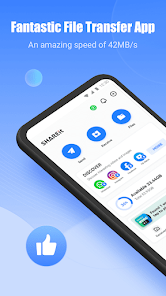
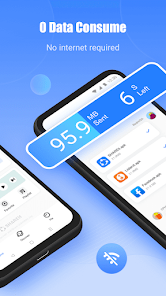
SHAREit is essentially a peer-to-peer file transfer tool, falling into the utility and productivity category on the Play Store. People mainly use it to send photos, videos, music, documents, and even apps between devices without needing an internet connection or mobile data. What draws most normal users to download it is the sheer frustration of waiting forever for large files to upload to cloud services or the slow speed of Bluetooth. The first time you open it, the interface feels busy but functional, with big, colorful icons for sending and receiving. It does require a bit of setup, like granting storage permissions on Android or trusting a profile on iOS, which can feel a little intrusive at first, but the speed it promises makes you push through that initial hesitation. It's completely free to download and install, with over a billion installs, which tells you how many people have gone through that same quick setup process.
Using SHARE day-to day is surprisingly straightforward once you get past the onboarding. You tap "Send," the app scans for nearby devices running SHARE, and you pick what you want to transfer. The interface shows your file categories clearly, so jumping to photos or apps is easy. The actual transfer speed is where the app shines; it creates a direct Wi-Fi hotspot connection between devices, so a 1GB movie file moves in under a minute in my experience. There are occasional hiccups, like the app prompting you to clean your phone's junk files or install extra games, which feels a bit pushy. But for the core task, you just select files, wait for the other device to accept, and watch a progress bar fly. A practical tip: always press the "Receive" button first on the target device before sending, or the connection might time out. CleanPhone tool inside is actually handy for clearing cache after a big transfer session.
After using SHARE for a while, I think it's a fantastic tool for specific situations but not a daily driver for everyone. People who frequently exchange large files with friends, like event photographers or students sharing lecture videos, will love it. Those who rarely transfer files locally might find the constant ads and storage permission requests annoying. What sets it apart from something like AirDrop or Google's Nearby Share is its cross-platform support; you can send files from Android to iPhone without cables or cloud accounts. That alone has kept it on my phone longer than I expected. But the ad-supported model and the bloatware suggestions make me consider uninstalling it when I don't have a file transfer task for a week. It's a solid utility, not a beautiful one.
features
- 🚀 Transfer speed that beats the competition SHAREit creates a local Wi-Fi hotspot between two devices, allowing transfers of up to 20MB/s in real-world scenarios. In comparison, Bluetooth typically caps out around 2-3MB/s, and even AirDrop on Apple devices can be slower with fragmented files. This makes SHAREit noticeably faster for bulk transfers of photos, videos, and large documents without requiring an internet connection or mobile data.✨ Cross-platform file sharing without boundaries Unlike Apple's AirDrop, which is locked to the Apple ecosystem, or Samsung's Quick Share, which works best within Samsung devices, SHAREit works seamlessly across Android, iOS, Windows, and even macOS. You can send a 4K video from an Android phone to a Windows laptop or from an iPhone to a Windows PC without any cloud uploads, cables, or account logins. This open compatibility is its standout feature.🗂️ CleanPhone and file management built-in Beyond just file transfer, SHAREit includes a CleanPhone tool that scans for junk files, duplicate photos, and residual cache. While it's not as deep as dedicated cleaners like CCleaner, it is useful for freeing up space right after a heavy transfer session. The app also groups your files neatly by category, making it easy to find what you need before sending, which apps like Send Anywhere lack.🔒 No account required for transfers You can send and receive files without creating an account or signing in. This lowers the barrier to use compared to cloud-based alternatives like WeTransfer or Google Drive, which require an account or email sharing. It is a pure, direct transfer experience that respects your privacy at the connection level.
pros
- ✅ File type versatility While AirDrop and Nearby Share mainly focus on common media and documents, SHAREit also supports sharing installed apps as APK files and transferring entire folders, which is rare for peer-to-peer tools.✅ No file size limits Unlike cloud services like WeTransfer that cap free transfers at 2GB, SHAREit imposes no artificial restrictions. I have moved 10GB project folders without any issues, which is a huge plus for creative professionals.✅ Simple group sharing The app allows you to connect multiple devices simultaneously, making it easy to share one file with a group of friends in a single action. This feature works better than Bluetooth's single-device pairing limitation.
cons
- ❌ Intrusive ads and bloatware SHAREit heavily monetizes through full-screen ads, pop-ups, and constant prompts to install extra games or tools. Apps like Send Anywhere and AirDrop are much cleaner and ad-free in comparison.❌ Privacy concerns due to permissions The app requires extensive permissions, including access to all files, contacts, and location on Android. While it needs these for direct transfers, it has been flagged in the past for data collection practices, making it less trusted than Google's Nearby Share, which is more transparent and integrated.❌ iOS limitations On iOS, SHAREit requires you to manually trust the app profile in Settings before transfers work, and it cannot transfer apps due to Apple's restrictions. This makes it significantly less seamless on iPhones compared to AirDrop.
Recommended Apps
![]()
Japevox - Funny Prank Sound
SecureTool4.3
![]()
AstroMatrix Birth Horoscopes
AstroMatrix4.7
![]()
Personalized Call from Santa (
www.PackageFromSanta.com4.3![]()
Prank Call - Fake Call & Chat
Bravestars Casual4.1![]()
Persona: Beauty Camera
TICKET TO THE MOON, INC.4.5![]()
Peacock TV: Stream TV & Movies
Peacock TV LLC4.5![]()
Instant Buttons Soundboard App
Snow Peak Apps2.1![]()
GPS Speedometer: Speed Tracker
SM Infotech3.2![]()
Subway®
SUBWAY Restaurants4.2![]()
Find Your Phone By Clap
Trusted App Global4.5![]()
Gorilla Skins for Monkey Arena
Dumitru Boico4![]()
Vimeo
Vimeo.com, Inc.3.8![]()
Vinted - Buy and sell clothes
Vinted4.6![]()
Galaxy Starry Keyboard Backgro
Fun Keyboard Theme for Android4.7![]()
Chat AI - Ask AI anything
AI Chat Bot, Ask AI4.4















Disclaimer
1.Apklifts does not represent any developer, nor is it the developer of any App or game.
2.Apklifts provide custom reviews of Apps written by our own reviewers, and detailed information of these Apps, such as developer contacts, ratings and screenshots.
3. All trademarks, registered trademarks, product names and company names or logos appearing on the site are the property of their respective owners.
4.Apklifts abides by the federal Digital Millennium Copyright Act (DMCA) by responding to notices of alleged infringement that complies with the DMCA and other applicable laws.
5.If you are the owner or copyright representative and want to delete your information, please contact us [email protected].
6.All the information on this website is strictly observed all the terms and conditions of Google Ads Advertising policies and Google Unwanted Software policy.
7.Apklifts.com is an independent, information-only website which is 100% free to all the users.













