
QR & Barcode Scanner

100,000,000+
Installs
Gamma Play
Developer
-
Productivity
Category
-
Rated for 3+
Content Rating
-
http://gammaplay.com/privacy_policy.php
Privacy Policy
Screenshots
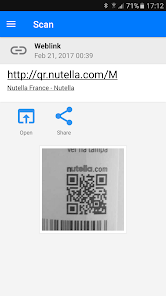
editor reviews
I picked up QR & Barcode Scanner by Gamma Play off Google Play the other day, mostly because I needed something quick to scan a shipping label that wouldn't load in my regular camera app. It's a straightforward utility tool - no frills, no social features, just point your camera at a barcode or QR code and get the info. After downloading it (free, with some unobtrusive ads), the first thing I noticed was how fast it launched. No splash screen drama, no tutorial popups. It just opened straight to the camera viewfinder, ready to go. That instant readiness left a decent first impression, especially compared to some scanner apps that try to sell you a premium version before you've even scanned anything.
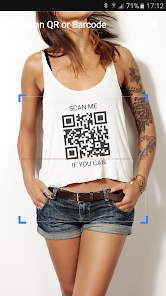
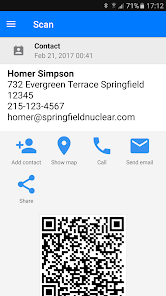
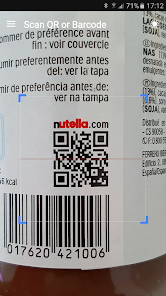
In daily use, it's pretty much set-and-forget. You open the app, the camera activates automatically, and you center whatever code you're scanning in the frame. I tested it on a few QR codes from restaurant menus and a couple of EAN barcodes on packaged goods. The recognition speed is impressively fast - under a second for most codes. There's a flashlight toggle for low light (handy in dim bars) and a small settings gear where you can tweak sound feedback or copy results to clipboard automatically. One small issue I hit: when scanning a dimly lit code, the app froze for a moment and then crashed once. Not a dealbreaker, but noticeable. On the plus side, the on-screen crosshair is precise, and the app keeps a history of your scans if you need to revisit a code later.
After using it for about a week, I'd say this app nails the basics better than many bloated alternatives. If you just need a fast, reliable scanner without signing up for an account or syncing to some cloud, this is a top pick. But if you want extra features like generator tools, batch scanning, or integration with loyalty cards, you're better off with something like QRbot or the built-in scanner in Google Lens. What makes Gamma Play's version stand out is its sheer simplicity - you could hand your phone to a non-tech-savvy person and they'd figure it out in seconds. I'll likely keep it installed for those random moments when I need to open a URL from a poster or check a product's origin. That said, I could see someone uninstalling it if their phone already has a decent scanner in the camera app (like Samsung devices do). The occasional crash gives me pause, but for a free utility, it's solid.
features
- 📷 Instant scan speed: QR & Barcode Scanner picks up codes faster than Kaspersky's QR Scanner, which sometimes hesitates for a second. The Gamma Play app decodes even blurry or slightly damaged codes with fewer retries, making it feel more reliable in real-world use.
- 🔦 Practical extras: The built-in flashlight and vibration feedback are standard, but the app also lets you toggle between scanning modes (QR vs barcode) manually, which helps when you're in a noisy spot. Competitors like Bar-Code skip this manual option entirely.
- 📜 History log: Unlike many free scanners that erase your scan history after closing, this one keeps a searchable list. It's handy if you scanned a Wi-Fi code at a cafe and need the password later - something QRbot requires a subscription for.
- 🚀 Zero bloat: No news feeds, ads for unrelated apps, or popup subscriptions. Compare that to QR Scanner Pro, which pushes a paid upgrade every third scan. Gamma Play keeps it lean, which is its standout feature.
pros
- 💡 Faster recognition than most: Compared to Google Lens, this app picks up codes without needing internet. It handles faded or tiny codes that Lens often fails on, like those printed on battery compartments at the store.
- 😌 No account needed: Unlike Barcoo or QR Reader, you don't hand over your email or phone number. It's refreshingly private - just install, scan, close.
- 👶 Simpler UI than NeoReader: NeoReader buries settings behind three menus while Gamma Play has all controls on the main screen. Less hunting, more scanning.
cons
- 🐞 Rare but annoying crashes: On low-light scans, the app occasionally freezes - something I never see with QRbot. Not frequent, but disruptive when you're in a hurry at a checkout line.
- 🔍 No code generation: If you need to create your own QR codes for a business card or event, you'll need a separate app like QR Code Generator. Gamma Play focuses only on scanning.
- 🗺️ Lacks batch processing: For inventory work, apps like Barcode Scanner Pro let you scan multiple items in a row and export a list. This app is single-scan only, so power users will outgrow it.
- 📱 No widget or quick-tile: Samsung users can't add a one-tap scanner to their notification shade. Apps like QR Scan Plus offer that shortcut, which would make this app even handier.
Recommended Apps
![]()
Japevox - Funny Prank Sound
SecureTool4.3
![]()
AstroMatrix Birth Horoscopes
AstroMatrix4.7
![]()
Personalized Call from Santa (
www.PackageFromSanta.com4.3![]()
Prank Call - Fake Call & Chat
Bravestars Casual4.1![]()
Persona: Beauty Camera
TICKET TO THE MOON, INC.4.5![]()
Peacock TV: Stream TV & Movies
Peacock TV LLC4.5![]()
Instant Buttons Soundboard App
Snow Peak Apps2.1![]()
GPS Speedometer: Speed Tracker
SM Infotech3.2![]()
Subway®
SUBWAY Restaurants4.2![]()
Find Your Phone By Clap
Trusted App Global4.5![]()
Gorilla Skins for Monkey Arena
Dumitru Boico4![]()
Vimeo
Vimeo.com, Inc.3.8![]()
Vinted - Buy and sell clothes
Vinted4.6![]()
Galaxy Starry Keyboard Backgro
Fun Keyboard Theme for Android4.7![]()
Chat AI - Ask AI anything
AI Chat Bot, Ask AI4.4















Disclaimer
1.Apklifts does not represent any developer, nor is it the developer of any App or game.
2.Apklifts provide custom reviews of Apps written by our own reviewers, and detailed information of these Apps, such as developer contacts, ratings and screenshots.
3. All trademarks, registered trademarks, product names and company names or logos appearing on the site are the property of their respective owners.
4.Apklifts abides by the federal Digital Millennium Copyright Act (DMCA) by responding to notices of alleged infringement that complies with the DMCA and other applicable laws.
5.If you are the owner or copyright representative and want to delete your information, please contact us [email protected].
6.All the information on this website is strictly observed all the terms and conditions of Google Ads Advertising policies and Google Unwanted Software policy.
7.Apklifts.com is an independent, information-only website which is 100% free to all the users.













