

Instagram Lite

100,000,000+
Installs
Instagram
Developer
-
Social
Category
-
Rated for 12+
Content Rating
-
http://instagram.com/legal/privacy/
Privacy Policy
Screenshots

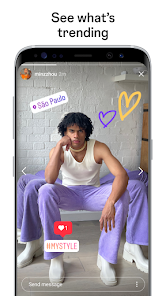
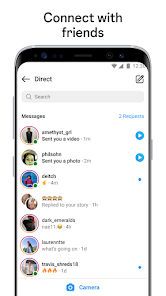

editor reviews
Instagram Lite is a stripped-down version of Instagram, the popular social media app focused on sharing photos and short videos. It's designed specifically for older phones or areas with slower internet connections, allowing people to browse feeds, send direct messages, and post stories without the heavy data usage of the full app. Someone might download Instagram Lite because their phone is running low on storage or they have a limited data plan. The first impression after launching it is oddly refreshing. The interface looks familiar but loads noticeably faster. There is no clutter, no bloat, just the core social feed. It feels like opening a door to a room that was previously stuffed with furniture, now with just the essentials.
The actual hands-on experience is surprisingly smooth. After logging in, the main feed appears almost instantly compared to the full app. Tapping on a story to view it loads quickly, and swiping through the feed feels responsive. Uploading a photo works the same way, tap the plus icon, select your image, add a filter or caption, and post it. One thing that stands out is the lack of lag when scrolling through comments or sending a direct message. The interface is clean and easy to navigate, with only four tabs at the bottom: Home, Search, Reels, and your Profile. There are no shopping tabs or Explore pages that take forever to load. A small tip for regular use: the app does not support in-app video calls, so you will need to switch to the full app or another messenger for that.
After using it for a while, I think this app is perfect for someone with a low-end Android phone or a limited data cap. It does not drain your battery fast, and it respects your storage space. However, if you rely on features like shopping, Reels editing, or live streaming, you will miss them badly. What makes it different from a similar app like Swipe, a third-party Instagram client, is its official backing. You are not risking your account getting banned. I kept it installed on my backup phone because it does exactly what I need without the overhead. But on my main phone, I still use the full version for its richer experience.
features
- 😊 The most outstanding feature is its tiny size. Instagram Lite takes up only about 2 MB of storage, while the full app can easily eat up 50 MB or more. For someone with a 16 GB phone, that difference is huge.
- 😊 It loads much faster on slow networks. When comparing it to the standard Instagram app, scrolling through a feed or viewing stories with a weak signal feels almost instant with Lite.
- 😊 The data saver mode is built-in. Unlike the full app that needs you to toggle a setting, Instagram Lite automatically compresses images and videos to use less data. You get a smaller version of the same content.
pros
- 👍 Loads quickly even on 3G or unreliable Wi-Fi. You can open it and start scrolling without staring at a spinning wheel for ages.
- 👍 Takes up almost no phone storage. Compared to the normal Instagram or even Facebook Lite, this is one of the lightest social media apps around.
- 👍 Consumes significantly less battery. The app does not run heavy background processes or animations, so your phone lasts longer between charges.
cons
- 👎 Lacks access to some Instagram features. You cannot browse the shopping tab, use the Reels creation tools, or see the full Explore page. It feels bare compared to the main app.
- 👎 Cannot send or receive voice messages in DMs. Other lightweight social apps like Telegram X handle this much better.
- 👎 Picture quality suffers a bit. The compression is strong to save data, so photos can look a little blurry compared to the full Instagram experience.
- 👎 No support for in-app video calls or live streaming. If you use Instagram for video chats, you will have to keep the full app installed separately.
Recommended Apps
![]()
BetterMe: Health Coaching
BetterMe Limited4.3
![]()
Walli - HD, 4K Wallpapers
Tap AI4.4![]()
Future Self - Old Age Filter
Vidler Koiter1.6
![]()
AI Photo Editor, Collage-Fotor
AI Art Photo Editor | Everimaging Ltd.4.3![]()
AI Face Swap: MagicFace &Photo
Braly JSC0![]()
QR Code Reader: QR Scanner
WECHOICE MOBILE4.3![]()
Lip Fall Challenge: Fun Filter
Braly JSC0![]()
Funny Reverse Audio - Singing
PlayStudioInc0![]()
Birthday Secrets
shasunder4.4![]()
Live Wallpapers HD 4K
Wallpaper app4.4![]()
Find Your Phone By Clap
Trusted App Global4.5![]()
Wizz - Expand Your World
Wizz3.8![]()
NCAA March Madness Live
NCAA Digital4.7![]()
Hulu: Stream TV shows & movies
Disney4.5![]()
Lethal Love: a Yandere game
AniByte!4.4















Disclaimer
1.Apklifts does not represent any developer, nor is it the developer of any App or game.
2.Apklifts provide custom reviews of Apps written by our own reviewers, and detailed information of these Apps, such as developer contacts, ratings and screenshots.
3. All trademarks, registered trademarks, product names and company names or logos appearing on the site are the property of their respective owners.
4.Apklifts abides by the federal Digital Millennium Copyright Act (DMCA) by responding to notices of alleged infringement that complies with the DMCA and other applicable laws.
5.If you are the owner or copyright representative and want to delete your information, please contact us [email protected].
6.All the information on this website is strictly observed all the terms and conditions of Google Ads Advertising policies and Google Unwanted Software policy.
7.Apklifts.com is an independent, information-only website which is 100% free to all the users.














