
Bing: Chat with AI & GPT-4

10,000,000+
Installs
Microsoft Corporation
Developer
-
Productivity
Category
-
Rated for 3+
Content Rating
-
https://go.microsoft.com/fwlink/?LinkID=248686
Privacy Policy
Screenshots
editor reviews
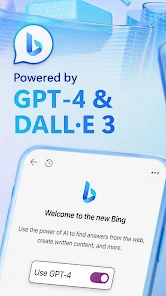
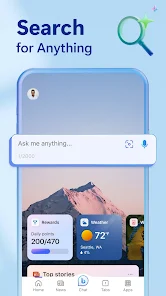
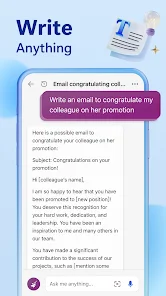
Bing Chat, now rebranded as Copilot, is Microsoft's take on integrating conversational AI directly into a search engine and mobile app. It's essentially a smart assistant built on OpenAI's GPT-4 model. The app is available on both Google Play and the App Store, and it's free to download and install, though you do need a Microsoft account to sign in. It handles everything from answering casual questions and summarizing web pages to generating images and helping with writing. The first thing I noticed after launching it is how clean and simple the interface is—there's a big text bar at the bottom, a few preset prompts, and nothing else cluttering the screen. For anyone who uses a standard search engine but wants something more conversational and capable of pulling together answers without clicking through a dozen links, this feels immediately useful.
After using it for a while, the experience is surprisingly smooth compared to earlier attempts at AI chatbots. The onboarding is quick—just log in with your Microsoft account and you're ready to go. You type a question, and instead of just showing a list of links, it gives you a full, readable answer with sources cited. For everyday use, I found myself asking for travel recommendations, quick summaries of news articles, and even help phrasing an email. There's a toggle that lets you choose between "More Creative," "More Balanced," and "More Precise" responses, which actually changes how it answers. One small thing I appreciated is that it keeps track of the context of the conversation, so follow-up questions don't get lost. There were moments when the app didn't fully understand a slightly vague question, but generally it handled most queries well. It also supports voice input, which makes it even more convenient when you're on the go.
After some weeks of regular use, I've settled into liking Bing Chat for what it does best—quick, detailed answers without all the fluff. If you're someone who needs fast, citation-backed information and doesn't want to waste time reading multiple pages, this app is a solid pick. On the flip side, if you're looking for a dedicated creative writing tool or something more personality-driven like Character.AI, this might feel a bit too utilitarian. Compared to Google's Gemini or the standard ChatGPT app, Bing Chat feels more integrated with real-time web data, which is a big plus for fact-based questions. But because it's tied to Bing's search index, the quality of answers can still vary depending on what's available online. I kept it installed because it's genuinely useful for research and quick answers, but I can see someone uninstalling it if they prefer a different ecosystem or already pay for ChatGPT Plus with browsing.
features
- 🔄 Real-time web search with citations: Unlike standard ChatGPT, which cuts off at its training data, Bing Chat pulls live information from the web and includes source links. You ask about today's news or a recent event, and it gives you a proper answer with references—not just a guess.
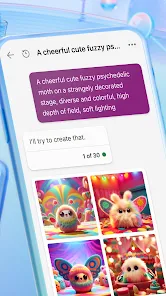
- 🎨 Built-in image generation via DALL-E: You can ask it to create an image from a text description without needing to switch to another app. It's seamless and handles everything from realistic photos to cartoon-style illustrations.
- 👤 Three conversation tones: You can pick between "More Creative," "More Balanced," and "More Precise" modes. This lets you adjust how strictly it follows facts versus how loosely it generates ideas, which is a level of control you don't get with Google Assistant or Siri.
- 📋 Context-aware session memory: It remembers what you talked about during the same session, so you can ask follow-up questions naturally. That makes it feel more like a real assistant than a one-shot Q&A tool.
pros
- 💡 Real-time data access is Bing Chat's biggest strength, especially compared to apps like ChatGPT (free version) which cannot browse the internet. For anyone needing up-to-date information, this is a dealbreaker advantage.
- 💡 It's entirely free with a Microsoft account. While ChatGPT Plus costs $20 per month for GPT-4 and browsing, Bing Chat gives you GPT-4 level intelligence without charging a cent, which is hard to beat.
- 💡 Integration with Microsoft's ecosystem is smooth. If you already use Edge, Office, or Windows, the app syncs well, allowing you to continue conversations across devices without losing context.
cons
- ⚡ Response generation can feel slower than ChatGPT because it's actually searching the web in real time. There's a noticeable pause, especially if you're used to the instant replies from offline AI assistants.
- ⚡ The app still has occasional mood swings. Sometimes it refuses to answer harmless questions or gives overly cautious responses, which can be frustrating when you just want a straight answer.
- ⚡ It's tied to Bing's search index, so if Bing isn't good at finding something, the app won't help either. Google Gemini often has better results for local queries or niche searches because of Google's superior index.
Recommended Apps
![]()
Japevox - Funny Prank Sound
SecureTool4.3
![]()
AstroMatrix Birth Horoscopes
AstroMatrix4.7
![]()
Personalized Call from Santa (
www.PackageFromSanta.com4.3![]()
Prank Call - Fake Call & Chat
Bravestars Casual4.1![]()
Persona: Beauty Camera
TICKET TO THE MOON, INC.4.5![]()
Peacock TV: Stream TV & Movies
Peacock TV LLC4.5![]()
Instant Buttons Soundboard App
Snow Peak Apps2.1![]()
GPS Speedometer: Speed Tracker
SM Infotech3.2![]()
Subway®
SUBWAY Restaurants4.2![]()
Find Your Phone By Clap
Trusted App Global4.5![]()
Gorilla Skins for Monkey Arena
Dumitru Boico4![]()
Vimeo
Vimeo.com, Inc.3.8![]()
Vinted - Buy and sell clothes
Vinted4.6![]()
Galaxy Starry Keyboard Backgro
Fun Keyboard Theme for Android4.7![]()
Chat AI - Ask AI anything
AI Chat Bot, Ask AI4.4















Disclaimer
1.Apklifts does not represent any developer, nor is it the developer of any App or game.
2.Apklifts provide custom reviews of Apps written by our own reviewers, and detailed information of these Apps, such as developer contacts, ratings and screenshots.
3. All trademarks, registered trademarks, product names and company names or logos appearing on the site are the property of their respective owners.
4.Apklifts abides by the federal Digital Millennium Copyright Act (DMCA) by responding to notices of alleged infringement that complies with the DMCA and other applicable laws.
5.If you are the owner or copyright representative and want to delete your information, please contact us [email protected].
6.All the information on this website is strictly observed all the terms and conditions of Google Ads Advertising policies and Google Unwanted Software policy.
7.Apklifts.com is an independent, information-only website which is 100% free to all the users.













