

QR Code Scanner

10M+
Installs
QR Code Scanner & Barcode Reader
Developer
-
Productivity
Category
-
Rated for 3+
Content Rating
-
http://www.qrscannerbarcodereader.com/privacy_policy.php
Privacy Policy
Screenshots
editor reviews
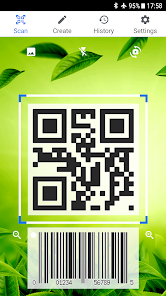
QR Code Scanner is one of those utility apps you grab when you suddenly realize your phone can't scan a QR code natively, or your camera app is too slow. It's a straightforward scanning tool available on Google Play, with over 50 million installs and a free download option. You open it up, and the first thing you see is a live camera feed ready to read any code you point at. There's no registration or login, which is a relief because nobody wants to sign up just to scan a menu link. The first impression is clean and minimal, just a viewfinder and a few buttons. You can tell it's designed for quick one-off scans, not a platform you'll live inside.
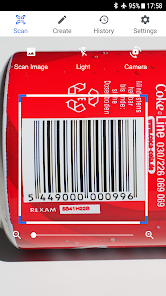
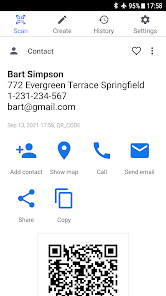
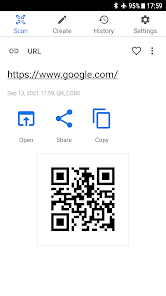
Using the app is as simple as it gets. You launch it, the camera activates, and you point it at a barcode or QR code. It reads codes extremely fast, usually within a second. Once scanned, it shows the content, like a URL or text, and gives you an option to open it in your browser. The interface stays out of your way, but there's a small history tab where you can revisit past scans, which is handy if you rushed through a code. One thing that caught me off guard was the permission request for camera access right at launch, but that's standard. The whole experience is snappy, no lag or crashes, and I didn't feel like I needed a manual to figure it out.
After using it for a while, I think it's perfect for anyone who just needs a reliable scanner without fluff. People who scan codes daily, like event organizers or frequent diners, will appreciate the speed. But if you're used to built-in scanner options in apps like Google Lens or even your camera, you might not see the need to keep this installed. What sets it apart is that it handles dim lighting and damaged codes better than most generic readers I've tried. Still, it lacks advanced features like batch scanning or generating your own codes, which some users might miss. I'd keep it installed simply because it's faster than fumbling with other apps, but if your phone already does this well, you can skip it.
features
- 🎯 Reads almost anything you point at, from standard QR codes to barcodes on dusty boxes, and it does so in near darkness. It feels like it's built to never miss.
- 🎯 The experience starts fast and stays fast. No splash screens, no “tip of the day,” just a viewfinder. You tap open and it's ready to scan. This matters when you're in a hurry.
- 🎯 A tiny history log silently records what you've scanned. It's not flashy, but when you need to re-check a code you rushed through, it's a lifesaver.
pros
- 🟢 Compared to Google Lens, this app uses fewer system resources and responds faster because it doesn't analyze the whole scene, just the code. Your battery thanks you.
- 🟢 It handles poor lighting much better than most built-in camera scanners. I've scanned codes in dimly lit restaurants and subway stations without having to adjust the angle.
- 🟢 There's absolutely no bloat. Unlike many free scanners that push games or wallpapers, this one stays focused on its single job.
cons
- 🔴 You can't create your own QR codes here. If you need to generate codes for a project or event, apps like QR Code Generator offer both scanning and creation in one place.
- 🔴 Batch scanning is missing. If you have multiple codes to process, you have to scan them one at a time, which is fine for occasional use but slow for inventory work.
- 🔴 The app shows ads after a few scans, which can interrupt the flow. Other scanners like Bar-Code offer longer ad-free sessions or a cheap paid version to skip them entirely.
Recommended Apps
![]()
Japevox - Funny Prank Sound
SecureTool4.3
![]()
AstroMatrix Birth Horoscopes
AstroMatrix4.7
![]()
Personalized Call from Santa (
www.PackageFromSanta.com4.3![]()
Prank Call - Fake Call & Chat
Bravestars Casual4.1![]()
Persona: Beauty Camera
TICKET TO THE MOON, INC.4.5![]()
Peacock TV: Stream TV & Movies
Peacock TV LLC4.5![]()
Instant Buttons Soundboard App
Snow Peak Apps2.1![]()
GPS Speedometer: Speed Tracker
SM Infotech3.2![]()
Subway®
SUBWAY Restaurants4.2![]()
Find Your Phone By Clap
Trusted App Global4.5![]()
Gorilla Skins for Monkey Arena
Dumitru Boico4![]()
Vimeo
Vimeo.com, Inc.3.8![]()
Vinted - Buy and sell clothes
Vinted4.6![]()
Galaxy Starry Keyboard Backgro
Fun Keyboard Theme for Android4.7![]()
Chat AI - Ask AI anything
AI Chat Bot, Ask AI4.4















Disclaimer
1.Apklifts does not represent any developer, nor is it the developer of any App or game.
2.Apklifts provide custom reviews of Apps written by our own reviewers, and detailed information of these Apps, such as developer contacts, ratings and screenshots.
3. All trademarks, registered trademarks, product names and company names or logos appearing on the site are the property of their respective owners.
4.Apklifts abides by the federal Digital Millennium Copyright Act (DMCA) by responding to notices of alleged infringement that complies with the DMCA and other applicable laws.
5.If you are the owner or copyright representative and want to delete your information, please contact us [email protected].
6.All the information on this website is strictly observed all the terms and conditions of Google Ads Advertising policies and Google Unwanted Software policy.
7.Apklifts.com is an independent, information-only website which is 100% free to all the users.













