
Themepack - App Icons, Widgets

10M+
Installs
YoloTech
Developer
-
Productivity
Category
-
Rated for 12+
Content Rating
-
https://www.themer-iconwidgets.com/privacy_policy.html
Privacy Policy
Screenshots
editor reviews
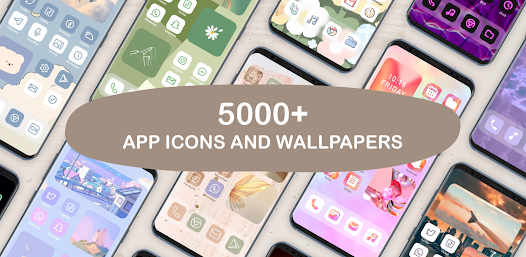
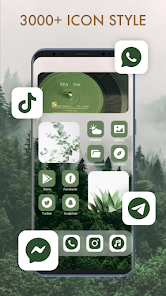
Themepack - App Icons, Widgets is a customization tool from YoloTech that sits right in the personalization corner of the app stores. Basically, it lets you swap out the boring default icons on your phone screen for themed sets and add matching widgets to pull everything together. I stumbled across it while looking for a way to make my home screen feel less generic after a fresh factory reset. The first thing that struck me after downloading and launching it was how clean the layout felt — no pushy tutorial or account sign-up blocking the view. It has a solid install count on Google Play, though I can't recall the exact number, and the download itself is free. There are in-app purchases for the premium packs, but the free options gave me enough to play around with before deciding if I wanted to spend anything.
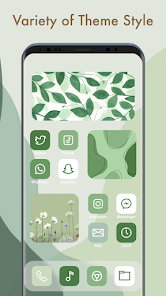
Getting into the actual use, Themepack throws you straight into a gallery of icon packs sorted by style — minimal, neon, pastel, gaming themes, that sort of thing. Tapping one shows you a preview with a sample widget layout, and there is a button that says “Apply.” The first time I used it, I appreciated that it didn't force me to watch a video ad before seeing the preview, which some apps do. The onboarding process is straightforward: you pick a pack, hit apply, and the app walks you through setting up the icon theme through your phone's default launcher settings. One small tip I picked up is that you should check the widget dimensions before placing them, because some look perfect in the preview but get a bit stretched on certain screen sizes. The navigation feels smooth overall, though occasionally the app stutters when loading a pack with a lot of high-resolution previews.
After sticking with Themepack for a couple of weeks, I can say it is a solid choice if you enjoy refreshing your phone's look often without digging into complicated launcher setups. People who like a lot of variety will appreciate the regular updates with new packs, though the free selection is somewhat limited compared to something like X Icon Changer or CandyCons. What makes it stand out a bit is how the widgets actually match the icon style down to the color palette, so the final screen feels cohesive instead of patched together. That said, if you are someone who prefers a completely custom icon for each app individually, this might feel too restrictive since it only applies whole packs. I could see someone keeping it installed if they enjoy seasonal themes, but I almost uninstalled it myself because the app feels a bit bare without purchasing the premium bundles.
features
- 🎨 Themepack lets you apply a full icon set in one tap, while apps like Nova Launcher require you to manually download third-party icon packs and then dig through launcher settings to apply them individually. Themepack combines the selection and installation into a single workflow, which saves a few steps.
- 🖼️ The matching widgets are generated from the same assets as the icons, so the colors and textures line up automatically. In contrast, KLWP or KWGT give you total control but demand that you build every widget from scratch, which is tedious if you just want something that looks good fast.
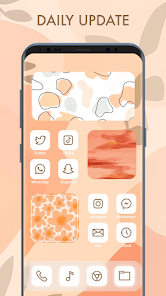
- ⚡ The app updates its catalog every couple of weeks with new themes, keeping the library fresh without requiring you to search external websites. Many similar tools like Icon Pack Studio give you editing tools but rarely push new pre-made content, so Themepack feels more like a subscription service without the subscription cost.
pros
- ✅ One major strength is the low barrier to entry — you can apply a full theme in under a minute without watching ads or registering an account. Apps like Zedge push ads between every other action, which makes Themepack feel much cleaner.
- ✅ The visual consistency between icons and widgets is impressive because they are designed as a set. X Icon Changer lets you mix and match sources, but the final look often feels mismatched unless you spend time tweaking colors manually.
- ✅ Another plus is that the app does not drain battery by running background services. Some similar launcher-based apps keep processes alive to apply live wallpapers, but Themepack only activates when you are actively customizing.
cons
- ❌ A clear weakness is the limited free content — after the first few packs, you hit a paywall that asks for around three dollars per premium set. CandyCons offers a wider range of free icons and only charges for special collaborations.
- ❌ The app does not allow you to mix icons from different packs into one theme. If you like the folder icon from one set and the app icon from another, you are out of luck unless you manually replace images through a file manager, which defeats the purpose of the app.
- ❌ On older phones, the preview gallery loads slowly, especially when scrolling through packs with lots of screenshots. Icon Pack Studio loads previews much more smoothly on the same device, which makes Themepack feel a little unoptimized.
- ❌ There is no backup or restore feature for your current theme setup. If you uninstall the app to clear space, you have to manually rebuild your layout from scratch, whereas Nova Launcher lets you export and import your full setup as a file.
Recommended Apps
![]()
Japevox - Funny Prank Sound
SecureTool4.3
![]()
AstroMatrix Birth Horoscopes
AstroMatrix4.7
![]()
Personalized Call from Santa (
www.PackageFromSanta.com4.3![]()
Prank Call - Fake Call & Chat
Bravestars Casual4.1![]()
Persona: Beauty Camera
TICKET TO THE MOON, INC.4.5![]()
Peacock TV: Stream TV & Movies
Peacock TV LLC4.5![]()
Instant Buttons Soundboard App
Snow Peak Apps2.1![]()
GPS Speedometer: Speed Tracker
SM Infotech3.2![]()
Subway®
SUBWAY Restaurants4.2![]()
Find Your Phone By Clap
Trusted App Global4.5![]()
Gorilla Skins for Monkey Arena
Dumitru Boico4![]()
Vimeo
Vimeo.com, Inc.3.8![]()
Vinted - Buy and sell clothes
Vinted4.6![]()
Galaxy Starry Keyboard Backgro
Fun Keyboard Theme for Android4.7![]()
Chat AI - Ask AI anything
AI Chat Bot, Ask AI4.4















Disclaimer
1.Apklifts does not represent any developer, nor is it the developer of any App or game.
2.Apklifts provide custom reviews of Apps written by our own reviewers, and detailed information of these Apps, such as developer contacts, ratings and screenshots.
3. All trademarks, registered trademarks, product names and company names or logos appearing on the site are the property of their respective owners.
4.Apklifts abides by the federal Digital Millennium Copyright Act (DMCA) by responding to notices of alleged infringement that complies with the DMCA and other applicable laws.
5.If you are the owner or copyright representative and want to delete your information, please contact us [email protected].
6.All the information on this website is strictly observed all the terms and conditions of Google Ads Advertising policies and Google Unwanted Software policy.
7.Apklifts.com is an independent, information-only website which is 100% free to all the users.













