
Filters for pictures - FaceArt

10M+
Installs
VysionApps
Developer
-
Entertainment
Category
-
Rated for 3+
Content Rating
-
https://www.iubenda.com/privacy-policy/7831612
Privacy Policy
Screenshots

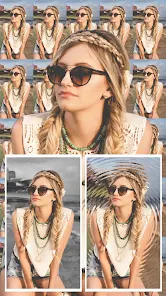
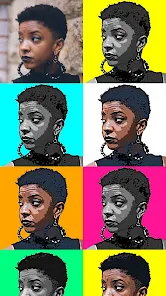
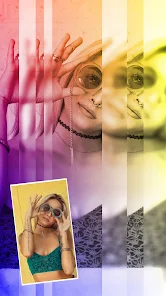
editor reviews
FaceArt, developed by VysionApps, lands squarely in the photo editing and AI filter niche, a space crammed with dozens of hopeful apps. It promises to turn your ordinary selfies into something more artistic, be it a classic painting, a cartoon character, or a stylized avatar. You download it from Google Play or the App Store to give your profile pictures a makeover or just to mess around with your friends' faces for a laugh. After a quick install—it's free, with the usual in-app purchases and ads—the first impression is a clean, slightly flashy interface that immediately asks for camera roll access. It feels familiar, almost like every other filter app, so the initial reaction is a healthy dose of skepticism: "What makes this one different?"
Once you actually start using it, the experience is a mixed bag. The onboarding throws you into a series of example transformations, which is a smart touch because it shows off what the AI can do before you commit your own photos. The main action is straightforward: pick a photo, choose a style from the grid—like "Oil Painting," "Anime," "Sketch," or "3D Cartoon"—and hit the generate button. The processing time varies wildly; sometimes it's snappy, other times it hangs for a good ten seconds, leaving you staring at a spinning wheel. The interface itself is functional but a bit cluttered with promotional banners for premium styles. A small practical tip: stick to well-lit, front-facing selfies for the best results, as dark or group shots tend to confuse the AI and produce waxy, distorted faces.
After a week of tinkering, my honest take is that FaceArt is a fun distraction, not a permanent tool. The cartoon and anime filters are genuinely impressive, often capturing the likeness better than I expected. It's the kind of app you open when you're bored on the train or want to surprise a friend with a silly portrait. However, the free version is aggressively limited, bombarding you with ads after every single generation and locking the best filters behind a paywall. You'll quickly bump into the "Pro" nag screen. Compared to something like Remini or FaceApp, FaceArt feels less polished and more gimmicky. It lacks the advanced retouching tools of those bigger names. I could see someone keeping it installed for the specific anime style, but most people will likely delete it after a week when the novelty wears off and the ads become too much.
features
- 🎨 Style Variety vs. Prisma: FaceArt offers a wider range of playful, cartoonish styles compared to Prisma's focus on fine-art paintings. While Prisma excels at mimicking Van Gogh or Picasso, FaceArt nails the "Anime" and "3D Cartoon" looks that are trending for social media avatars and profile pictures. It's less about art gallery and more about silly fun.
- ⚡ Processing Speed vs. Meitu: FaceArt's AI generation is noticeably faster than Meitu's more complex editor. Where Meitu might take 20 seconds to apply a heavy 3D filter, FaceArt often delivers in under five. This quick turnaround makes it better for rapid experimentation, though quality can sometimes suffer for that speed.
- 🖼️ Background Replacement: A standout feature is the "Art Background" tool. Unlike typical blurring or color swaps, FaceArt can re-imagine your entire background in a matching artistic style. For example, replace a messy room with a starry night or a Japanese garden, and it blends the subject seamlessly. Few free alternatives handle the integration this well.
- 📜 Batch Processing: You can select multiple photos and apply the same filter in one go. This is a huge time-saver if you're creating a themed album or set of matching profile pictures for a group event. Competitors like YouCam Perfect require you to process each image individually, making FaceArt much more efficient for bulk edits.
pros
- ✨ Free Cartoon Filters: The anime and cartoon styles are available without a subscription. Apps like FaceApp or Remini lock similar high-quality cartoon effects behind a paywall. FaceArt gives you a genuinely good "Anime" filter for free, which is rare.
- ⚙️ Lightweight Install: The app is surprisingly small in size compared to giants like Photoshop Express or PicsArt. It doesn't hog your phone's storage or demand huge downloads for filter packs, making it ideal for devices with limited space.
- 🔗 Direct Social Sharing: It integrates deeply with WhatsApp, Instagram, and TikTok. You can generate an image and post it in two taps. This seamless share flow is smoother than Snapseed's multi-step export process.
- 🔄 No Watermark on Generations: Unlike many free apps that brand your images with a logo, FaceArt's basic filters produce clean, watermark-free results. This keeps your profile pictures looking professional and uncluttered.
cons
- ❌ Intrusive Ad Overload: The free version is flooded with full-screen video ads after every single generation. Even after a simple filter, you're forced to wait through a 15-second ad. PiCcollage or Canva handle ads far more subtly, placing them in banners rather than interrupting your workflow.
- 💸 High Subscription Cost: Unlocking the premium styles costs about $10/month, which is steep compared to FaceApp's $5/month or even Lensa's one-off purchases. The value doesn't match the price, especially when many premium styles feel just slightly better than the free ones.
- 🖼️ Poor Group Photo Performance: The AI struggles with multiple faces. In a group selfie, it often distorts faces at the edges, gives people extra eyes, or mixes up features. FaceApp handles group shots with far more accuracy and consistency.
- 🔒 Limited Undo Options: There's no history or undo button. Once you apply a filter and save, you can't go back to the original state within the app. You have to reload the original image. Snapseed's layers and non-destructive editing are a world ahead in flexibility.
Recommended Apps
![]()
BetterMe: Health Coaching
BetterMe Limited4.3
![]()
Walli - HD, 4K Wallpapers
Tap AI4.4![]()
Future Self - Old Age Filter
Vidler Koiter1.6
![]()
AI Photo Editor, Collage-Fotor
AI Art Photo Editor | Everimaging Ltd.4.3![]()
AI Face Swap: MagicFace &Photo
Braly JSC0![]()
QR Code Reader: QR Scanner
WECHOICE MOBILE4.3![]()
Lip Fall Challenge: Fun Filter
Braly JSC0![]()
Funny Reverse Audio - Singing
PlayStudioInc0![]()
Birthday Secrets
shasunder4.4![]()
Live Wallpapers HD 4K
Wallpaper app4.4![]()
Find Your Phone By Clap
Trusted App Global4.5![]()
Wizz - Expand Your World
Wizz3.8![]()
NCAA March Madness Live
NCAA Digital4.7![]()
Hulu: Stream TV shows & movies
Disney4.5![]()
Lethal Love: a Yandere game
AniByte!4.4















Disclaimer
1.Apklifts does not represent any developer, nor is it the developer of any App or game.
2.Apklifts provide custom reviews of Apps written by our own reviewers, and detailed information of these Apps, such as developer contacts, ratings and screenshots.
3. All trademarks, registered trademarks, product names and company names or logos appearing on the site are the property of their respective owners.
4.Apklifts abides by the federal Digital Millennium Copyright Act (DMCA) by responding to notices of alleged infringement that complies with the DMCA and other applicable laws.
5.If you are the owner or copyright representative and want to delete your information, please contact us [email protected].
6.All the information on this website is strictly observed all the terms and conditions of Google Ads Advertising policies and Google Unwanted Software policy.
7.Apklifts.com is an independent, information-only website which is 100% free to all the users.














