
Doodle Master - Glow Art

10M+
Installs
Hydodo
Developer
-
Art & Design
Category
-
Rated for 3+
Content Rating
-
https://sites.google.com/view/draw-apps-for-free/
Privacy Policy
Screenshots
editor reviews
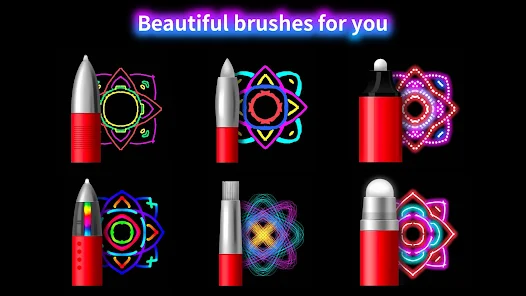
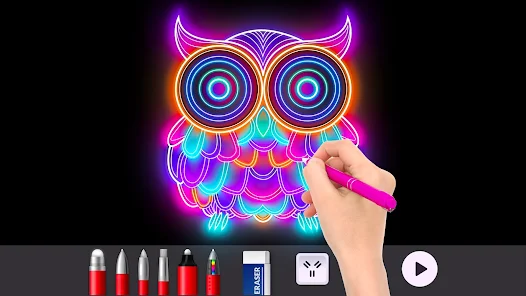
Doodle Master - Glow Art is one of those casual drawing apps that's all about creating neon-style artwork on a black canvas. It's tucked away in the art and creativity section on Google Play and the App Store, and honestly, it's the kind of thing you download when you're bored and want to make something that looks cool without any real artistic skill. I installed it after seeing a friend's glowing doodle on social media, and the first impression was pretty straightforward—you open it up and you're smacked with a dark screen and a bunch of neon color swatches at the bottom. No login, no tutorial, just a blank canvas and some glowing brushes. It's free to download and there are ads, but they're not too intrusive during the first few minutes.
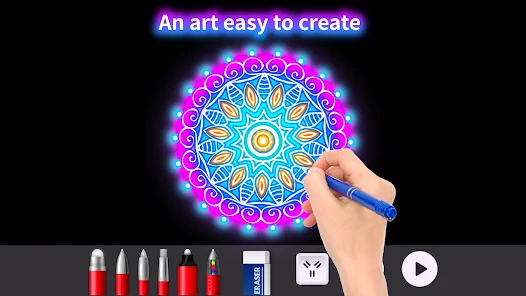
Once you start doodling, the app feels very responsive and smooth. You pick a color, choose a brush size, and just swipe your finger across the screen. The glow effect is applied instantly, which is satisfying, and you can layer different colors to create depth. The interface is clean and minimal—no confusing menus, just a toolbar at the bottom with a few icons for undo, redo, save, and clear canvas. The only hiccup I ran into was finding the "glow intensity" setting, which is hidden behind a small settings gear. After a few strokes, I realized you can adjust the neon brightness and flicker speed, which makes the artwork pop more. A small tip: start with lighter colors for the background glow and add darker strokes on top for contrast. The app also lets you draw over existing lines without erasing them, which is nice if you want to blend colors.
After spending about a week messing around with it, I can say Doodle Master is fun for quick creative bursts, but it's not something I'd use for serious art. The main appeal is how easy it is to make something that looks visually striking—like a neon sign or a galaxy swirl—without fussing over details. It's perfect for kids, casual doodlers, or anyone who wants to kill time on a commute. But if you're used to something like Procreate or Sketchbook, this will feel very limited—no layers, no precise tools, no export options beyond basic JPG. I ended up keeping it installed because it's a nice way to unwind, but I can see how someone who wants more control would uninstall it pretty fast. It's a simple app for simple fun, and honestly, that's exactly what it's meant to be.
features
- ✨ Neon Glow Engine: Unlike popular apps like Infinite Painter, Doodle Master has a dedicated glow system that automatically adds a neon halo to every stroke. You can adjust both brightness and flicker intensity through a hidden slider menu, something most drawing apps don't offer as a default feature. This makes even a simple circle look like a glowing ring.
- ✨ Color Blending on the Fly: The app lets you layer colors without them overlapping into a muddy mess. I tried creating a rainbow spiral, and the colors stayed vibrant and separate, almost like working with real light tubes. Apps like ArtFlow require you to manually adjust layer blend modes to get a similar effect.
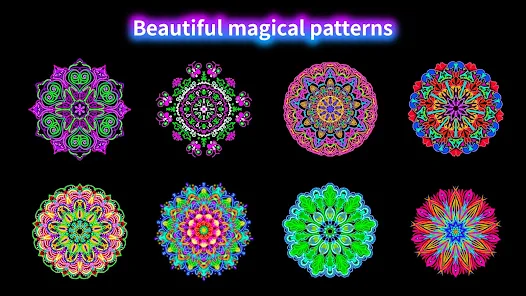
- ✨ One-Tap Symmetry: You can enable horizontal or vertical symmetry with a single tap from the toolbar. This is a huge timesaver for creating balanced mandalas or geometric patterns, something that takes multiple steps in apps like Adobe Fresco. It's crude but effective for quick designs.
pros
- 🌟 Zero Learning Curve: You can literally start making cool art in under a minute. No layers, no brush settings, no confusing menus. Compared to Procreate, which requires watching tutorials just to understand the interface, Doodle Master is a breath of fresh air.
- 🌟 Lightweight and Fast: The app loads instantly on older phones and never lags, even with complicated drawings. Drawing apps like MediBang Paint often stutter on lower-end hardware, but this one runs smoothly every time.
- 🌟 Addictive Simplicity: It's surprisingly easy to lose an hour just drawing glowing spirals and stars. The instant visual feedback is rewarding in a way that complex apps can't replicate. No waiting, no rendering, just pure, satisfying flow.
cons
- 🪫 No Layer Support: Unlike apps like Ibis Paint X, you cannot separate different elements of your drawing. If you mess up one part of the glow, you have to undo everything or erase manually. This makes detailed work frustrating and limits creativity.
- 🪫 Limited Save Options: You can only export as a basic JPG or PNG. There's no support for transparent backgrounds, high-resolution exports, or layered project files. If you want to edit your neon art later in another app, you're out of luck.
- 🪫 Repetitive Toolset: After an hour, you realize you're just using the same few brushes and colors repeatedly. The lack of custom brushes or texture options makes it feel very one-note compared to Sketchbook, which offers hundreds of creative tools to explore.
Recommended Apps
![]()
BetterMe: Health Coaching
BetterMe Limited4.3
![]()
Walli - HD, 4K Wallpapers
Tap AI4.4![]()
Future Self - Old Age Filter
Vidler Koiter1.6
![]()
AI Photo Editor, Collage-Fotor
AI Art Photo Editor | Everimaging Ltd.4.3![]()
AI Face Swap: MagicFace &Photo
Braly JSC0![]()
QR Code Reader: QR Scanner
WECHOICE MOBILE4.3![]()
Lip Fall Challenge: Fun Filter
Braly JSC0![]()
Funny Reverse Audio - Singing
PlayStudioInc0![]()
Birthday Secrets
shasunder4.4![]()
Live Wallpapers HD 4K
Wallpaper app4.4![]()
Find Your Phone By Clap
Trusted App Global4.5![]()
Wizz - Expand Your World
Wizz3.8![]()
NCAA March Madness Live
NCAA Digital4.7![]()
Hulu: Stream TV shows & movies
Disney4.5![]()
Lethal Love: a Yandere game
AniByte!4.4















Disclaimer
1.Apklifts does not represent any developer, nor is it the developer of any App or game.
2.Apklifts provide custom reviews of Apps written by our own reviewers, and detailed information of these Apps, such as developer contacts, ratings and screenshots.
3. All trademarks, registered trademarks, product names and company names or logos appearing on the site are the property of their respective owners.
4.Apklifts abides by the federal Digital Millennium Copyright Act (DMCA) by responding to notices of alleged infringement that complies with the DMCA and other applicable laws.
5.If you are the owner or copyright representative and want to delete your information, please contact us [email protected].
6.All the information on this website is strictly observed all the terms and conditions of Google Ads Advertising policies and Google Unwanted Software policy.
7.Apklifts.com is an independent, information-only website which is 100% free to all the users.














