
Neon LED Keyboard: RGB & Emoji

50M+
Installs
AZ Mobile Software
Developer
-
Productivity
Category
-
Rated for 3+
Content Rating
-
https://sites.google.com/view/cutewallpapersstudio
Privacy Policy
Screenshots
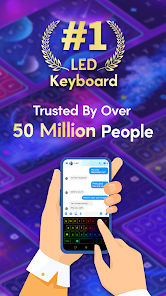
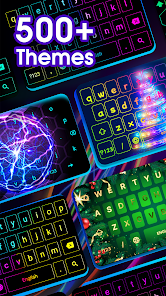
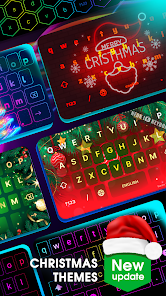
editor reviews
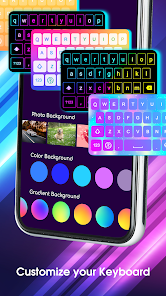
So, Neon LED Keyboard is basically a keyboard app that swaps your regular keys for flashy, glowing ones. It's in that whole "customization" and "personalization" category of apps that people grab when they're bored of their stock Android or iPhone keyboard. I mean, who hasn't scrolled through the Play Store looking for something to spice up their texting? You download it, and the first thing that hits you is this bright, colorful interface. It feels exactly like you'd expect from an app with "neon" in the name—vibrant and a little extra. It's free to download, but like most of these, you'll quickly find that the coolest themes and emoji packs are locked behind a paywall or require watching an ad. The install count is decent, so it's not a complete ghost town.
Once you get past the flashy intro, using it is pretty straightforward. You enable it in your system settings like any third-party keyboard, and then you're in. The interface has a ton of slider bars and color wheels for tweaking the glow effect, the background darkness, and the font style. The main selling point—the RGB lighting—actually works, and you can set it to cycle or pulse, which is kind of hypnotic in a dark room. Typing feels fine, but I wouldn't call it snappy. There's a slight learning curve because some of the key layouts are a bit squished if you pick a really fancy theme. A practical tip: disable the sound effects right away unless you want everyone around you to know exactly what you're typing. The emoji section is a neat bonus, but you have to remember you're not getting the standard ones—it's a separate gallery of mostly illustrated icons.
After a few weeks, I found myself switching back to my regular keyboard. The app is fun for showing off at a party or if you're into that whole "gamer" aesthetic, but for daily use, it gets tiring. The constant ads to unlock themes are annoying, and the typing accuracy just isn't on par with something like Gboard or SwiftKey. Who would keep this? Maybe a teenager who loves customizing their phone's look or someone who uses a lot of neon wallpapers. Who wouldn't need it? Anyone who types a lot for work, like writing emails or documents. It's a cool gimmick, but the core typing experience is average, and the battery drain from the constant animations is noticeable. I ended up uninstalling it because the novelty wore off faster than I expected.
features
- 🎨 Fully customizable RGB glow effects that let you adjust brightness, speed, and color cycle modes, which gives you a unique look per wallpaper. This is way more in-depth than something like Microsoft SwiftKey's limited theme shop, which only offers static backgrounds.
- 💡 Built-in emoji keyboard with a separate gallery of illustrated icons, so you're not stuck with just standard Unicode emojis. It feels more expressive, especially when compared to Gboard, which keeps things basic and stock.
- 🖼️ Support for custom backgrounds and transparent themes that blend with your home screen wallpaper, making the keyboard feel like an actual part of your phone's design. Google's Gboard doesn't offer this level of transparency mixing.
pros
- 🌟 The visual uniqueness is the biggest win here. No other keyboard, not even the popular Chrooma keyboard, offers this specific neon glow aesthetic with such vivid RGB cycling.
- 🆓 It's free to start with, and you get a decent amount of presets without paying a cent, which is more generous than some theme-heavy keyboards that lock everything behind a subscription.
- 🔋 The app doesn't drain your battery as noticeably as some other live-wallpaper-based keyboards because the glow effect is mostly coded in the app layer, not your GPU.
cons
- ⚠️ Typing accuracy takes a hit because the neon glow can blur the edges of the keys, making it easy to miss the right letter. Gboard's predictive text handles this much better with its larger key target zones.
- 📢 Too many intrusive ads covering half the keyboard until you unlock premium, which is a huge step down from the clean, ad-free experience of SwiftKey.
- 🛑 No built-in clipboard manager or swipe gestures for quick actions, which removes basic productivity tools that many users rely on in apps like Gboard or Fleksy.
Recommended Apps
![]()
Japevox - Funny Prank Sound
SecureTool4.3
![]()
AstroMatrix Birth Horoscopes
AstroMatrix4.7
![]()
Personalized Call from Santa (
www.PackageFromSanta.com4.3![]()
Prank Call - Fake Call & Chat
Bravestars Casual4.1![]()
Persona: Beauty Camera
TICKET TO THE MOON, INC.4.5![]()
Peacock TV: Stream TV & Movies
Peacock TV LLC4.5![]()
Instant Buttons Soundboard App
Snow Peak Apps2.1![]()
GPS Speedometer: Speed Tracker
SM Infotech3.2![]()
Subway®
SUBWAY Restaurants4.2![]()
Find Your Phone By Clap
Trusted App Global4.5![]()
Gorilla Skins for Monkey Arena
Dumitru Boico4![]()
Vimeo
Vimeo.com, Inc.3.8![]()
Vinted - Buy and sell clothes
Vinted4.6![]()
Galaxy Starry Keyboard Backgro
Fun Keyboard Theme for Android4.7![]()
Chat AI - Ask AI anything
AI Chat Bot, Ask AI4.4















Disclaimer
1.Apklifts does not represent any developer, nor is it the developer of any App or game.
2.Apklifts provide custom reviews of Apps written by our own reviewers, and detailed information of these Apps, such as developer contacts, ratings and screenshots.
3. All trademarks, registered trademarks, product names and company names or logos appearing on the site are the property of their respective owners.
4.Apklifts abides by the federal Digital Millennium Copyright Act (DMCA) by responding to notices of alleged infringement that complies with the DMCA and other applicable laws.
5.If you are the owner or copyright representative and want to delete your information, please contact us [email protected].
6.All the information on this website is strictly observed all the terms and conditions of Google Ads Advertising policies and Google Unwanted Software policy.
7.Apklifts.com is an independent, information-only website which is 100% free to all the users.













