

To Do List

10M+
Installs
Splend Apps
Developer
-
Productivity
Category
-
Everyone
Content Rating
-
https://splendapps.com/privacy
Privacy Policy
Screenshots
editor reviews
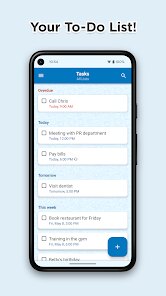
To Do List, by Splend Apps, is basically a straightforward task manager you grab from Google Play to keep your daily stuff in order. It's the kind of app you install when you're tired of forgetting grocery items or missing deadlines at work. After download, it launches into a clean, no-fuss screen where you can start adding tasks right away. No account creation, no forced tutorials. Just a simple text field and an add button. First impression? It feels refreshingly basic, no overhyped design or bloated features trying to sell you something. The install count sits somewhere modest, but for a free app with optional ads, it does exactly what it promises. You add a task, you check it off, you move on. No registration required, though there are in-app purchases if you want extra themes.
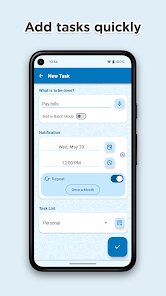
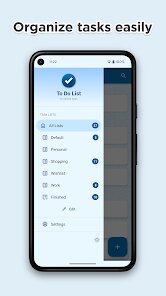
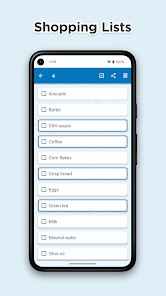
Using it day to day, the experience is pretty smooth. The interface is clean white with subtle color accents, so it does not hurt your eyes. Onboarding is just a quick swipe through a few screens, then you're dropped into your first empty list. To add a task, you tap the plus icon, type something like "buy milk," and hit save. Done. You can set due dates or reminders by tapping the clock icon beside each task. Checking off a task gives a satisfying little animation. The app sorts completed items to the bottom automatically. One small tip: swiping left on a task deletes it, which is faster than tapping into submenus. The only confusion I hit was figuring out how to edit an existing task. You have to tap the text itself, not the check box. Got used to it after a few tries, but not totally intuitive at first.
After a few weeks, I can say this app suits someone who just wants a simple list without extra bells and whistles. It is different from apps like Todoist or TickTick, which throw collaboration, smart lists, and project views at you. With this one, everything stays basic. You might want to keep it if you like minimalism. But if you need recurring tasks or shared lists, you will probably uninstall it. Compared to Microsoft To Do, this feels more like a digital sticky note than a full management tool. It sticks with you if all you want is something to jot down errands and check them off without distraction.
features
- 📝 Straightforward task creation with a single tap. You just type and hit add, no extra steps. This beats the more bloated process in apps like Any.do that sometimes prompt you for tags or priority before saving.
- ⏰ Subtle reminder integration for each task. You can set a date and time per task without opening a separate calendar. It's leaner than Todoist, where setting a reminder often leads to a full submenu of options.
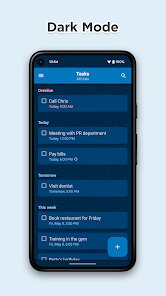
- 🎨 Optional theme customization through in-app purchases. If you want a different look, you pay once and it's yours. Not a subscription, which is refreshing compared to apps like TickTick that lock themes behind a monthly fee.
- 🔄 Automatic sorting of completed items to the bottom. No manual grouping or archiving needed. It keeps your active list clean without effort, unlike Wunderlist which sometimes mixed done and undone tasks together.
pros
- ✅ Completely free to start with no mandatory sign-up. Many task apps like Todoist push you to create an account before adding your first task. This one just lets you go.
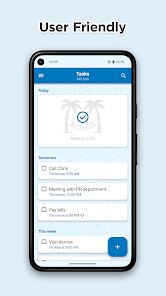
- ✅ Minimalist interface with a low learning curve. Something like TickTick overwhelms new users with project tabs and progress graphs. Here, you just see your list.
- ✅ Ad-supported but not aggressive. Banners appear but do not pop up mid-task. Contrast that with apps like Any.do that sometimes show video ads after you check off a few items.
cons
- ❌ No recurring task support. If you need to set "weekly grocery run," you have to add it manually each time. Microsoft To Do handles this natively.
- ❌ No cross-device sync unless you pay. On the free tier, your list lives only on one phone. TickTick and Todoist sync automatically across devices for free.
- ❌ Limited organization options. You cannot create folders or tags for different categories. Todoist lets you group tasks by project and label them.
Recommended Apps
![]()
Japevox - Funny Prank Sound
SecureTool4.3
![]()
AstroMatrix Birth Horoscopes
AstroMatrix4.7
![]()
Personalized Call from Santa (
www.PackageFromSanta.com4.3![]()
Prank Call - Fake Call & Chat
Bravestars Casual4.1![]()
Persona: Beauty Camera
TICKET TO THE MOON, INC.4.5![]()
Peacock TV: Stream TV & Movies
Peacock TV LLC4.5![]()
Instant Buttons Soundboard App
Snow Peak Apps2.1![]()
GPS Speedometer: Speed Tracker
SM Infotech3.2![]()
Subway®
SUBWAY Restaurants4.2![]()
Find Your Phone By Clap
Trusted App Global4.5![]()
Gorilla Skins for Monkey Arena
Dumitru Boico4![]()
Vimeo
Vimeo.com, Inc.3.8![]()
Vinted - Buy and sell clothes
Vinted4.6![]()
Galaxy Starry Keyboard Backgro
Fun Keyboard Theme for Android4.7![]()
Chat AI - Ask AI anything
AI Chat Bot, Ask AI4.4















Disclaimer
1.Apklifts does not represent any developer, nor is it the developer of any App or game.
2.Apklifts provide custom reviews of Apps written by our own reviewers, and detailed information of these Apps, such as developer contacts, ratings and screenshots.
3. All trademarks, registered trademarks, product names and company names or logos appearing on the site are the property of their respective owners.
4.Apklifts abides by the federal Digital Millennium Copyright Act (DMCA) by responding to notices of alleged infringement that complies with the DMCA and other applicable laws.
5.If you are the owner or copyright representative and want to delete your information, please contact us [email protected].
6.All the information on this website is strictly observed all the terms and conditions of Google Ads Advertising policies and Google Unwanted Software policy.
7.Apklifts.com is an independent, information-only website which is 100% free to all the users.













